There is no shortage of ways to plan an event. Every planner has their own process, but no matter what that process looks like, it’s very likely that an event planning software could make it easier and faster while delivering superior results. OnePlan does just that, making the planning process more streamlined and precise so that you can focus on planning an incredible event. Here are nine benefits of using an event planning software like OnePlan.
1. Accurate and Detailed Event Maps
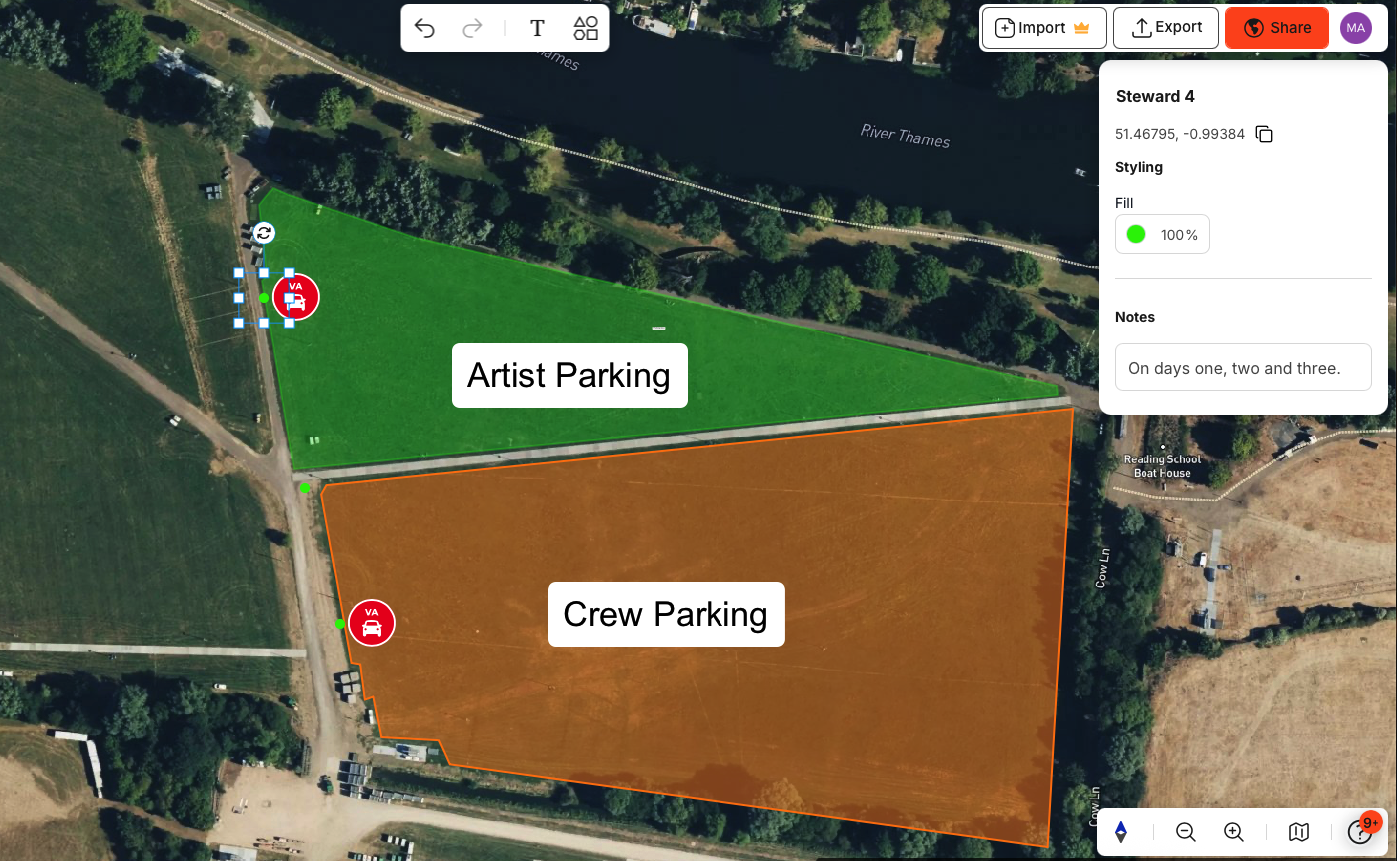
No event planner can function without an event map, but CAD and Photoshop don’t always cut it. Using an event planning software will result in a more accurate and detailed event map. OnePlan comes with the world’s best selection of up-to-date, 2D, HD, aerial and satellite maps and you can change map type at any time.

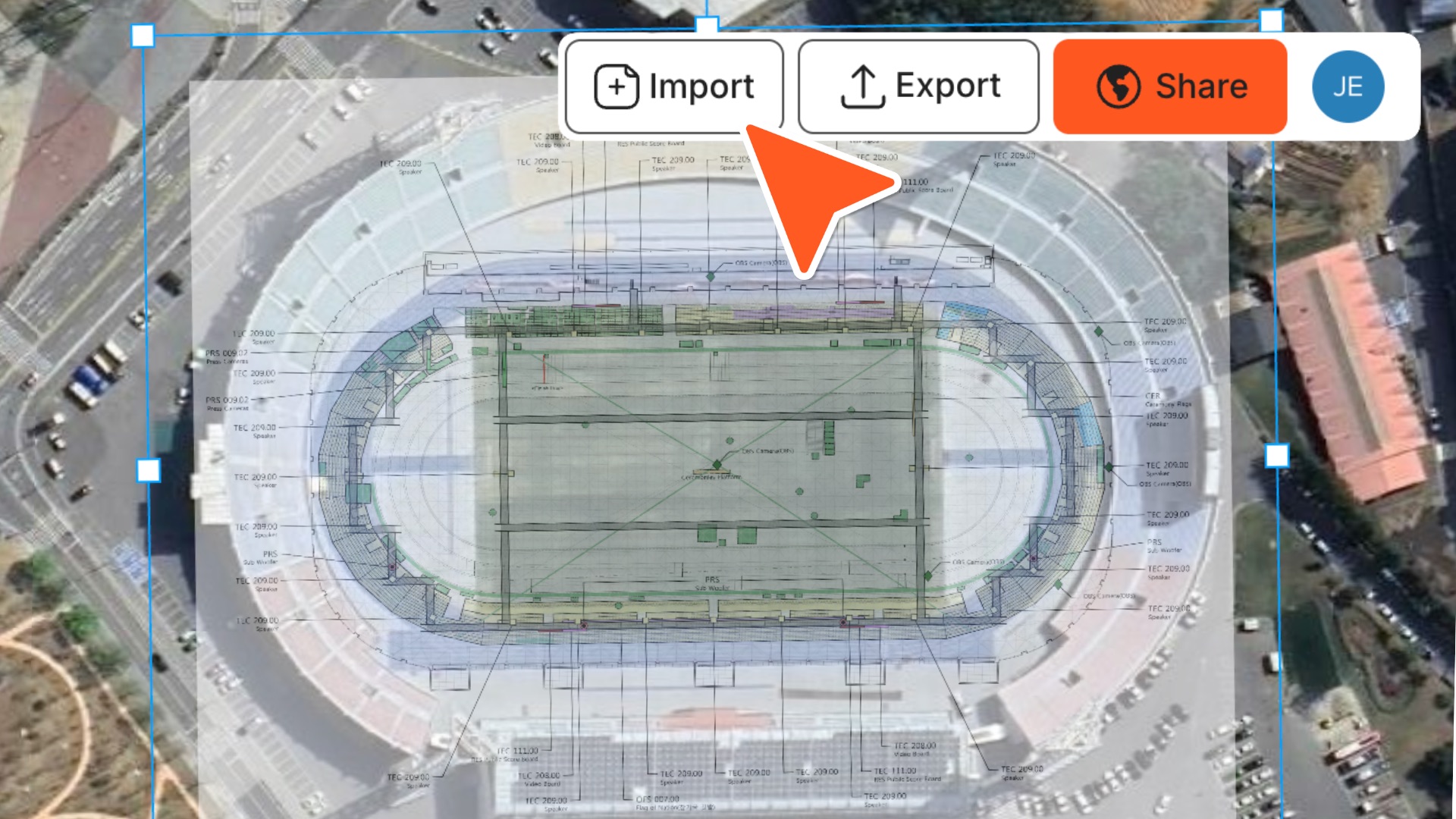
Are you already knee-deep in venue CAD files? No problem. With a OnePlan Pro subscription, venue floor plans can be imported to create a to-scale 2D digital twin of a venue to plan events and test scenarios. There’s also a selection of hundreds of items that you can place directly on your CAD drawings, from furniture and signage to bathrooms and vendors.
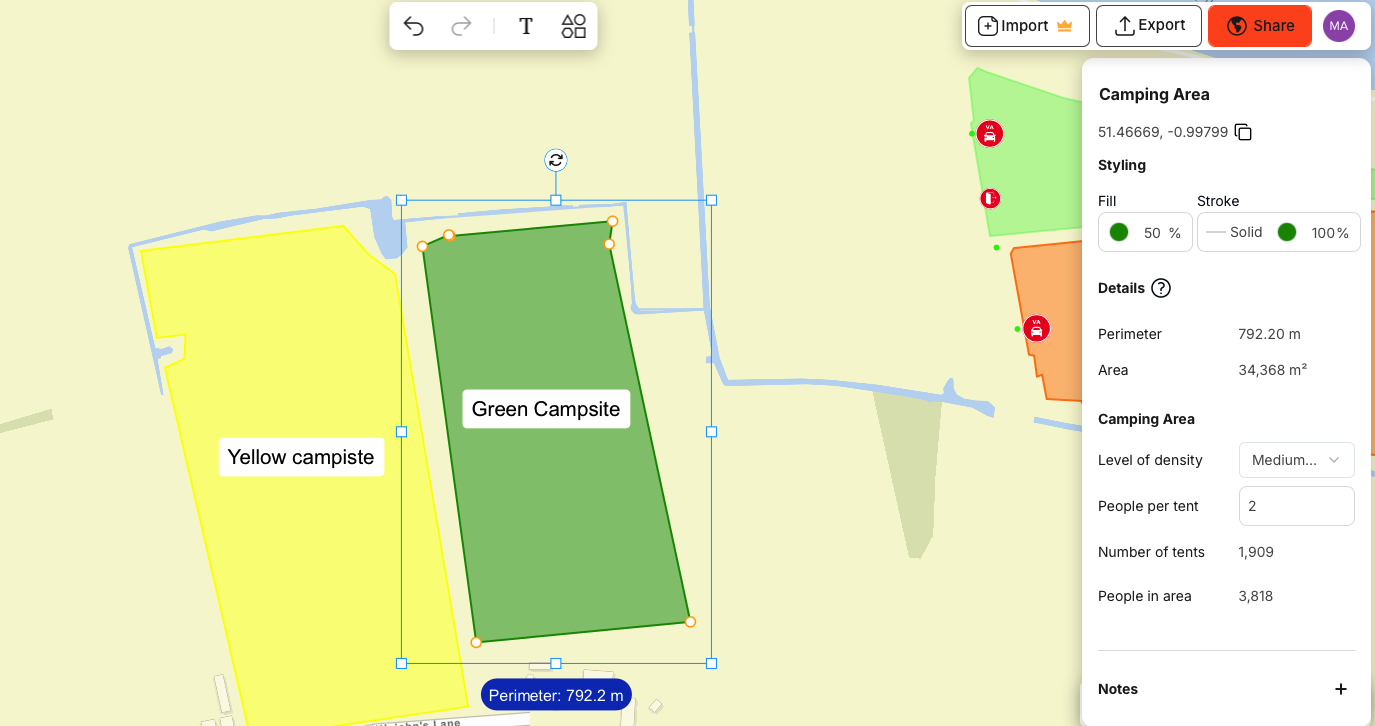
OnePlan doesn’t just allow you to create a more detailed map, but also a more accurate one. OnePlan provides the precise coordinates of a location for everything on your event plan. Place any item onto your event plan – sign, barrier, staff, or crowd barricade – and you’ll see its coordinates. This makes planning more precise and allows you to give staff highly-specific directions before, during, and after the event. Your crew will know exactly where the infrastructure is located, because you can share the plan with them so everyone is on the same page.
2. Everything You Need in One Place
Event planning software will help consolidate all of the event planning elements into one place. Whether your event takes place indoors, outdoors, or across multiple venues. Our software combines powerful GIS mapping tools, real-time collaboration, and detailed operational planning in one intuitive interface.
Event planners can design accurate, to-scale layouts using high-resolution maps, satellite imagery, or imported venue floor plans, ensuring every barrier, tent, and access route is placed precisely where it should be. OnePlan connects all your planning elements — from crowd control and infrastructure placement to vendor management and safety plans — in a single, live plan that your entire team can collaborate on. The result is a faster, smarter, and more efficient way to plan, share, and deliver exceptional events, anywhere in the world.
“For us, OnePlan is that single source of truth – it’s always up-to-date and allows for instant collaboration, especially in our case with suppliers”

Jacalyn Morgan
Senior Event Manager
3. Vendor Management
One of the great challenges of event planning is managing the massive number of vendors necessary to put on a major event. If you’re dealing with everyone from lighting technicians and security personnel to medics and food vendors, an event planning software like OnePlan can help.
Vendor management is built right into our platform so that managing suppliers, stalls, and logistics is simple and transparent. You can map all vendor locations directly onto your site plan, assign specific zones, and even import existing layouts or overlays. Your vendors get tailored views of the plan, with access granted securely by link, so they know exactly where to be — reducing confusion on event day.
The properties panel lets you customize objects (like tents, booths, or kiosks) — from size to colors — making your visual plan mirror real-world setups. Everything stays centralized and clear: you coordinate placement, communicate changes, and export maps (PNG or other formats) to share with vendors instantly. That means less back-and-forth, fewer mistakes, and smoother execution from setup through teardow. Learn more about managing vendors in OnePlan.


OnePlan’s bill of quantities export tool will also come in handy when dealing with your vendors. Everything you place on the site map is automatically pulled into a CSV file you can export, so you can see what infrastructure and items you need all in one place.
As you design your event site plan, OnePlan automatically calculates and displays the items you need to source from suppliers.
4. Ease of Collaboration
Event planning software makes collaborating with your event planning team and other key stakeholders easier than ever. OnePlan provides 360-degree real-time event management, enabling you to oversee the entire map and operational plan from a single source at any time – at a desk, in an event control room, or on the move.
The platform provides end-to-end visibility of event staff on the ground, enabling you to track key team members, assess situations, coordinate resources, and make informed decisions with speed and total accuracy—all on a platform where you can share and collaborate with the push of a button.

OnePlan’s dynamic easy-to-use platform allows different stakeholders to collaborate effectively in real-time.
Working from a single shared live plan, different elements of the event can be added, shared, coordinated, analyzed, visualized, and understood from every aspect and viewpoint.
5. Save Time & Money
Let’s face it, great event planners don’t come cheap, and we all want to be spending our time doing what we do best – making event magic! What we don’t want is to be spending precious hours building sub-par maps or dealing with vendor logistics because we don’t have the tools to save our time and save our client’s money. A free software like OnePlan eliminates or simplifies tons of tedious tasks. Event planners save time, allowing them to focus on the more important details.
"OnePlan is the ideal, all-in-one solution for us. It saves us time and money, reduces risk and improves how we manage our event stakeholders."

Andras Palinkas
Production Manager
6. Help Your Client Visualize Your Ideas
Event planners have a vision of the event that they want to bring to life, but it’s sometimes difficult to transfer that vision into something concrete to show your clients, partners and other stakeholders. With more detailed maps and various ways of viewing, an event planning software like OnePlan will visualize your ideas in a more exciting and vibrant way.
7. Use Tools Specific to your Event-Type
Event mapping and site planning isn’t one-size-fits-all. Different event types require placing different objects on your map, applying for different permits, and working with different vendors. OnePlan has thought of everything, with tools and objects spottable for any event type. From music festivals and cycling events to holiday markets and competitions, software like OnePlan will ensure you have the tools you need to pull off a successful event.
Software to plan any event site
OnePlan contains a large library of objects and infrastructure to choose from and has a search function to quickly find what you’re looking for.
The tool was developed by event experts to simplify event site planning.
8. Experience the Benefits of Advanced Technology
Great event planning software doesn’t just improve on the things you were already doing. Instead, it gives you access to more tools and technology, allowing you to innovate and plan even better events. OnePlan offers a lot of amazing features, including Geographic Information System (GIS) mapping. In fact, OnePlan was the official GIS Mapping and Digital Twin software for the 2024 Olympic and Paralympic Games in Paris!
GIS Mapping is a more sophisticated way of mapping that allows for better management and sharing of your map. GIS gathers and shares geographic/spatial information and offers useful analysis like the travel time between different locations. GIS mapping is available to everyone through OnePlan, enabling super accurate and detailed event mapping and site planning.
The exciting technology emerging from the world of event planning software doesn’t stop there. 3D digital twin software is also available through the makers of OnePlan. VenueTwin allows for a hyper-realistic, fully interactive, and customizable digital version of your venue, allowing for extremely accurate planning, creative marketing, and so much more.
9. Access the Support of Experienced Planners
At OnePlan, we’re committed to helping every event professional get the most from our platform. That’s why we provide comprehensive support through multiple channels — ensuring you always have the guidance you need, when you need it. Our Knowledge Hub is packed with helpful articles, how-to guides, and best practices to help you plan smarter and faster. You can access video tutorials and webinars to explore features in detail, or book a live demo hosted by our team of experts to see OnePlan in action and ask questions in real time.
For personalized help, our live chat is available directly within the platform, so you can quickly troubleshoot or get advice while working on your event plan. Whether you’re new to event planning software or managing complex multi-site events, our dedicated support ensures you’re never planning alone.