📖 Resources

Product Updates

Stay up to date with what’s new in OnePlan.

Product Feature Update

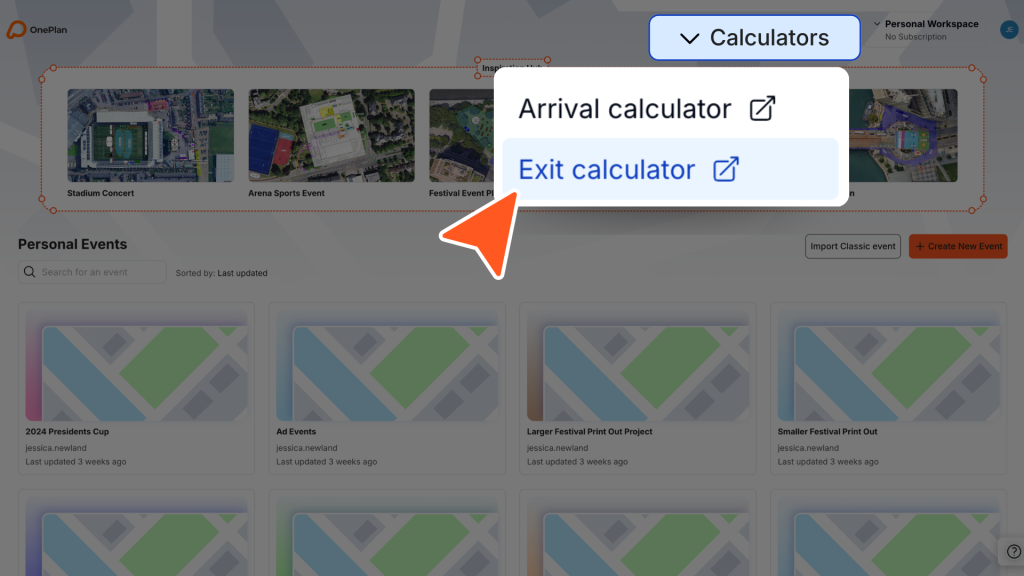
Arrival and Exit Calculators

Model crowd flow with confidence using our new Arrival and Exit Calculators. Input your event details to forecast ingress and egress scenarios, helping you plan safer arrivals and departures for attendees.

Generate and export your calculations as PDF or CSV reports to share with your team, stakeholders, and safety partners.

June 2026

Product Feature Update

June 2026

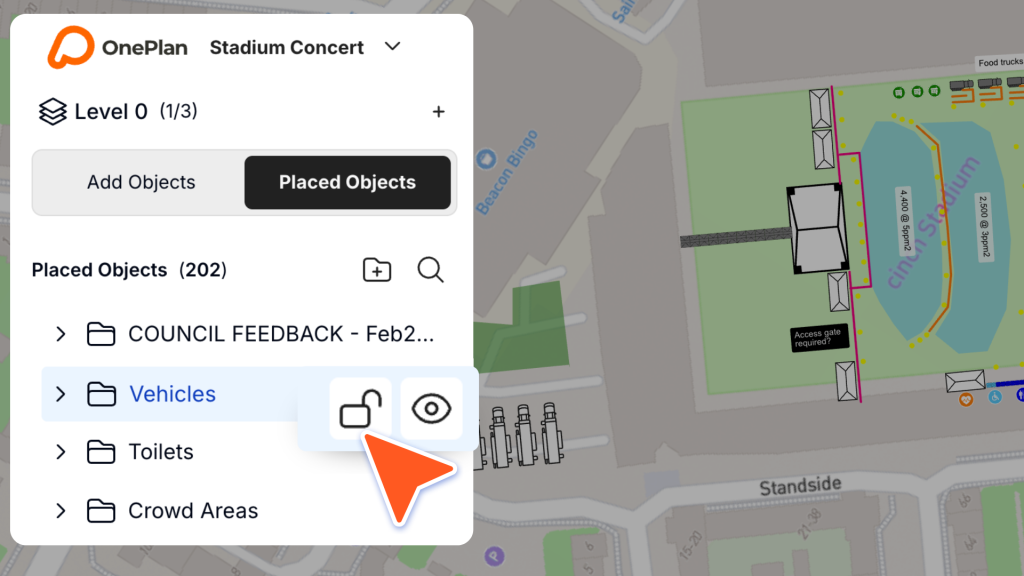
Lock/Unlock Folders

You can now lock and unlock folders in OnePlan to control how your plan is edited.

When a folder is locked, all objects inside it are protected from changes, helping you avoid accidental edits and keep key parts of your event plan secure and consistent!

Product Feature Update

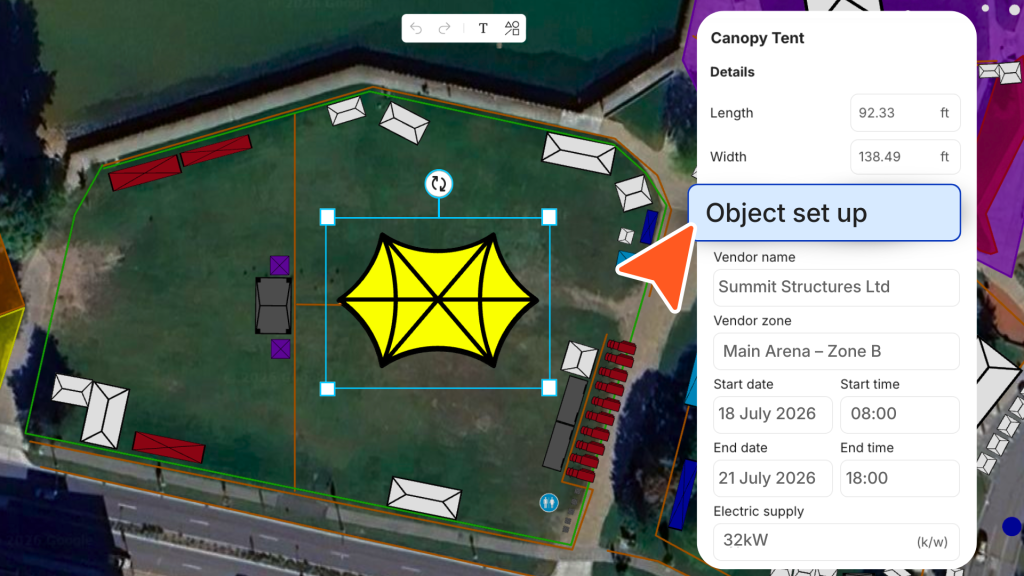
Add more information with Object set up

You can now manage setup and vendor information directly within your objects in OnePlan!

Add details such as vendor names, zones, setup times, and electrical requirements to keep all your operational planning information in one place.

June 2026

Product Feature Update

June 2026

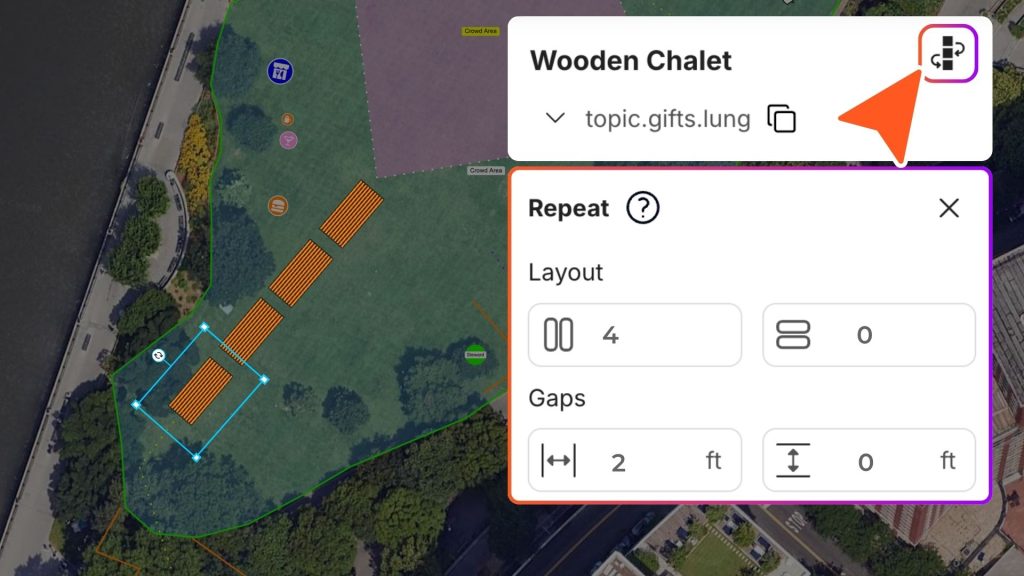
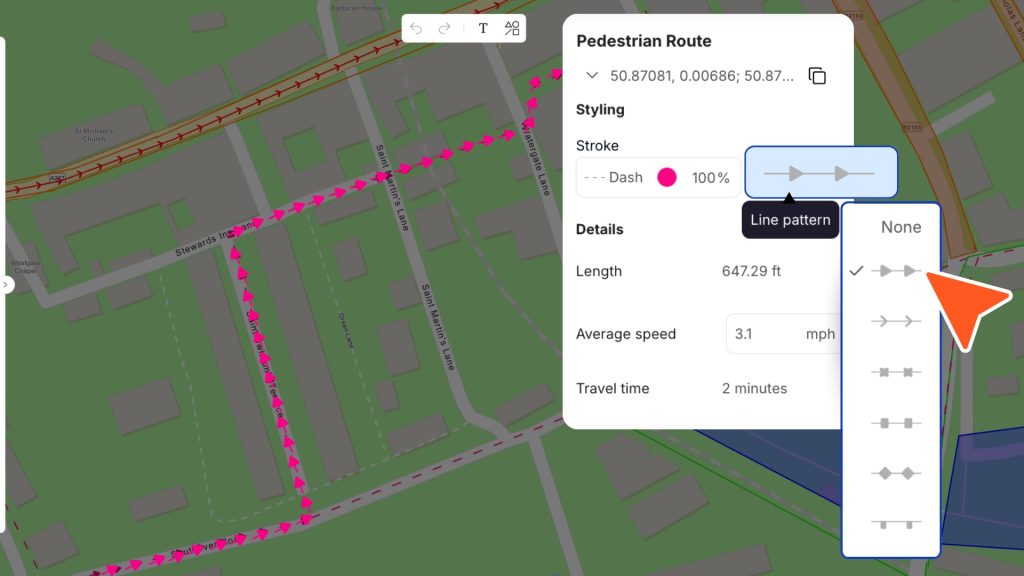
Line Patterns

You can now apply line patterns to your plans, making routes, infrastructure, and measurements easier to distinguish and communicate. 

Simply draw a line, open the properties panel, and select a pattern from the dropdown to customise your plan.

Product Feature Update

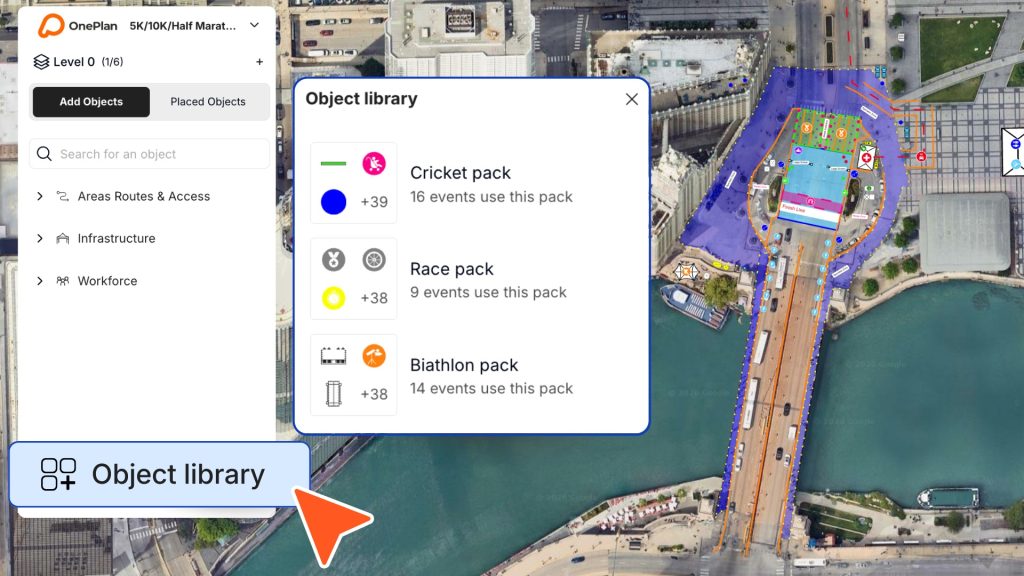
Introducing the Object Library

You can now expand your object menu with the new Object Library. Browse specialised object packs and add them directly into your workspace!

Simply open the library, select a pack, and click ‘Add pack’ to make it available in your left-hand object menu.

Apr 2026

Product Feature Update

Apr 2026

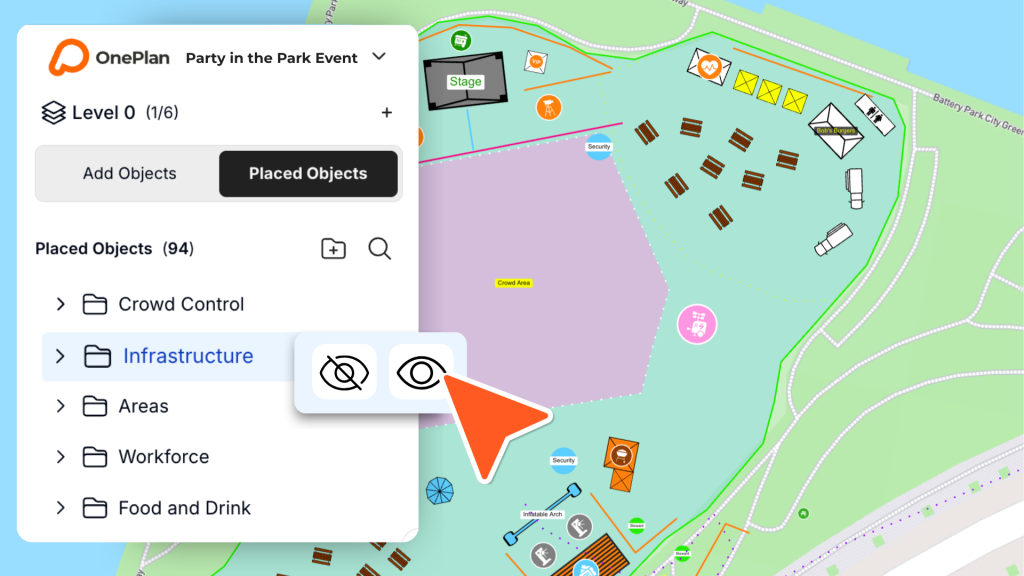
Hide/Show Folders

You can now hide or show entire folders in your plan, making it easier to focus on specific areas or layers of your event.

Quickly toggle visibility by hovering over your folders to simplify complex plans and stay in control.

Product Feature Update

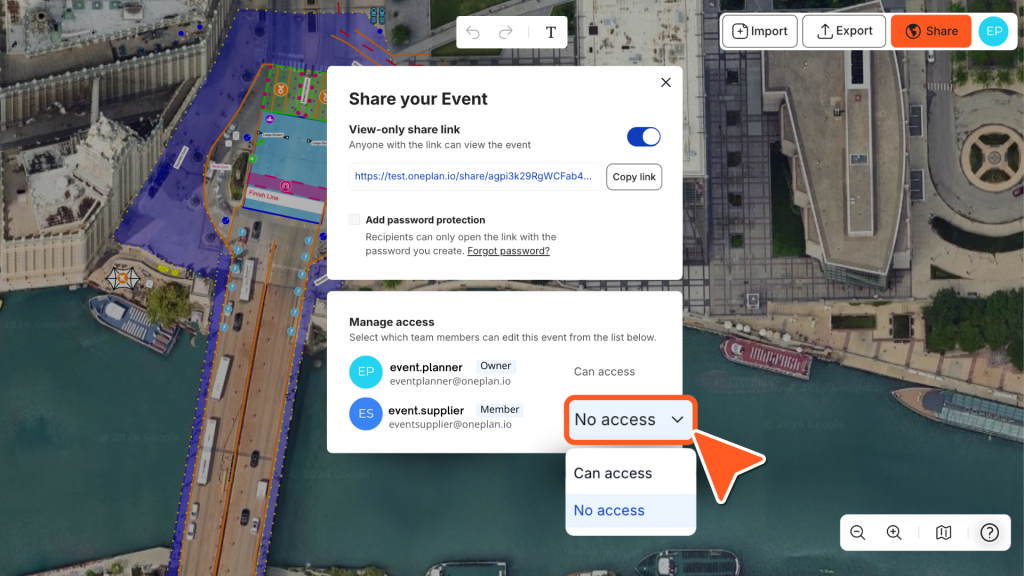
Manage team access with permissions

You can now control who can access each event by managing permissions directly from the ‘Share’ button. Simply choose ‘Can access’ or ‘No access’ for each team member to keep your plans secure and organised.

Only available on Team plans, upgrade to control access and keep your events secure.

Apr 2026

Product Feature Update

Mar 2026

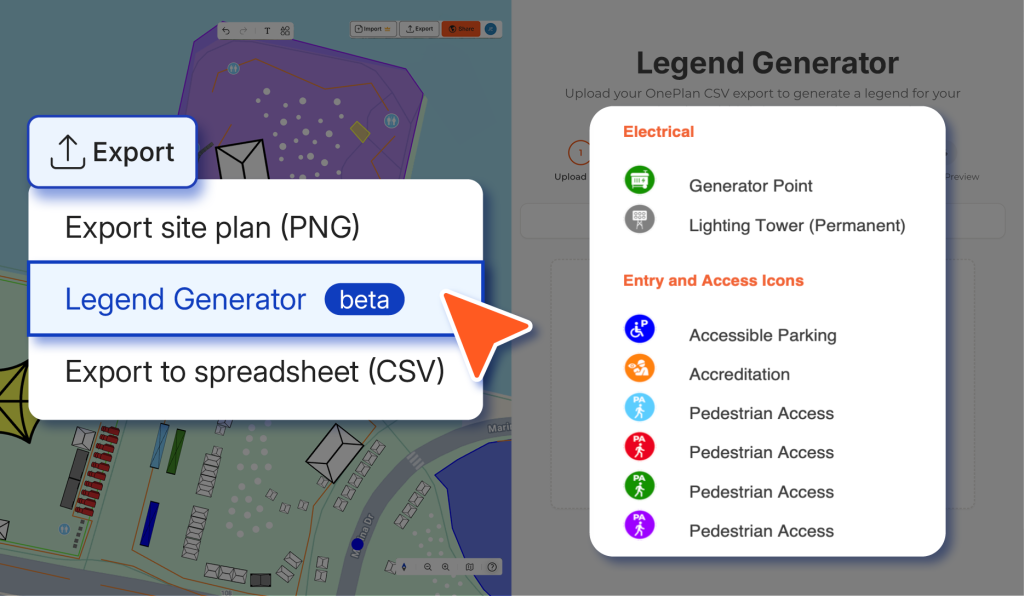
Legend Generator for your exports

You can now export a legend to accompany your site plans. Generate a clear, organised key for your objects and share more detailed, easy-to-understand plans with stakeholders.

Try out the beta version today and enhance your plan exports.

Product Feature Update

OnePlan has a new Dashboard

We’ve introduced a brand new dashboard that brings all your events into one place – so you can jump back in, create new plans in seconds, and switch between your personal and team workspaces effortlessly.

In need of some inspiration? Head to the Inspiration Hub to explore different event types and view ready made plans.

Mar 2026

Product Feature Update

Feb 2026

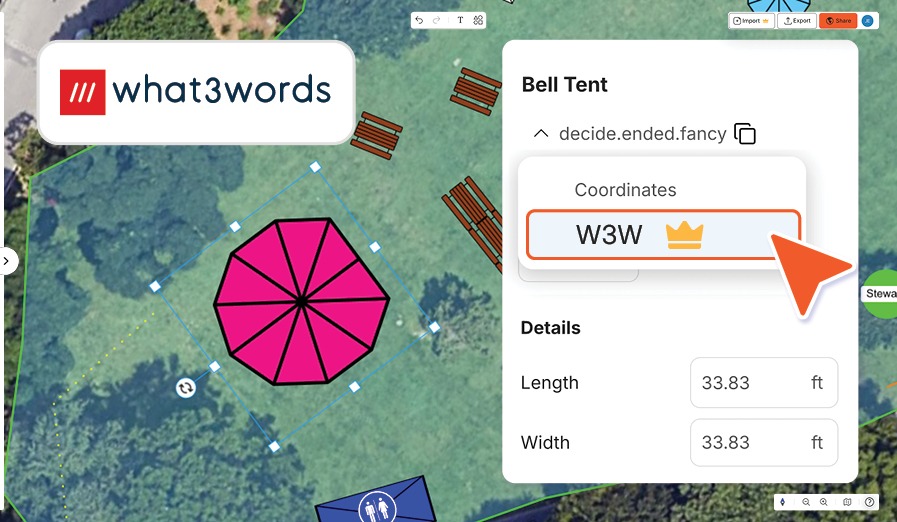
What3Words for precise planning

You can now use What3Words (W3W) directly in OnePlan to pinpoint exact locations across your event site!

Share precise three word addresses from an object’s properties panel with your team, vendors, or contractors, and make sure everyone knows exactly where to be.

Product Feature Update

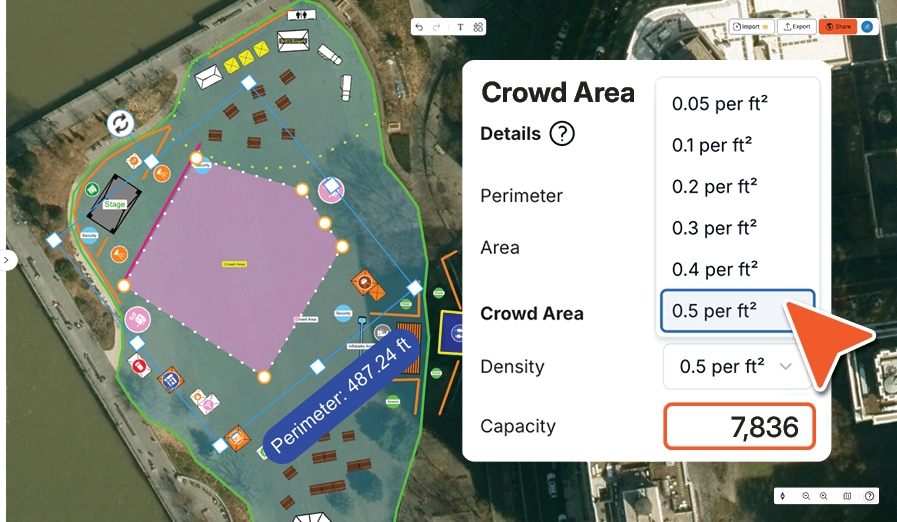
Calculators for Areas, Routes and Barriers

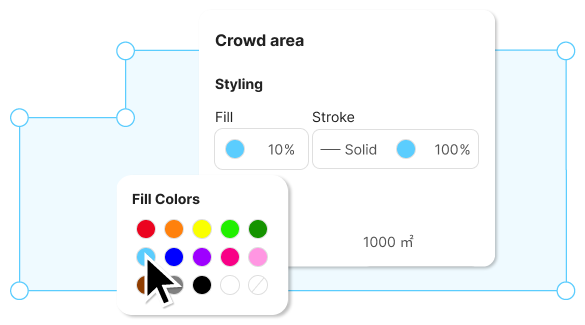
See your properties panel come alive with crowd, parking, route and segment calculators!

Simply place your object and adjust the calculators to fit your event site, you can even export them as a CSV.

Feb 2026

crowd area calculator

Product Feature Update

Jan 2026

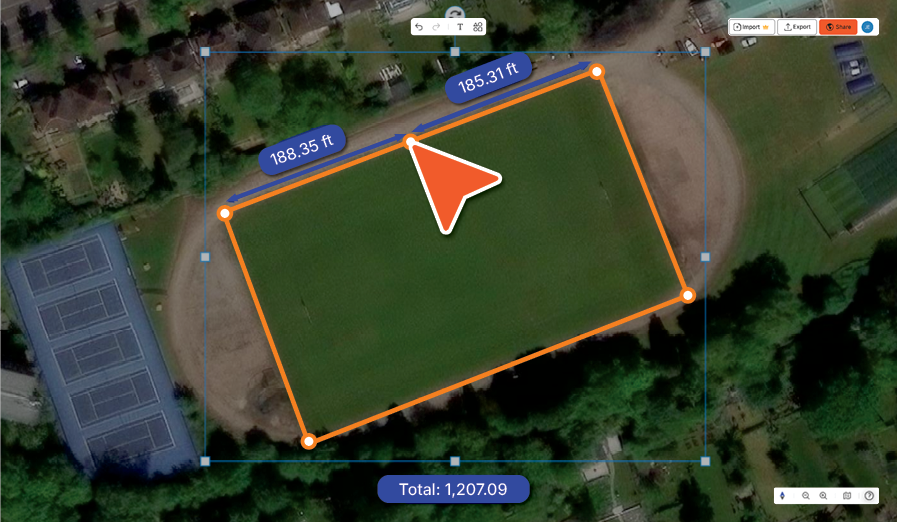
View Live Measurements

Now you can see live length measurements as you draw lines on your plan – perfect for crowd barriers, fencing, and other linear infrastructure.

View individual segment lengths when adding vertices, and see the total length even across multi-point lines.

Product Feature Update

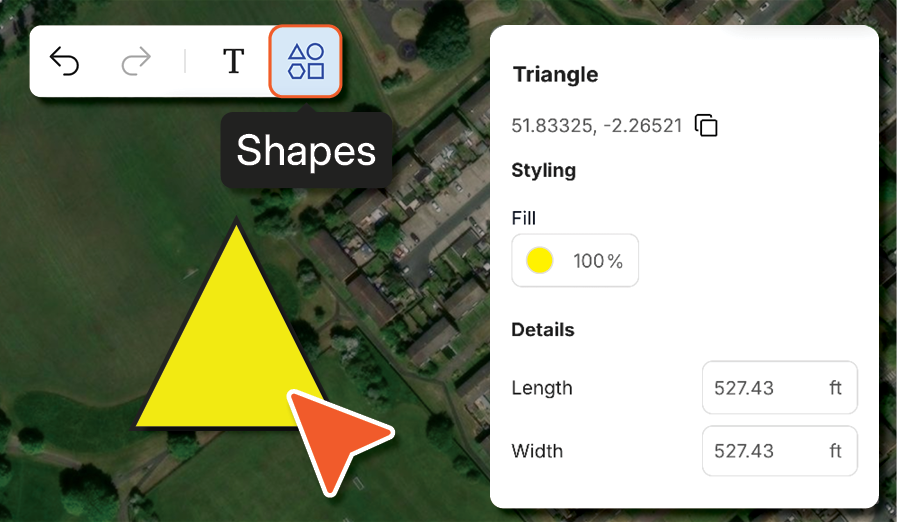
Add Shapes to your plan

You can now place shapes directly onto your plan using the new ‘Shapes’ option in the top menu bar.

Add triangles, squares, circles, and lines, then resize and label them just like any other object – perfect for zoning, coding areas, or highlighting key spaces.

Jan 2026

Product Feature Update

Use Folders to organize placed objects in OnePlan

Jan 2026

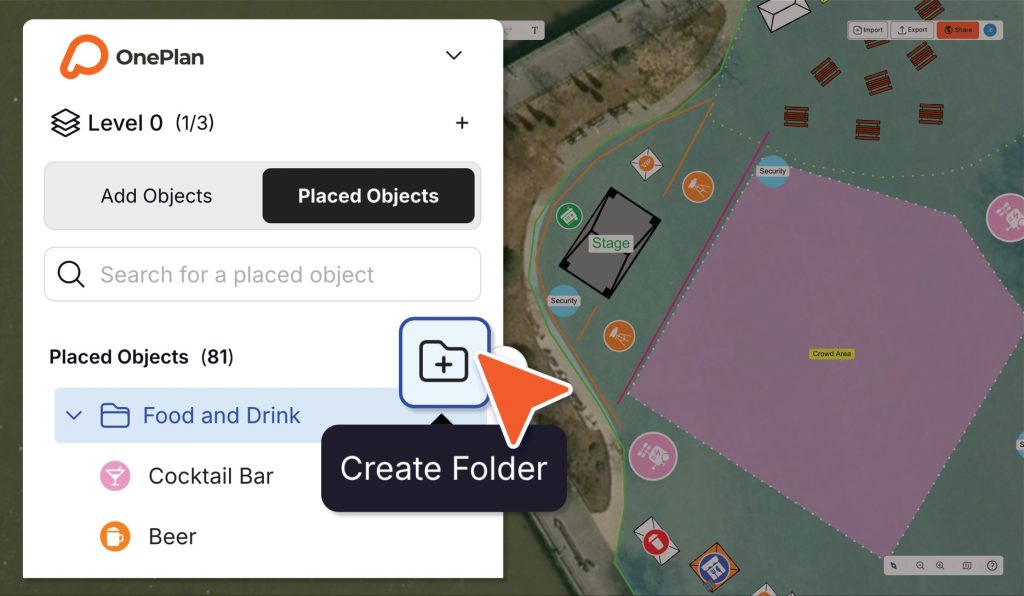
Organize your placed objects into folders

Group your placed objects into Folders to keep your plans clear and easy to manage. This is a great solution for event plans with a higher number of objects on the map.

Create an empty folder using the new ‘+’ button, or select objects first and click the ‘+’ to organize them even faster. 

Product Feature Update

Rotate the map

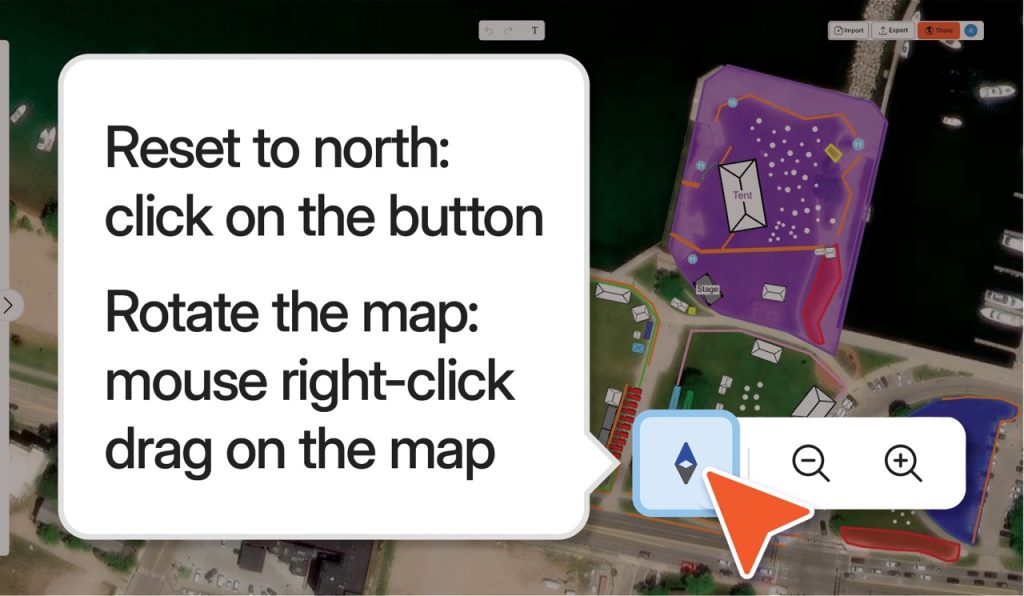
You can now rotate your entire event plan using the new Map Rotation feature. 

Simply right-click and drag to adjust your view, and use the compass in the bottom-right menu to snap your map back to north at any time.

Dec 2025

Product Feature Update

Nov 2025

Add Notes to any object on your plan

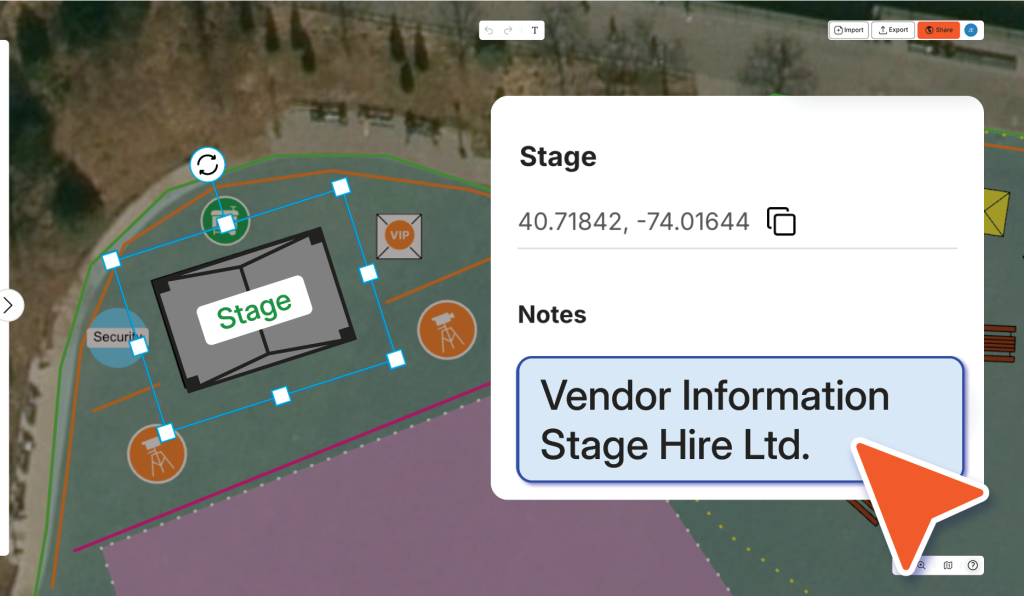
You can now add detailed notes to any placed object using the new ‘Notes’ section in the properties panel. 

Record key information such as vendor details, workforce roles, calculations, or any other context you need – everything stays attached to the object as your plan evolves.

Product Feature Update

Label placed objects

You can now add labels to Icons, Scalable objects and Areas. Customise them to fit your plan!

There are 3 ways to add a label:

  • Double click on the object and start typing
  • Select an object and click ‘L’ on your keyboard
  • Add a label by the right click menu

Oct 2025

Product Update

Oct 2025

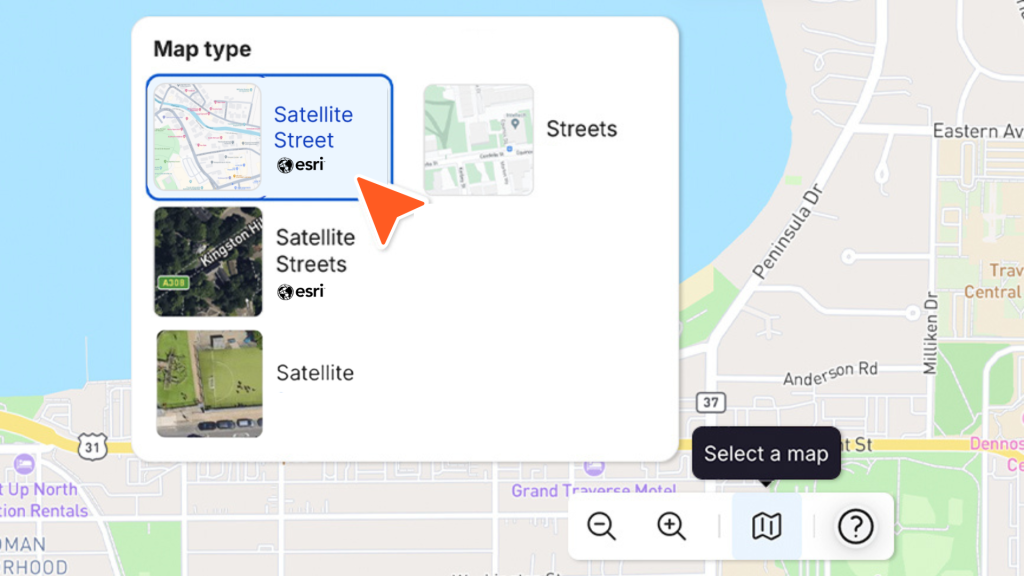
Esri maps now available in OnePlan

You can now plan your event sites using Esri maps in OnePlan – bringing our total map options to eight.

Explore the two new Esri Streets maps and Esri Satellite view today and plan with even greater precision and detail.

Product Feature Update

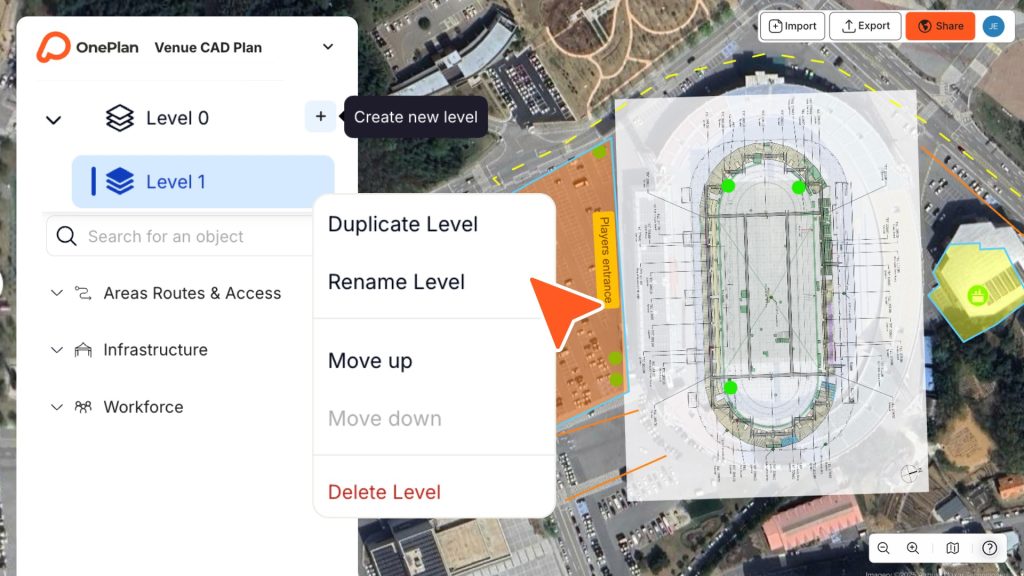
Create and add multiple levels

You can now add and create multiple levels within your event plan using the new Levels feature!

Plan across different floor levels of your venue with ease – all within the same plan.

Aug 2025

Product Feature Update

June 2025

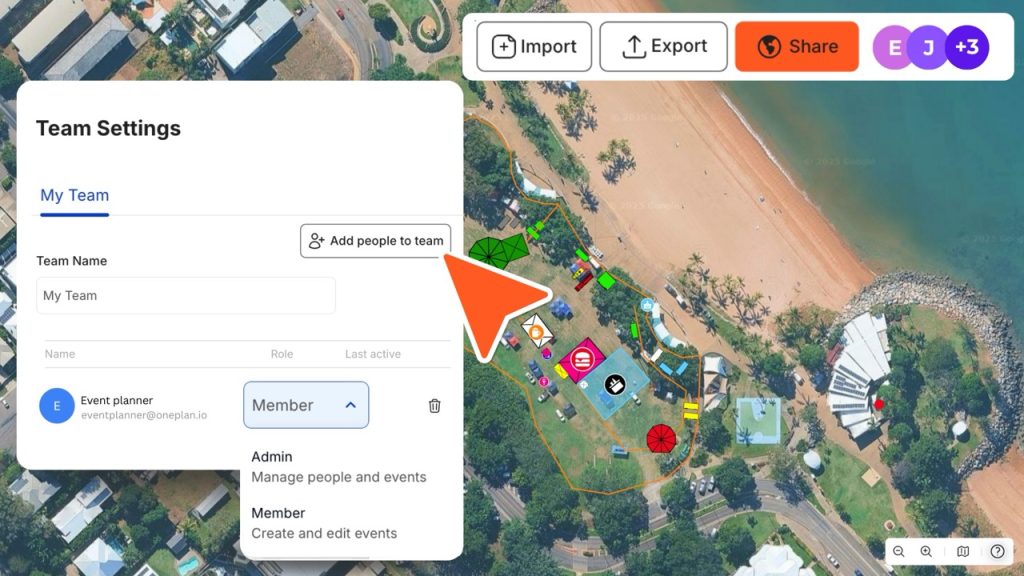
Plan as a Team in OnePlan

You can now add teammates to a shared workspace and collaborate in real time on your event plans!

Work together seamlessly – see updates live, edit side by side, and manage everything from one place.

Easily set permissions, remove team members, and stay in full control of your workspace.

Product Feature Update

Coordinates for precise object placement

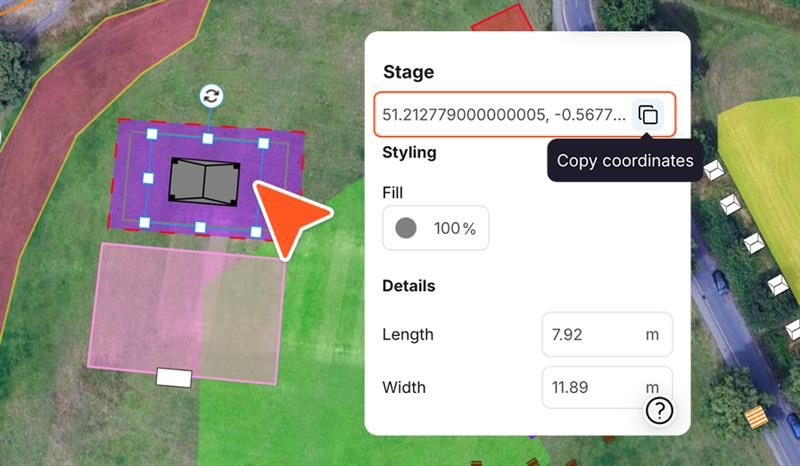
You can now view the exact coordinates of any object placed on your event plan. Simply click on an item to see its position – perfect for copying and pasting when you need pinpoint accuracy.

You’ll also find these coordinates in your exported CSV file, making it even easier to plan and share with precision.

June 2025

Product Feature Update

June 2025

Multi-select objects

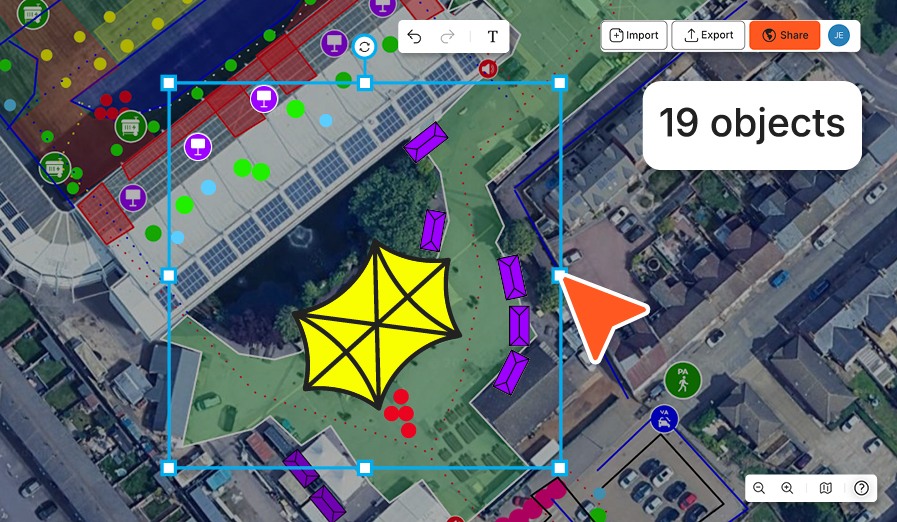
You can now select multiple items at once with the new ‘Multi-select’ tool.

Whether you want to group move, rotate, lock, or delete objects, it’s now easier than ever to make fast edits across your event plan.

Just hold ‘SHIFT’ and click on the objects you want to select!

Product Feature Update

Import overlays to plan on

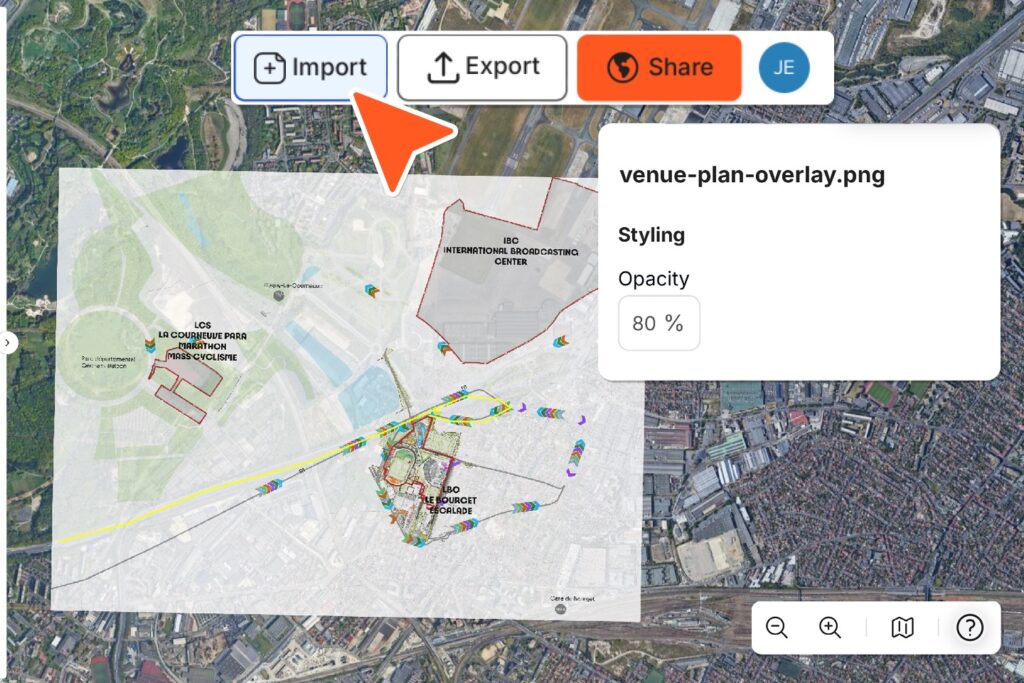
You can now import a .PNG file directly onto your event plan using the new ‘Import’ button. 

Whether it’s a venue CAD, custom satellite imagery, or an old layout, you can place it in your map and start planning right on top.

May 2025

Product Feature Update

May 2025

Export your plan to PNG

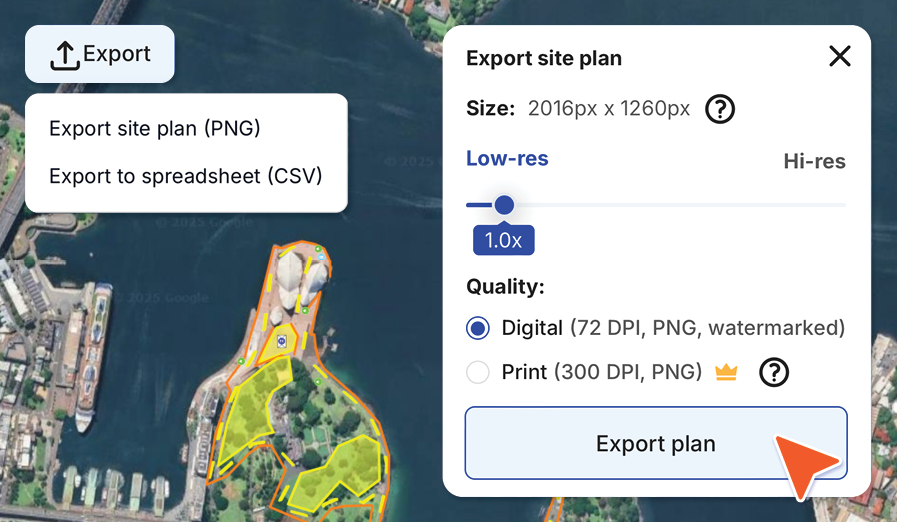
You can now export your site plan to a PNG – perfect for sharing digitally or printing in high quality.

Whether you’re collaborating with stakeholders or printing your plans for onsite use, it’s easier than ever to take your event plan anywhere!

Product Feature Update

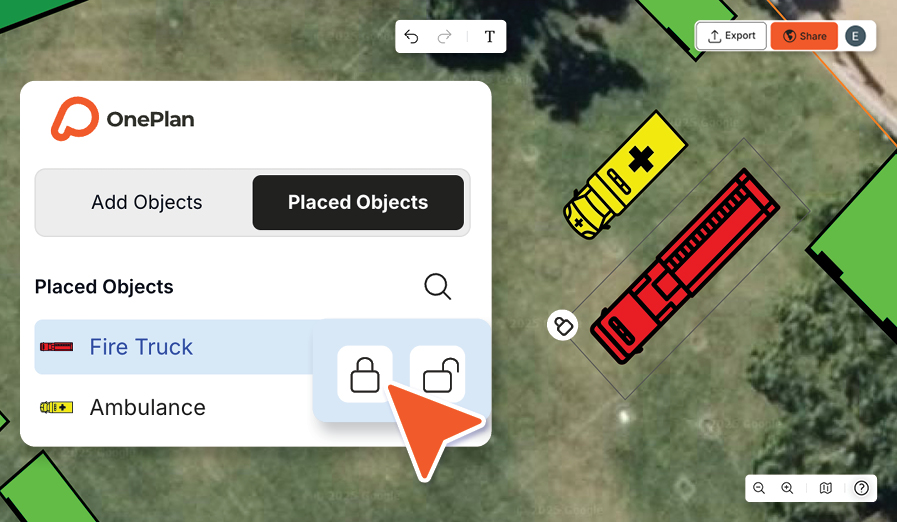
Lock, Hide & Unlock objects

You can now lock objects in place, hide them from view, and unlock them anytime, keeping your plans secure and collaboration smooth.

Just hover over items in the Placed Objects tab in the Objects menu to get started!

April 2025

Product Feature Update

April 2025

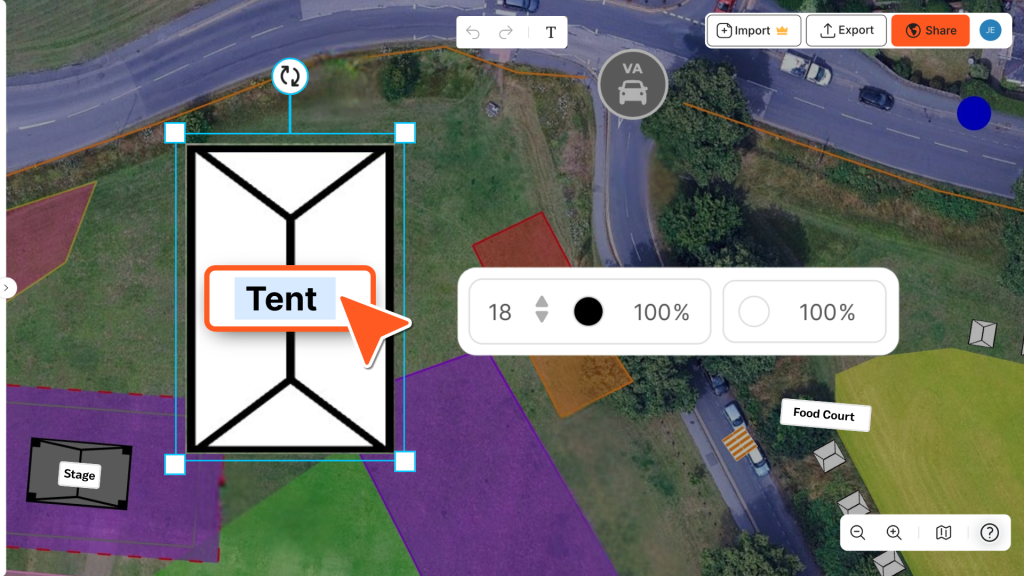
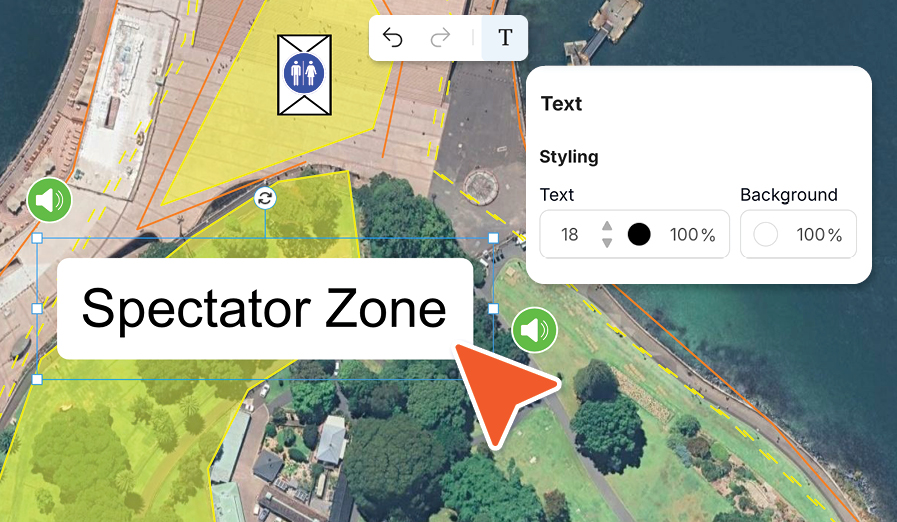
Add Text to your event plan

This new feature gives you the freedom to annotate your event plan however you like. Label zones, leave comments for your team, highlight key areas – it’s up to you.

You can change the text size, switch up the colour, add a background fill and position it anywhere on your map. 

Product Feature Update

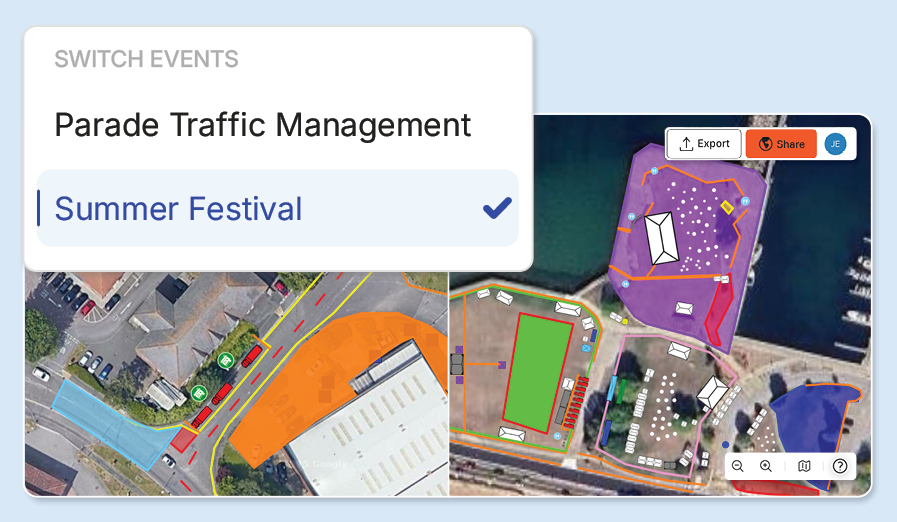
Create and manage multiple events

Easily create and manage multiple events in OnePlan!

Quickly create new events, duplicate existing plans, or start fresh – all from the dropdown menu. Plus, delete events to keep your workspace organised.

March 2025

Product Update - Multi Event Creation

Product Feature Update

Share by link feature

March 2025

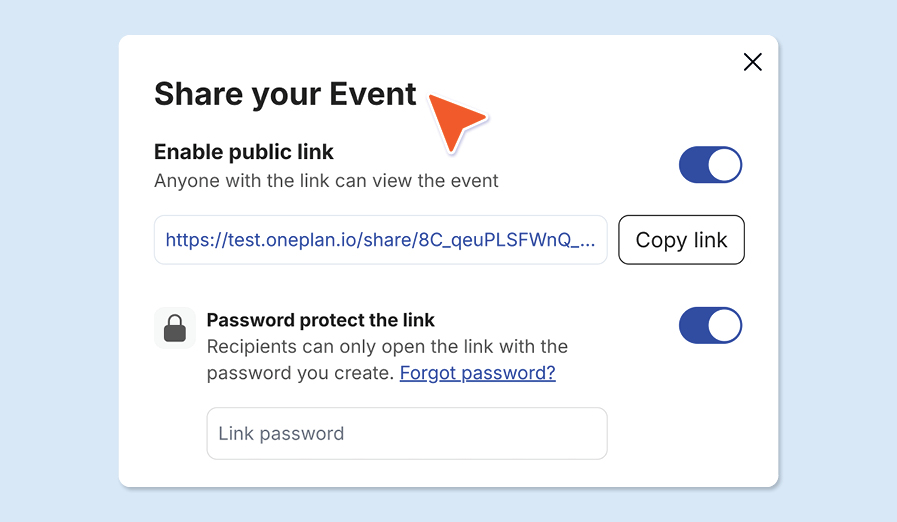
Share your plans via view-only link

Easily share your event site plans with stakeholders using a view-only link – with the option to add a password for controlled access.

Provide instant access to your plan, making it simple for teams, suppliers, and decision makers to review and provide feedback. 

Product Feature Update

Export object data to CSV

Export all placed object data from your event site map into a CSV file for seamless inventory management.

Allowing you to keep track of every item, streamline logistics, and easily share accurate data with suppliers and stakeholders.

March 2025

export data in OnePlan

Product Feature Update

March 2025

New object styling options

Tailor every detail of your event site plan with OnePlan’s powerful styling tools.

Customise the colour of any placed area or icon, adjust opacity for better visibility, and refine borders, routes, and barriers with different stroke styles!

Product Feature Update

New map options

Plan your event site with confidence using five high-quality, up-to-date map options.

Whether you need the detailed satellite imagery of Google Satellite, the precision of Mapbox Street maps, or another tailored view, OnePlan gives you the flexibility to choose a map that best fits your event’s needs. 

March 2025

Product Update

March 2025

We have a new platform!

We’re thrilled to introduce the new OnePlan, our improved event planning platform with 8x faster load speeds. With a new intuitive interface and choice of five map types, it’s proven to make planning event sites 2x faster and easier than ever before. 

Find out more about new OnePlan here

🚀 Your first 50 objects are free

Join the world’s best event planners on OnePlan

Hit enter to search or ESC to close