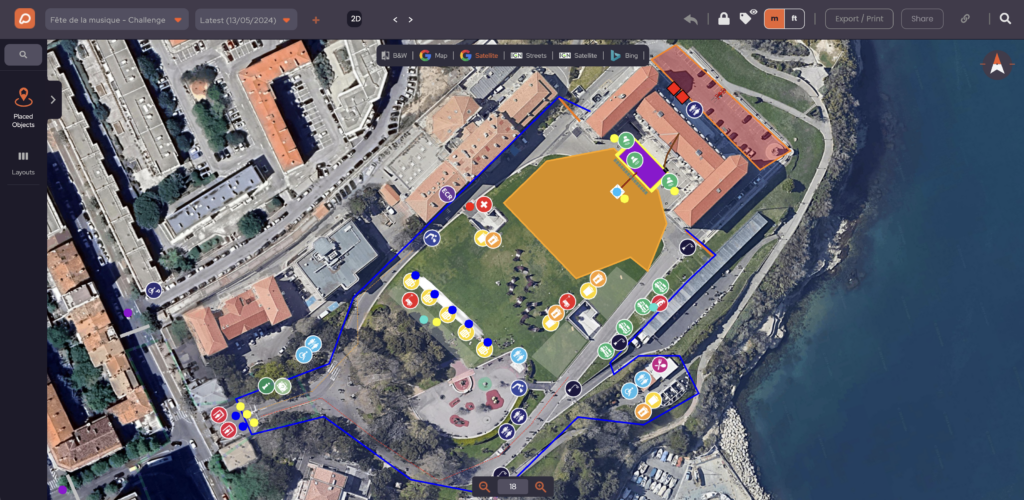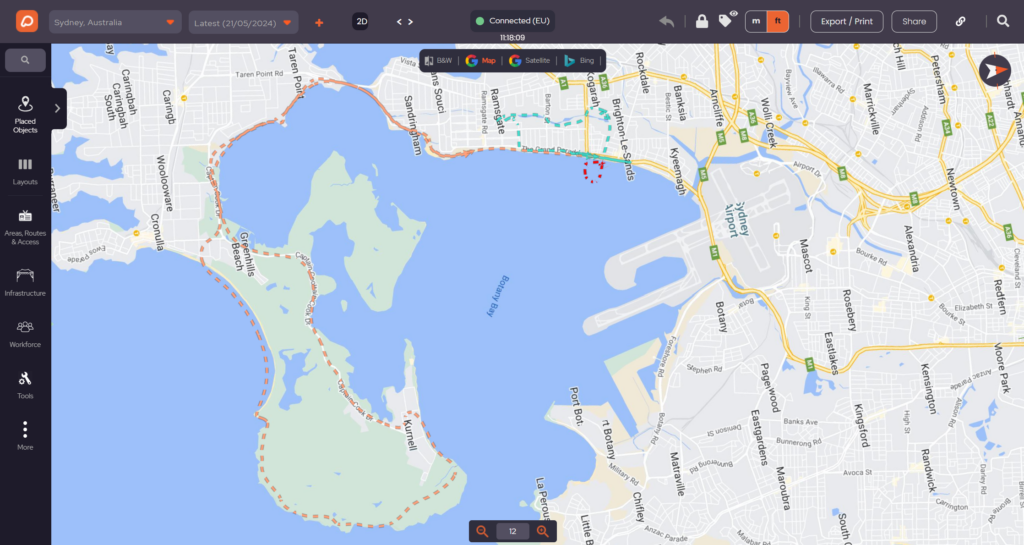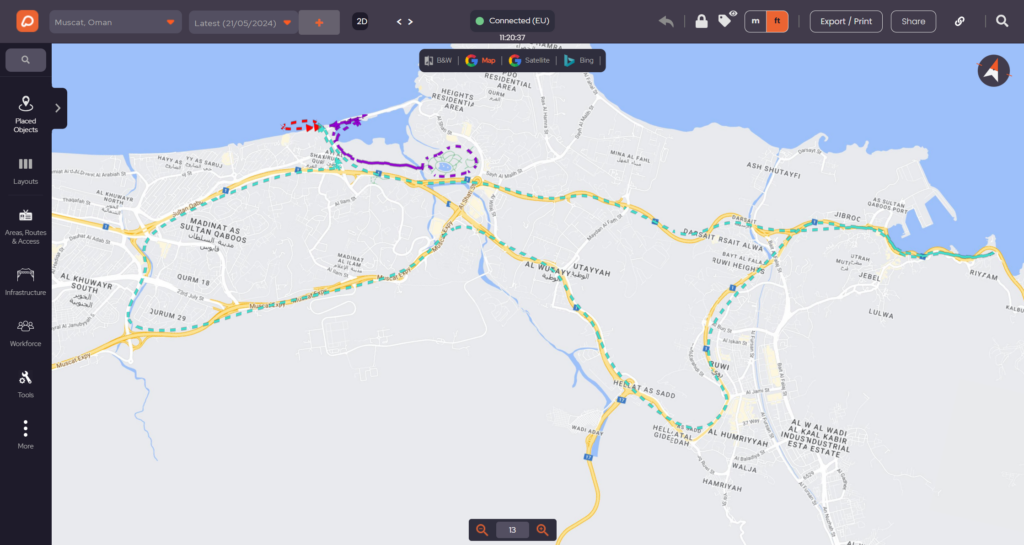
Guide to find, choose and book a venue

3 minutes read

Campsite Layout Planner for Event Organizers

Camping areas at events are more than just spaces to pitch a tent—they shape the attendee experience, affect safety, and influence how an event runs from start to finish.

Even the most well-organized festival can be let down by overcrowded campsites, long walks to facilities, or confusing layouts. That’s why using a campsite layout planner isn’t just practical—it’s essential.

OnePlan’s campsite calculator allows event organizers to visually plan camping areas, estimate how many tents can fit safely, and understand how infrastructure, facilities, and access routes impact capacity, comfort, and cost.

Rather than relying on spreadsheets, OnePlan helps you balance space, safety, experience, and revenue.

Sign up free to try visual event and campsite planning. 

What Is a Campsite Layout Planner?

A campsite layout planner helps you answer practical questions like:

– How many tents can safely fit?
– How much space should be reserved for toilets, showers, welfare areas, and roads?
– How do access routes, emergency lanes, and staff placement affect capacity?
– What is the optimal balance between camper comfort, safety, and revenue potential?

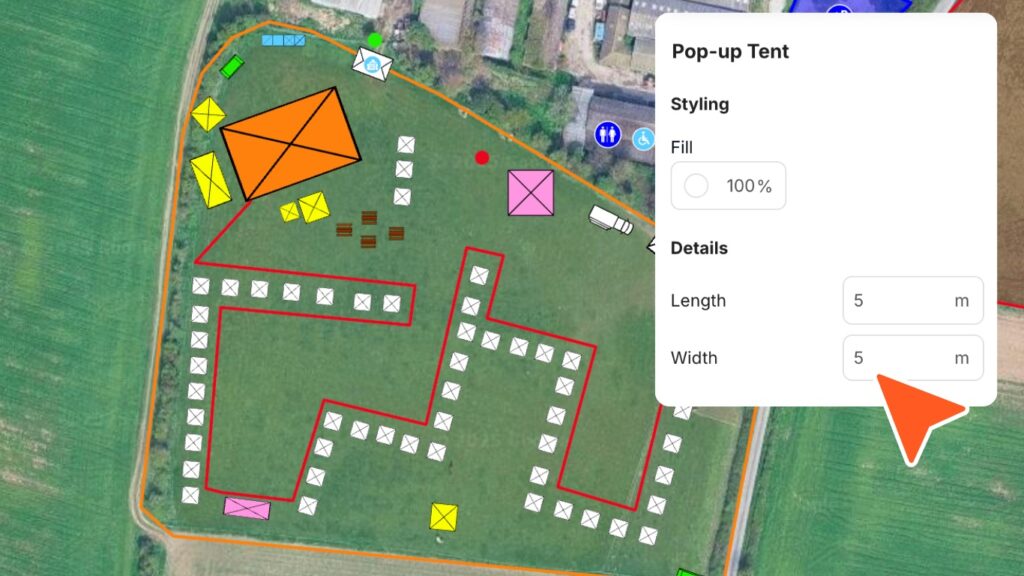
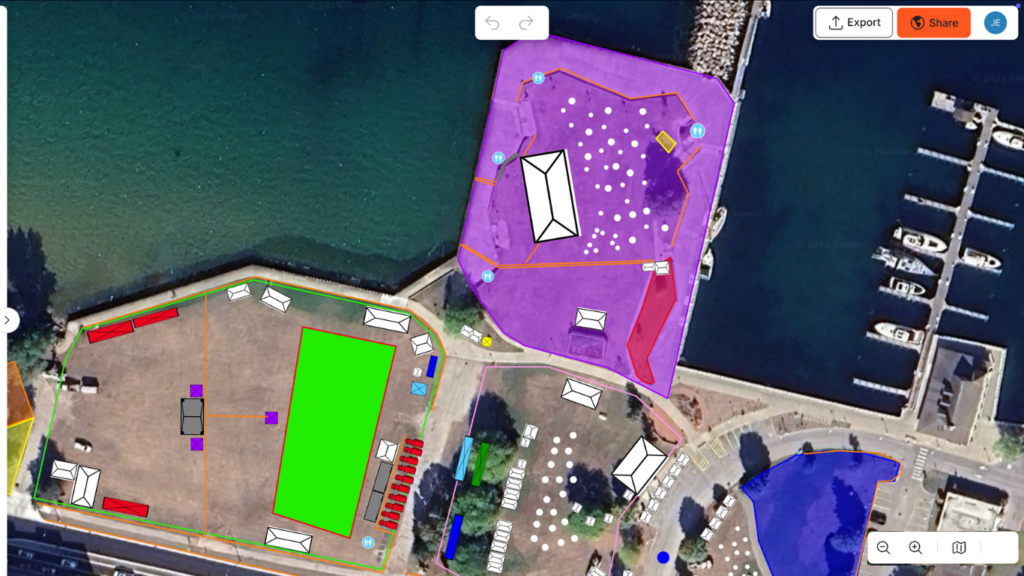
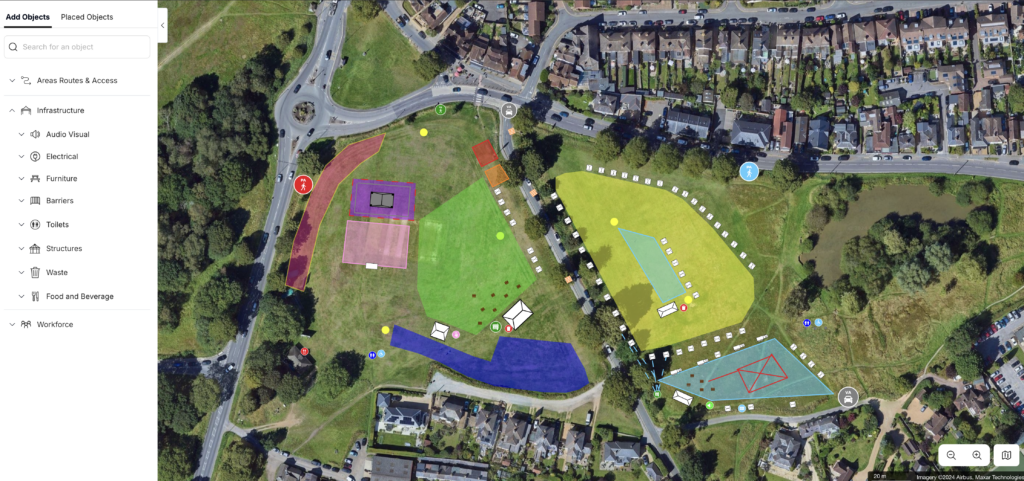
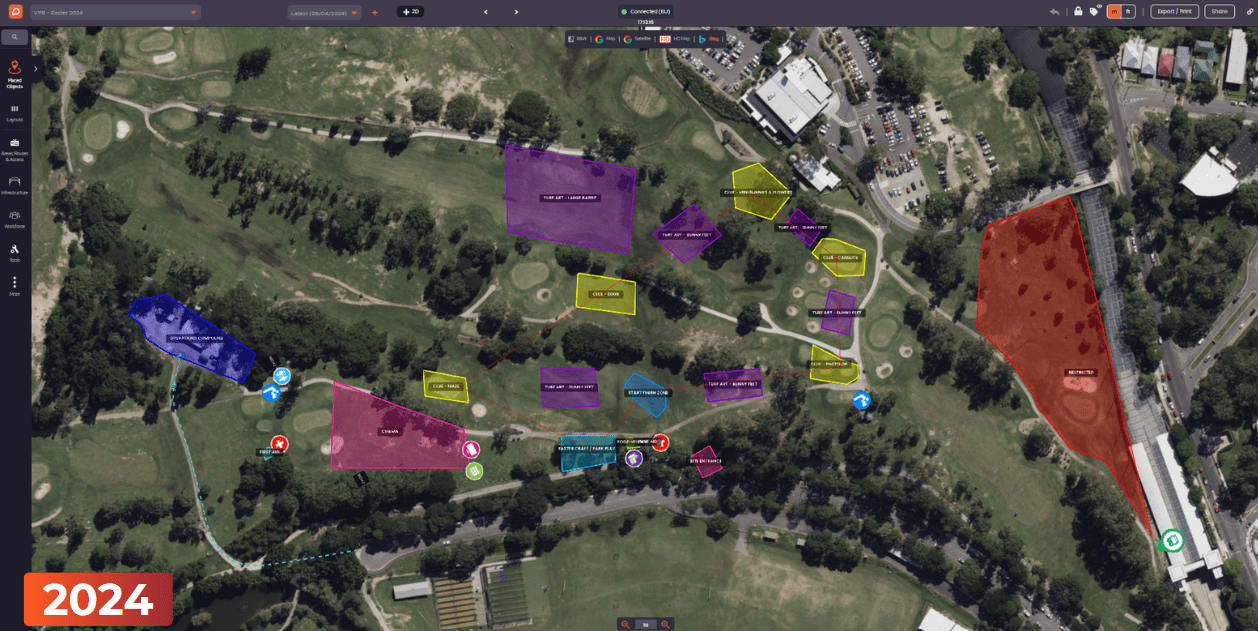
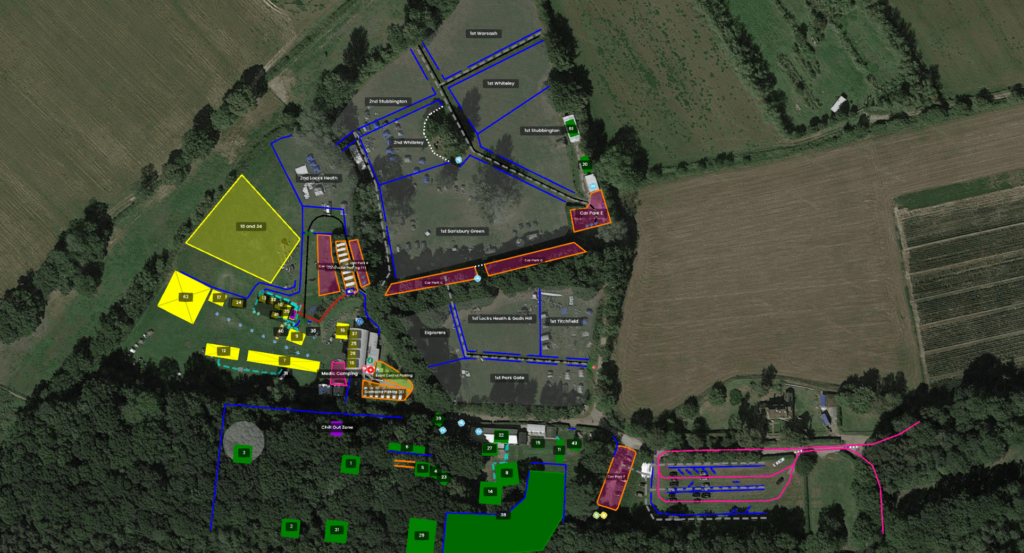
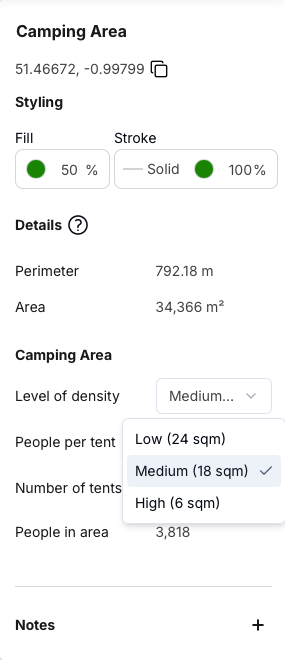
With OnePlan, you can draw camping zones on satellite maps or import files of existing layouts. When you adjust zones, facilities, and access routes, the campsite calculator updates capacity instantly.
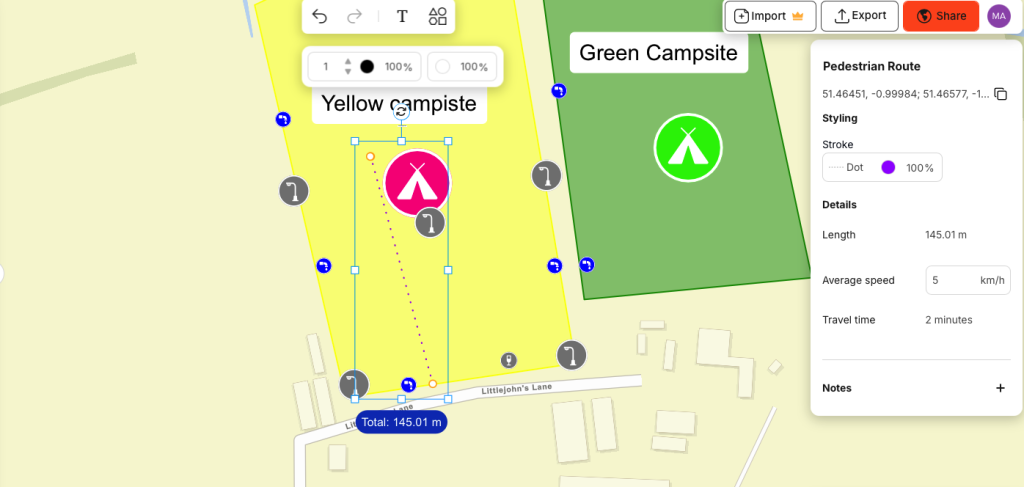
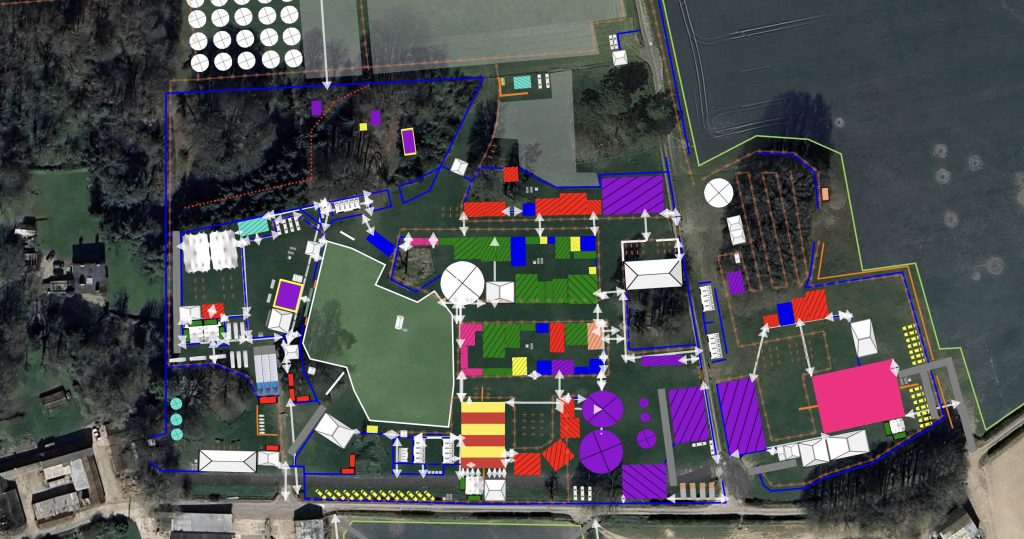
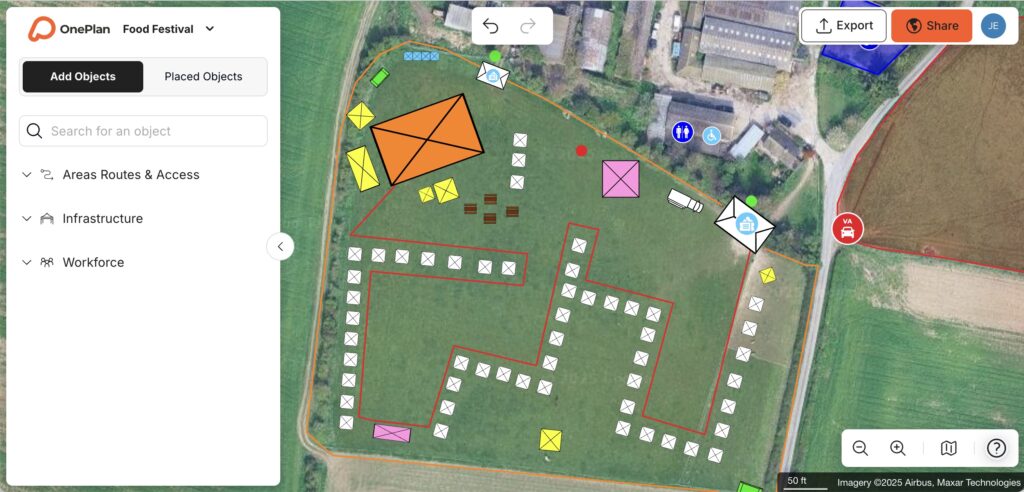
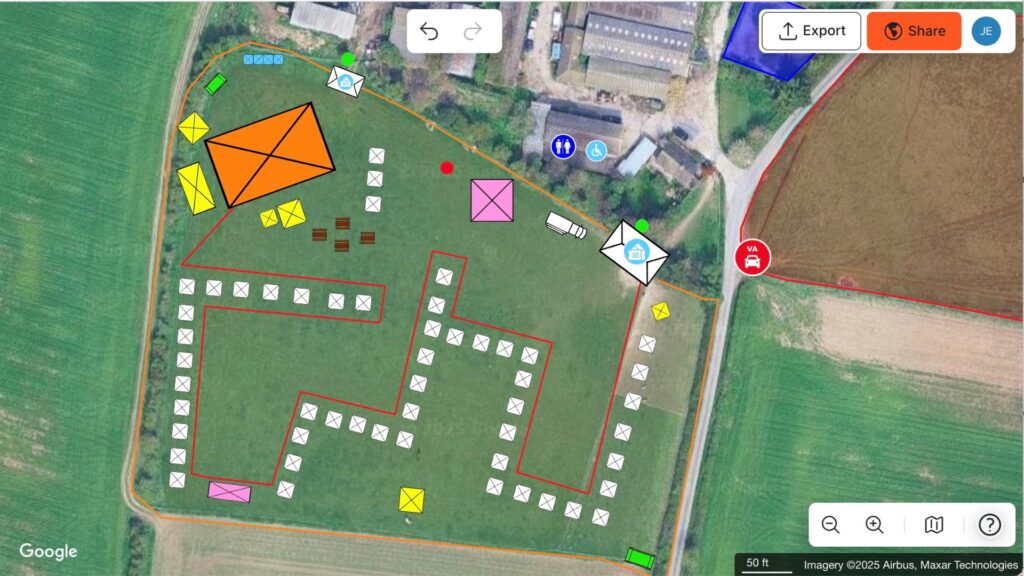
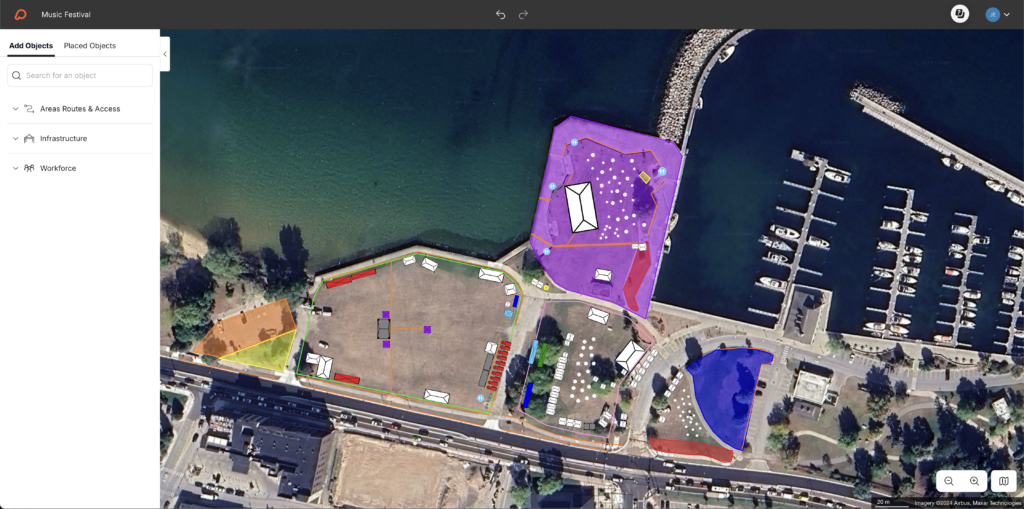
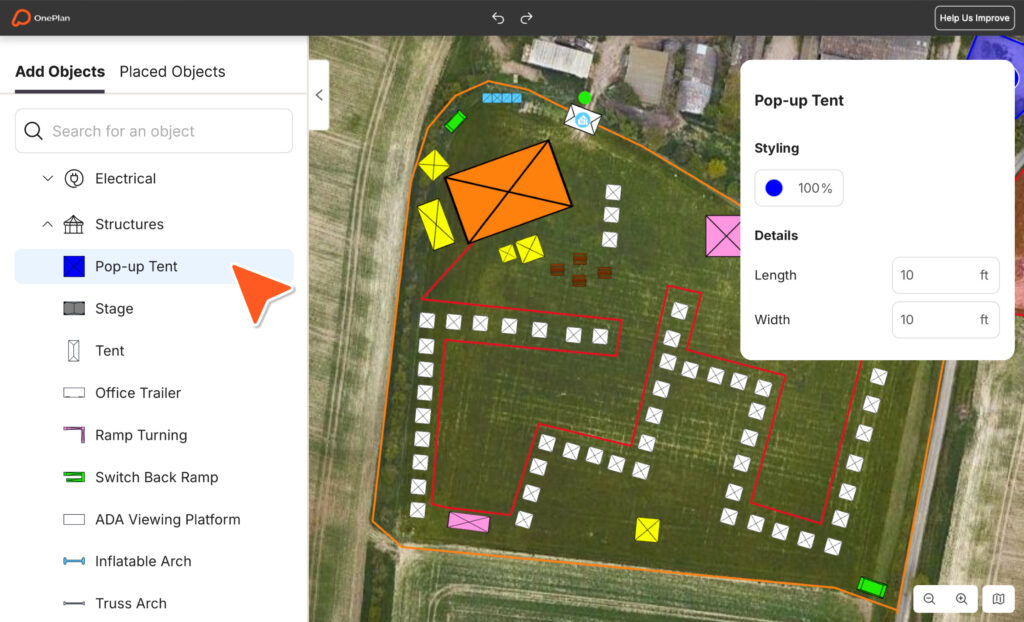
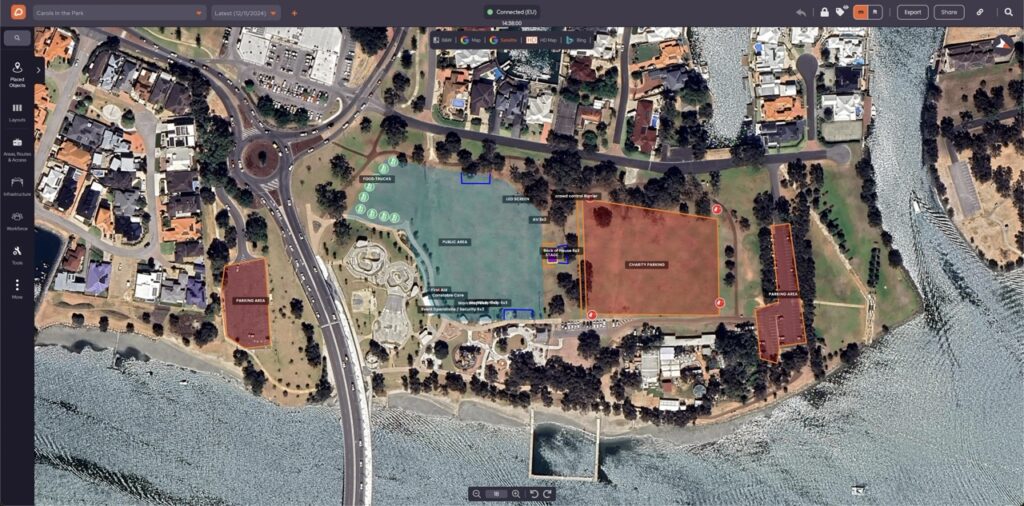
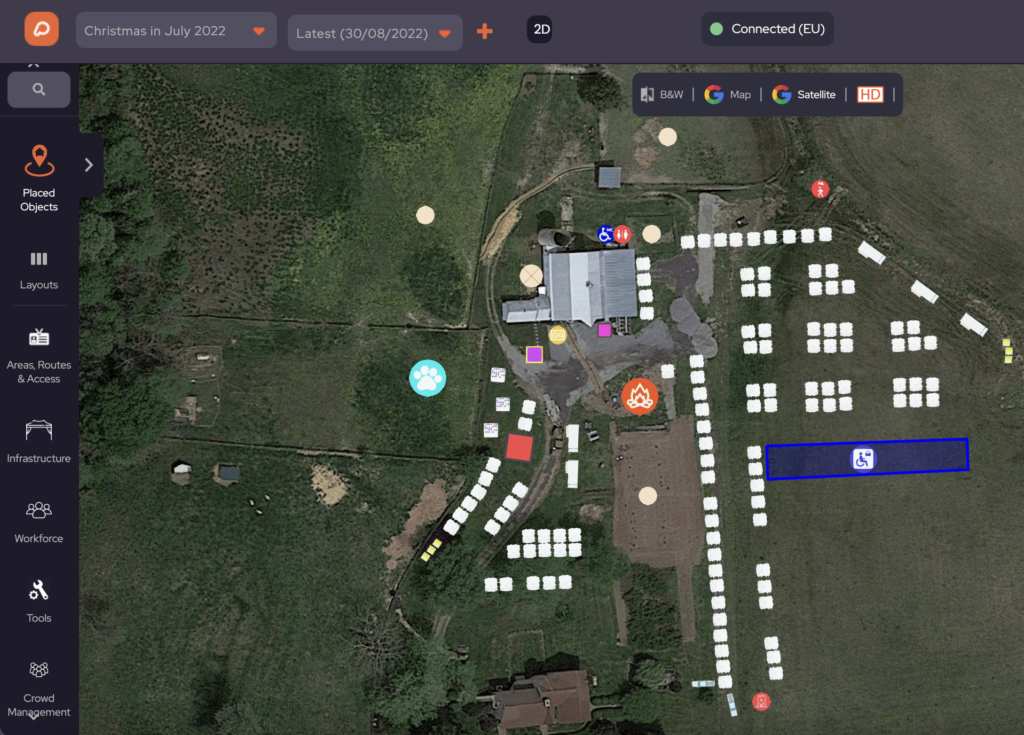
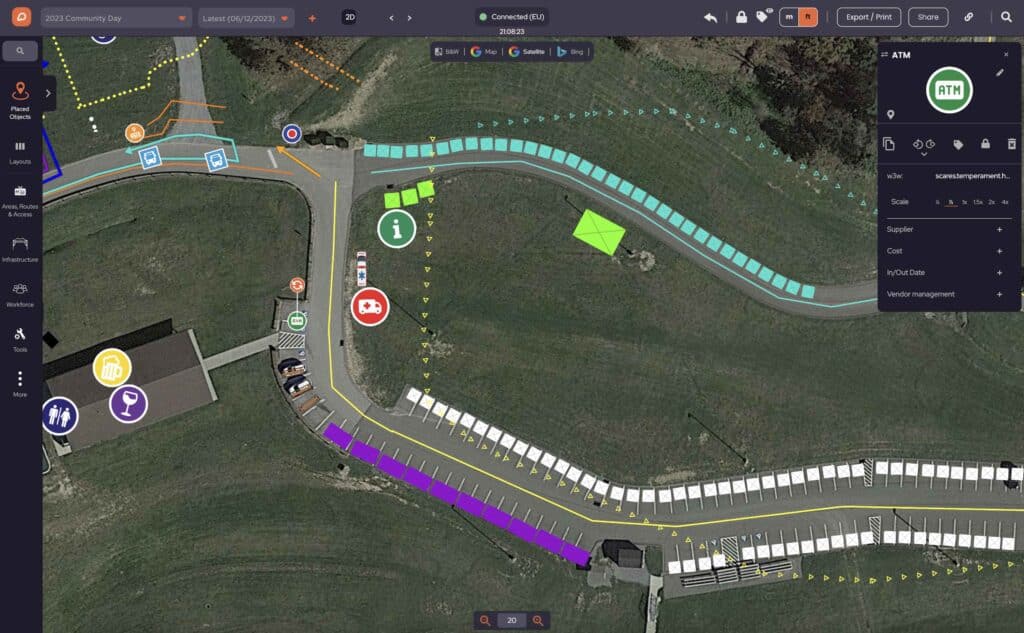
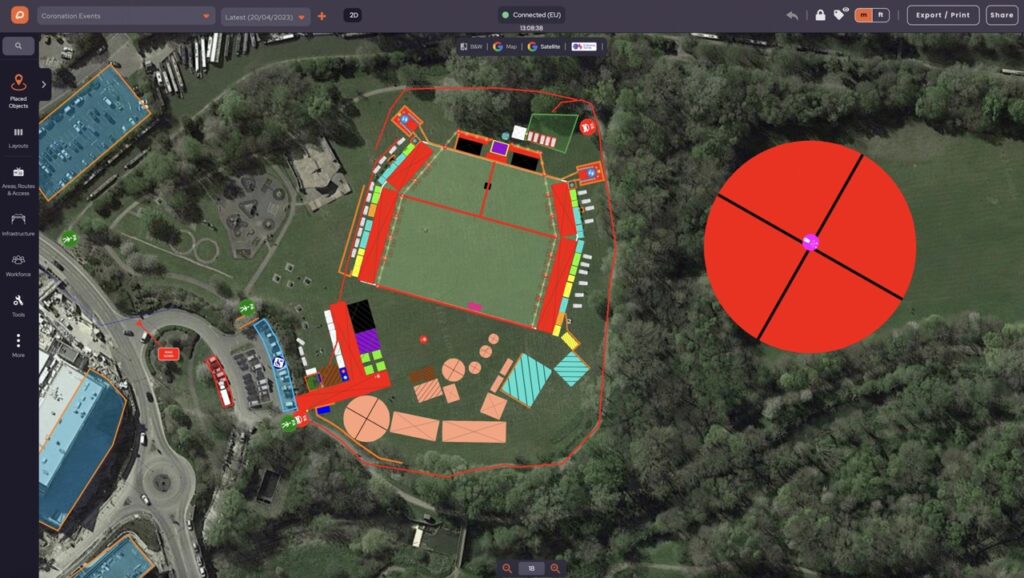
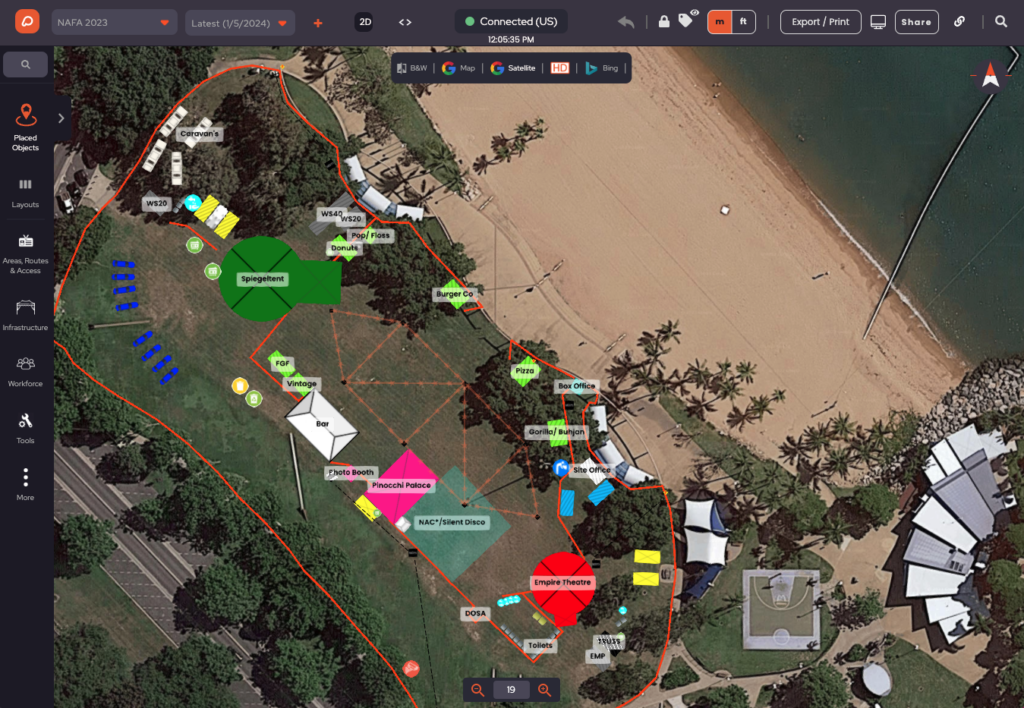
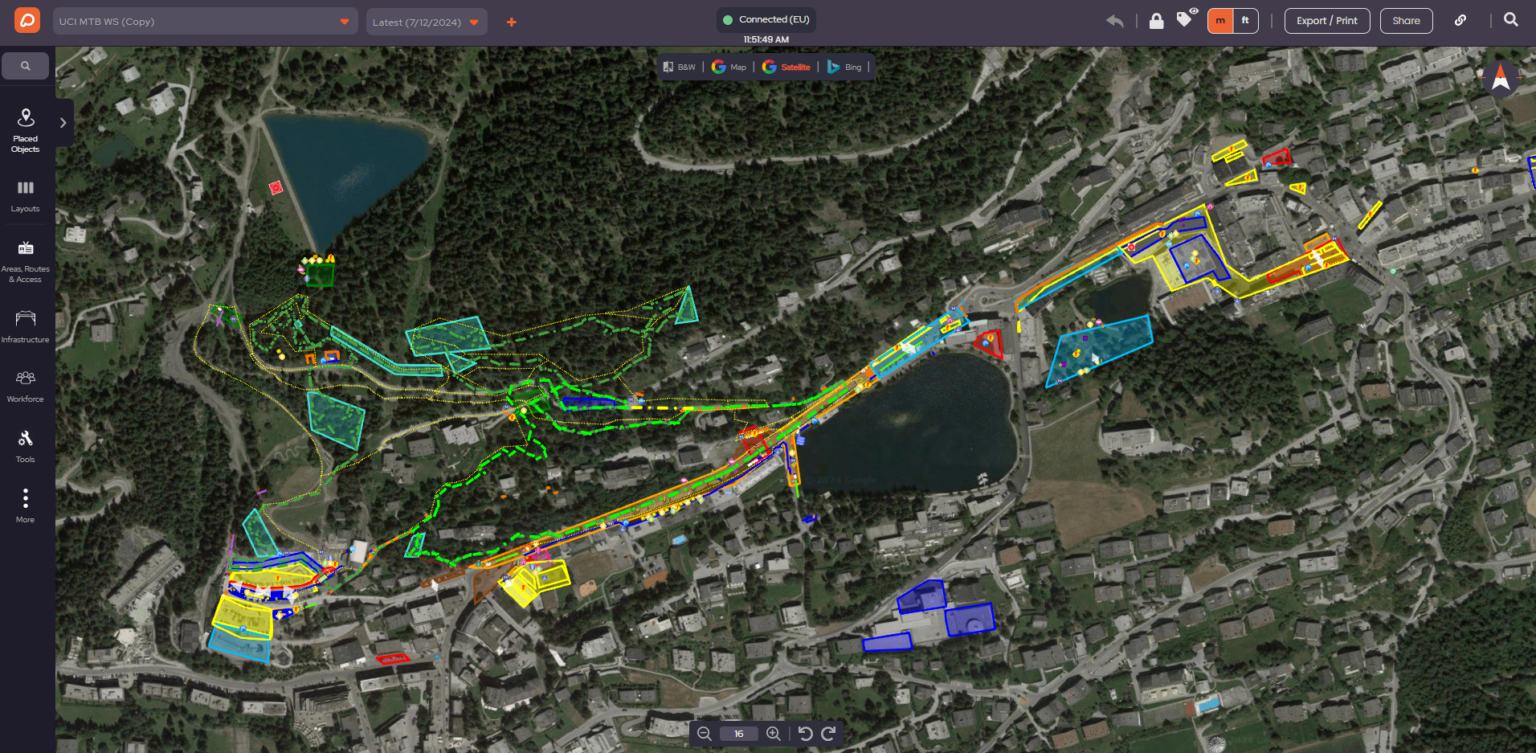
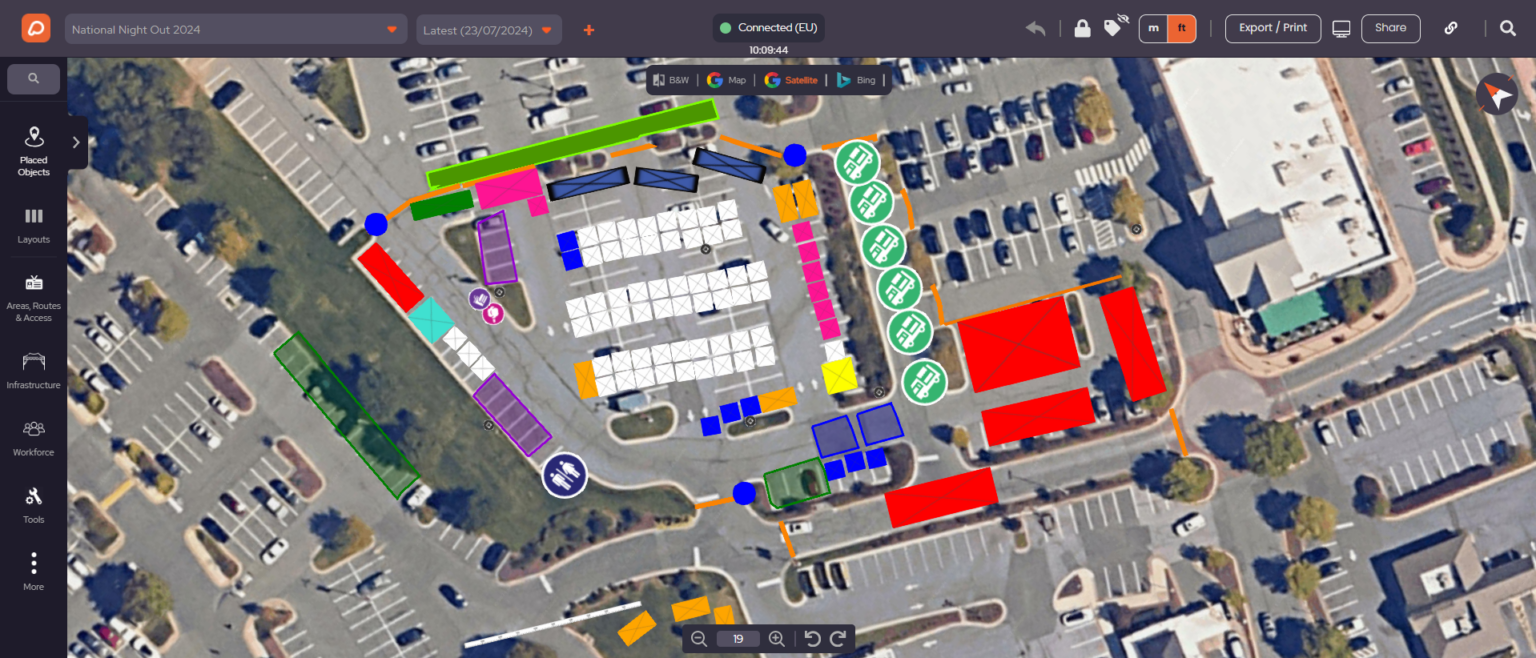
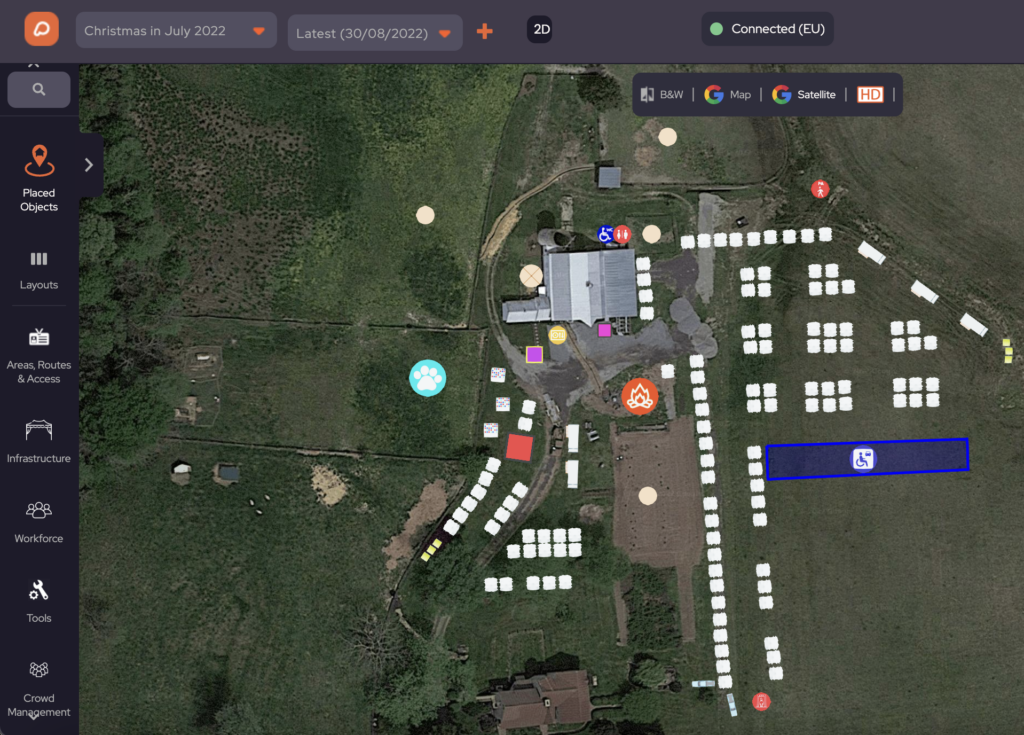
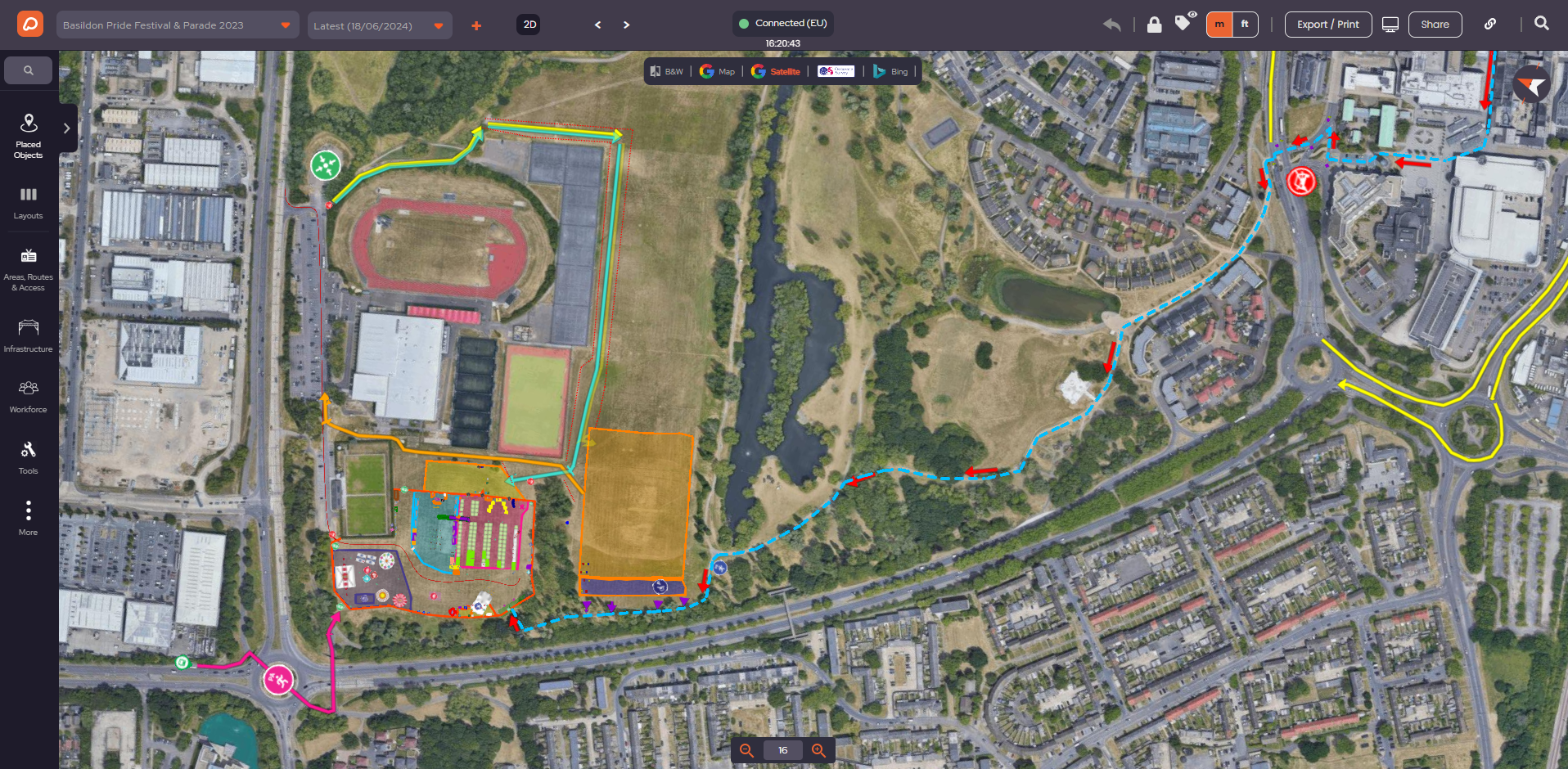
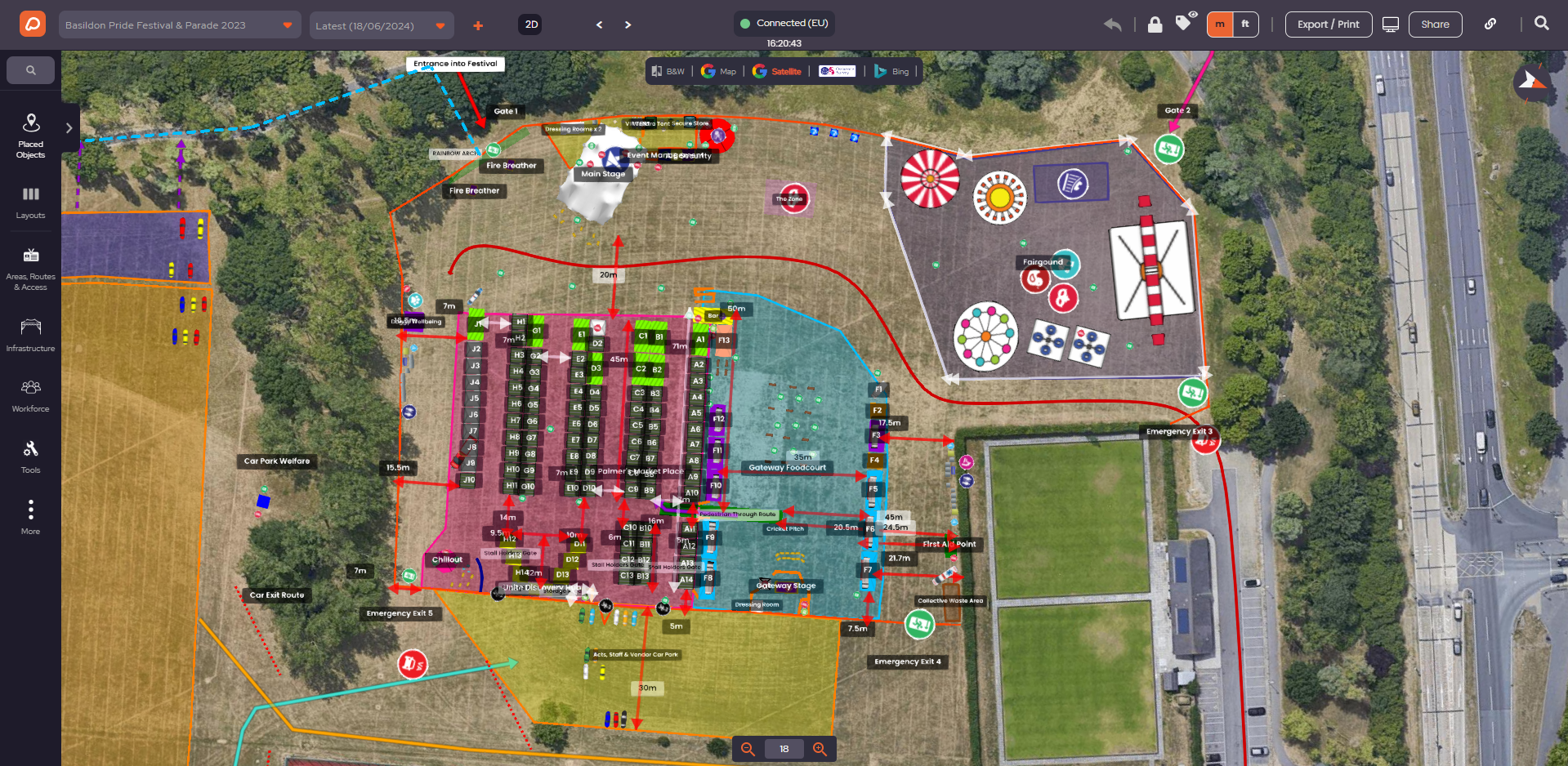
Campsite planned in OnePlan

Why Campsite Layout Impacts Attendee Experience

A campsite is often where attendees spend most of their time outside scheduled events. 

Poor layout can lead to:

– Overcrowding and discomfort
– Difficulty accessing facilities
– Safety hazards and slower emergency responses
– Frustrated campers who share negative experiences on social media

A well-planned campsite using OnePlan ensures campers enjoy comfortable spacing, easy access to facilities, and a safe environment, directly boosting satisfaction and loyalty.

How to Calculate Campsite Capacity

Planning camping space goes beyond area measurement. Knowing how to calculate campsite area correctly is crucial.

Key factors include:

  1. Usable land area: Exclude slopes, waterlogged zones, and non-usable terrain.
  2. Tent or unit spacing: Apply regulations for fire safety, minimum distances, and comfort.
  3. Infrastructure and facilities: Allocate space for toilets, showers, waste, lighting, water points, and food vendors.
  4. Access and emergency routes: Maintain clear fire lanes, walkways, and evacuation paths.

OnePlan’s campsite calculator consolidates all these elements, helping you balance maximum capacity with comfort, safety, and cost efficiency.
Planning “What If?” Scenarios

Events are unpredictable. Rain, higher ticket sales, or temporary restrictions can force last-minute adjustments.

With OnePlan, you can create different versions of your plan to quickly deploy them in various scenarios like:

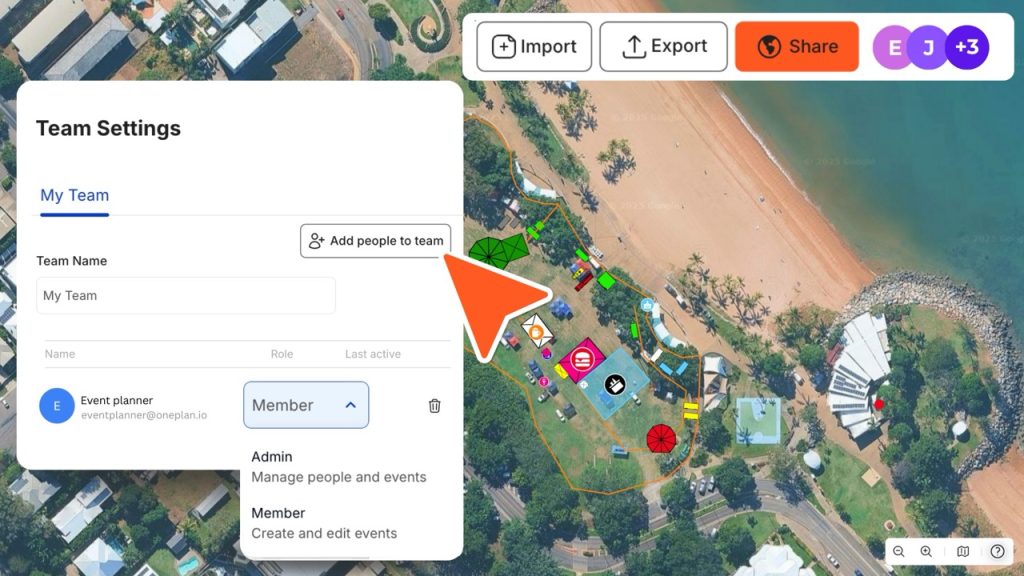
All calculations update in real time, helping you evaluate the impact on camper numbers, infrastructure costs, and staff requirements. Plans can be shared by link, and viewed live on a computer, tablet or mobile so the event team can quickly adapt to any last-minute changes. 

Collaborate Easily With Stakeholders

Campsite planning requires coordination with multiple teams: security, vendors, infrastructure suppliers, and local authorities.

OnePlan allows you to:

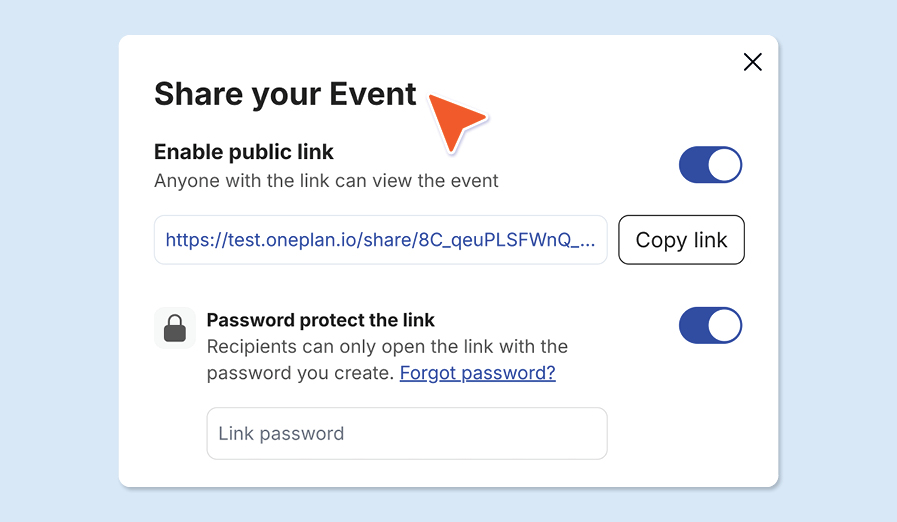
– Share interactive maps and plans via link
– Export layouts as PNGS for documentation
– Clearly demonstrate compliance with safety and regulatory requirements
– Align vendors and suppliers on exact space allocation for facilities and services

Place Staff Where They Matter

Staff placement is key to a safe and smooth campsite. With OnePlan, you can position stewards, security, and welfare teams precisely on the map. Post-event, you can analyze incidents against staff locations to improve future planning.

Frequently Asked Questions (FAQs)

A visual tool to help event organizers design camping areas, calculate safe camper numbers, and plan infrastructure and access routes.

It allows you to draw zones on satellite maps or existing file layouts and updates tent capacity as you adjust the size of areas, facilities, and access routes.

Measure usable land, apply safe tent spacing, allocate space for infrastructure and facilities, and account for access and emergency routes.

Yes, it produces clear, shareable plans that can demonstrate compliance with safety, fire, and local authority requirements.

Absolutely. OnePlan lets you model variations in capacity, layouts, and facilities to evaluate impact on comfort, revenue, and staffing.

Yes, you can position stewards, security, and welfare staff precisely and analyse placement post-event.

Yes, it supports greenfield festivals, managed camping zones, staff camps, and vendor camping areas across multiple locations.
8 minutes read

How OnePlan Powers Motorsport Event Planning

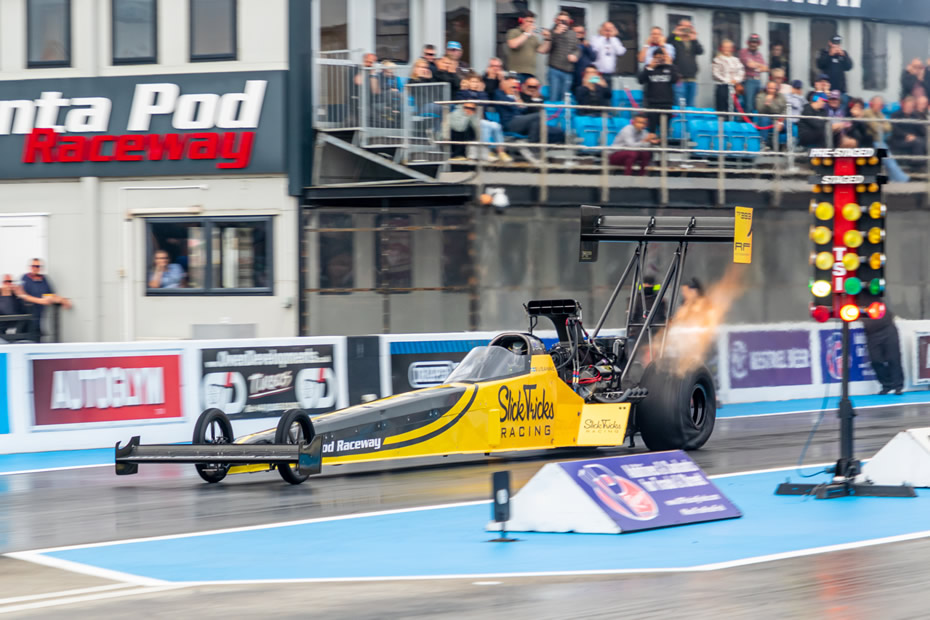
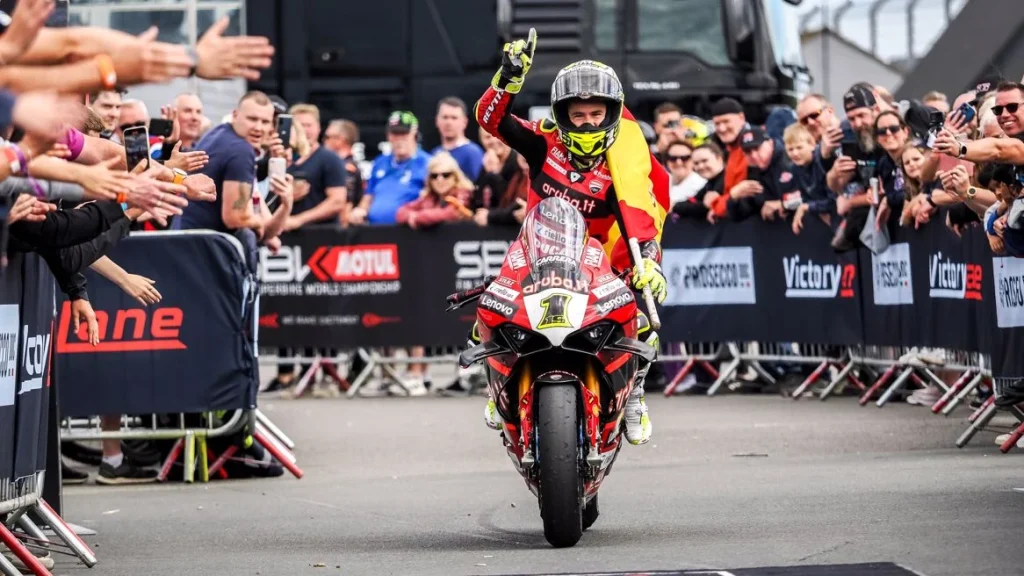
From the roar of Formula One engines at Silverstone to the thundering quarter mile sprints at Santa Pod Raceway, motorsport events demand precision, coordination, and split-second decision-making. Behind every successful race weekend lies an intricate web of planning, mapping venues, coordinating thousands of contractors, managing crowd flows, and ensuring safety across sprawling sites.

The complexity is staggering: venues hosting hundreds of thousands of spectators over a weekend, coordinating hundreds of suppliers and contractors, managing everything from temporary power distribution to emergency access routes, all while adapting to last-minute changes and weather conditions. 

Traditional planning methods such as CAD drawings, Google Earth screenshots, and static documents, simply can’t keep pace with the dynamic nature of modern motorsport events.

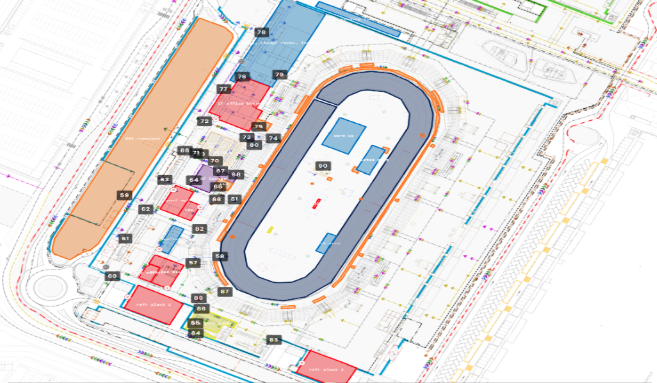
Santa Pod Raceway

Enter OnePlan, the collaborative event planning solution that’s transforming how motorsport organisations operate. Built for teams who need to plan together in real time, OnePlan gives every stakeholder, from in-house coordinators to third-party contractors, a single, always-live plan to work from. 

From the UK’s premier circuits to international racing championships, event teams are discovering how OnePlan’s intelligent planning tools are solving challenges that have plagued the industry for decades.

The results speak for themselves. Silverstone Circuit reports a 13x return on investment, a 10% saving on man days, and a 5% reduction in supplier costs, all from adopting OnePlan as their single source of truth. MSV, managing 30+ events across multiple UK venues, now collaborates across sites in real time without the need for constant travel. And Santa Pod Raceway, with 80 events annually, has freed their team from hours of manual measuring and site visits.

Let’s explore how organisations across motorsport are using OnePlan Team to deliver safer, smoother, and more successful events:

What Makes Motorsport Events So Complex?

Before adopting modern event planning solutions, motorsport organisations faced a constellation of interconnected challenges that made event execution unnecessarily stressful and inefficient.

The Version Control Nightmare

James Loveridge, Senior Event Manager at Silverstone Circuit, remembers the frustration all too well: “Before we started using the platform, we relied heavily either on mapping tools such as Google Docs or something along the lines of that, or CAD drawings. And with those, they’re never up to date or people are referring them to different versions and not one that is live.” 

The consequences were significant: contractors working from outdated plans, teams duplicating work because they couldn’t see what others had done, and countless hours spent clarifying which document was the “correct” version.

Yusif Basil, Motorsport Consultant for RedBull’s Car Park Drift series, faced similar issues: “We used Google Earth and Sketch Up to draw the track. Our main challenges were the online sharing platforms.” 

These makeshift solutions were not only inaccurate but incredibly time-consuming, making it difficult to share plans effectively with the expanding network of suppliers and stakeholders involved in each event.

Boots on the Ground, Time in the Mud

Max Frost, Events Coordinator at Santa Pod Raceway, describes the grueling pre-OnePlan reality: “A lot of time was spent with boots on the ground, measuring wheels, bits of paper and dodgy drawings, trying to plan out the layout of each event. We primarily used a rough layout in other software that gave us an idea of the site layout, but these weren’t to scale so working out layout could be difficult.” 

With 80 events annually, this manual approach consumed enormous resources that could have been better spent on strategic planning and attendee experience improvements.

Multi-Site Coordination Chaos

For organisations like MSV (MotorSport Vision), managing over 30 events annually across multiple UK venues created unique coordination challenges. Alex Robinson, Event Project Manager at MSV, explains: “Each of our sites has its own operational team, and every location comes with unique challenges. Some sites require careful vehicle management, while others need specific arrangements for foot traffic. We have to collaborate closely with each site team to ensure everything runs smoothly.”

The constant need for physical site visits, coupled with the difficulty of keeping distributed teams aligned, meant that valuable time was spent traveling between locations rather than solving strategic problems. Communication breakdowns were common, and lessons learned at one venue weren’t easily transferred to others.

How OnePlan Team Powers Motorsport Events

OnePlan addresses these challenges head on with a comprehensive platform designed specifically for complex event planning. 

Here’s how motorsport organisations are leveraging its key capabilities to transform their operations:

A Single Source of Truth

The most fundamental shift OnePlan brings is the establishment of one definitive, always-live event plan that everyone works from simultaneously. James at Silverstone emphasises the transformative impact: “We found it incredibly useful to have a live document that anyone can see at any point.”

This isn’t just about eliminating version confusion, it’s about creating a foundation for effective collaboration. “The main feedback we get from our other suppliers and contractors that we use is that it’s always live. The version number doesn’t change, it’s always the correct one when you go onto the link. And I think that really helps if we’re working on the weekend or different teams are doing stuff. It’s always live. It’s that one single source of truth.” James notes.

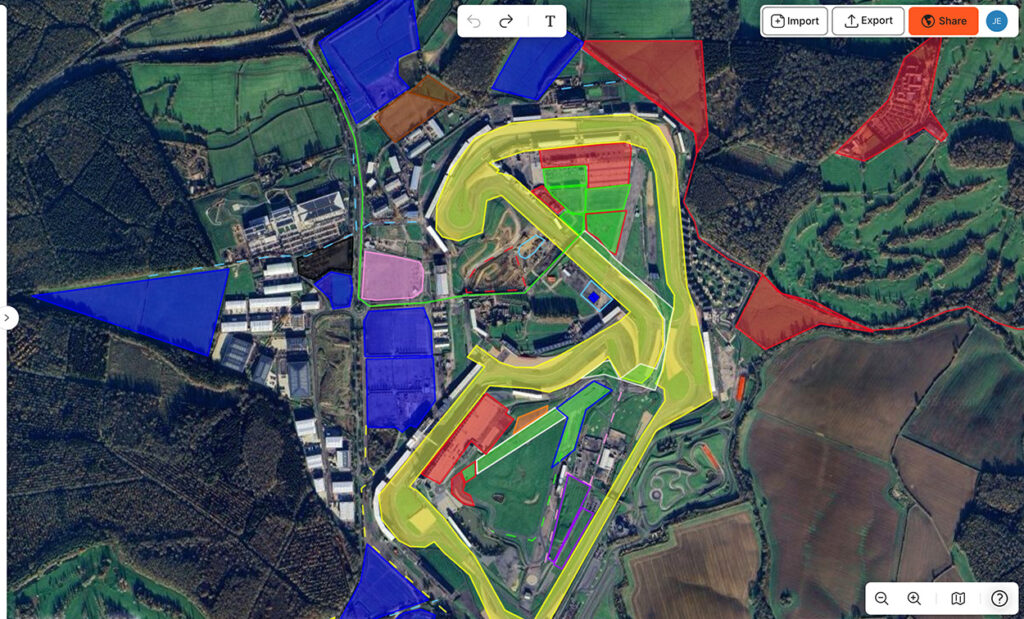
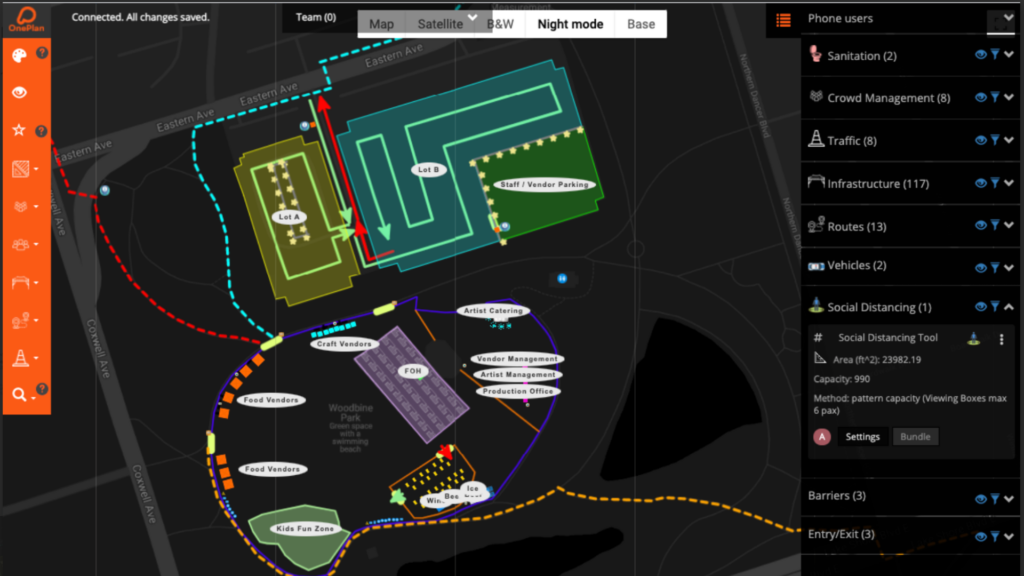
Image: Silverstone Event Plan in OnePlan

For MSV, this single source of truth extends across multiple venues: “OnePlan has completely changed how we communicate between our teams. It keeps everyone aligned and ensures we’re all working from the same plan.” Alex explains. 

The platform allows them to capture learnings digitally from one event and apply them seamlessly to the next, enabling continuous improvement across their entire portfolio of venues.

"Being able to collaborate with our site teams live in OnePlan saves us a huge amount of time. We can flag issues immediately and make adjustments without having to physically travel to each circuit”

Alex Robinson
Event Project Manager
MSV (MotorSport Vision)

See It Before You Build It

OnePlan’s visual planning tools allow teams to model, simulate, and refine layouts before a single piece of equipment arrives on site. James highlights the practical power: “The use of OnePlan as a single source of truth,the main thing is being able to add either overhead pictures or CAD drawings into it as well so we can reference so that we can make sure we get them in the right locations and also color coding our stewarding positions, our cabins, or whatever we’re loading into it.”

For MSV, this visualisation capability is critical for proactive problem-solving: “Using OnePlan, we can quickly see how many cars can go into a particular area and work with the operations teams to determine if it’s feasible. It helps us make small but crucial changes to traffic flow and site accessibility, which ultimately improves the attendee experience.” Alex describes. 

By testing layouts and simulating scenarios digitally, potential pinch points are addressed before they become real-world problems.

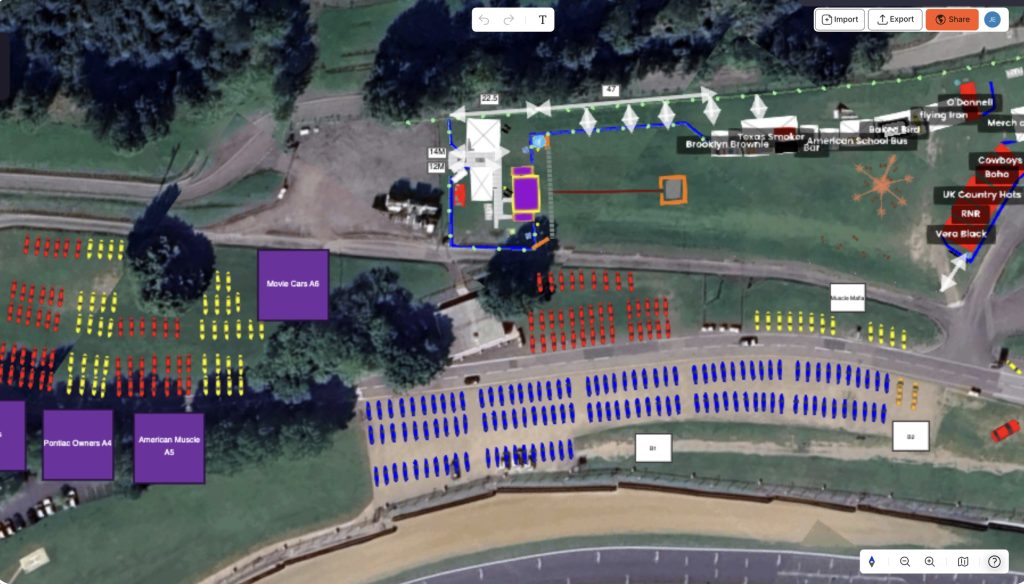
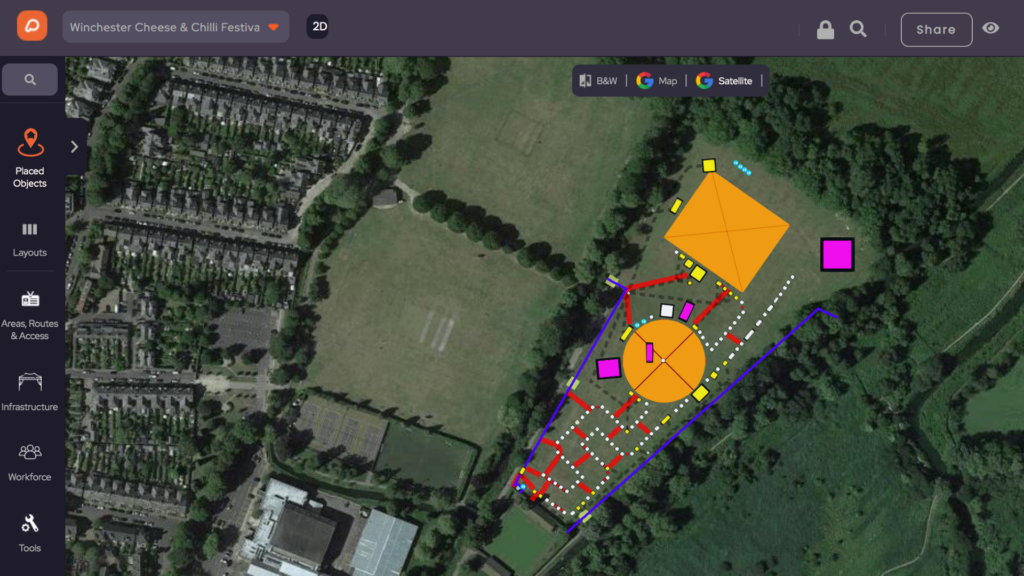
Image: MSV Event Plan in OnePlan

Max at Santa Pod Raceway echoes this sentiment: “OnePlan has enabled us to measure out, layout and redesign pit layouts without ever leaving the desk. Once we have an established plan, we will then use boots on the ground to mark out these areas, knowing that our ideas will fit within the given space on site.”

Precision Planning Tools That Save Time and Money

OnePlan’s suite of measurement, capacity calculation, and layout tools transforms tasks that once took hours into operations completed in minutes. 

James quantifies the impact: “In terms of a percentage or monetary kind of side of things, in terms of what we’ve saved, we see about a 13 times return on investment on what it costs us monthly to implement it and time that we’ve saved the money. We’ve saved about 10% on man days by using this and not having to go out and do stuff manually. And we’ve probably saved about 5% on the supplier side of things as well.” James reports.

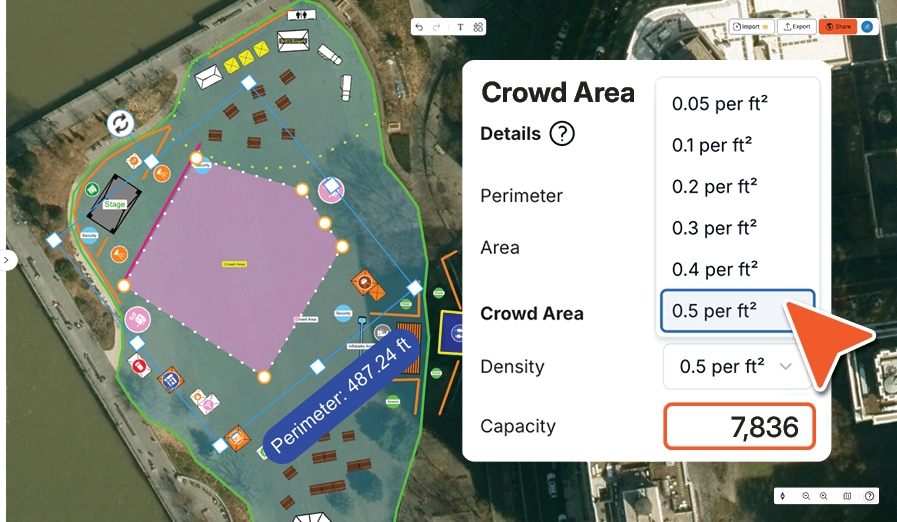
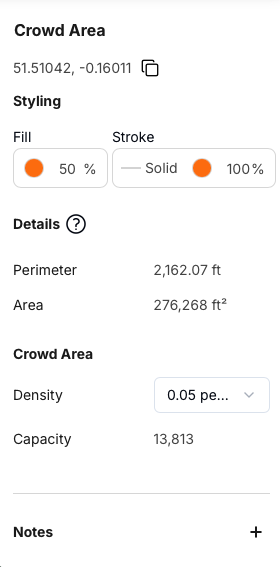
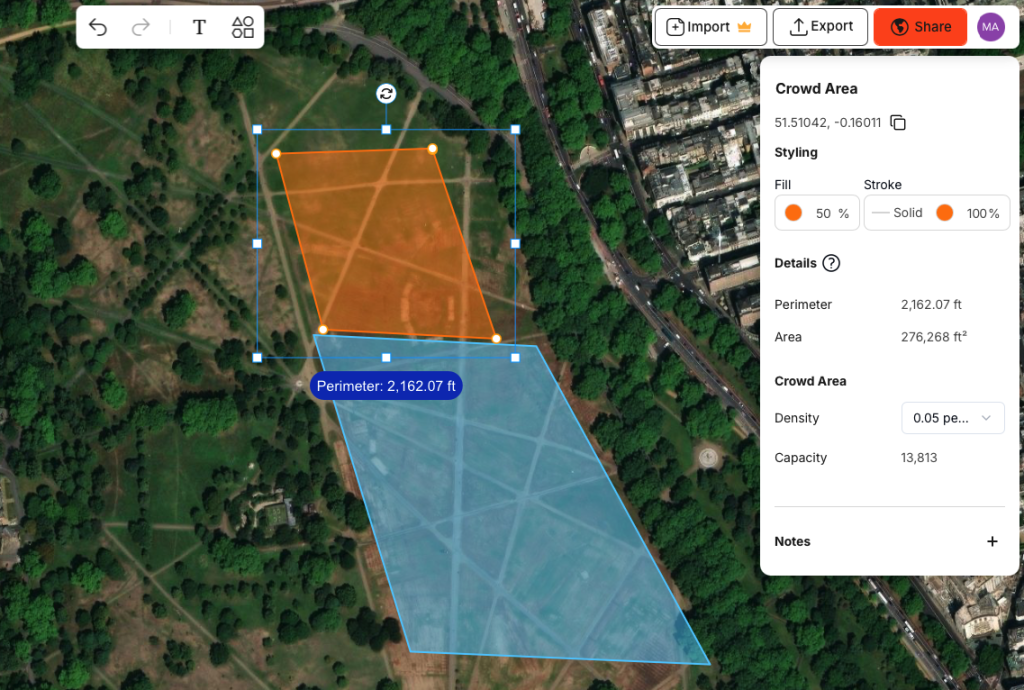
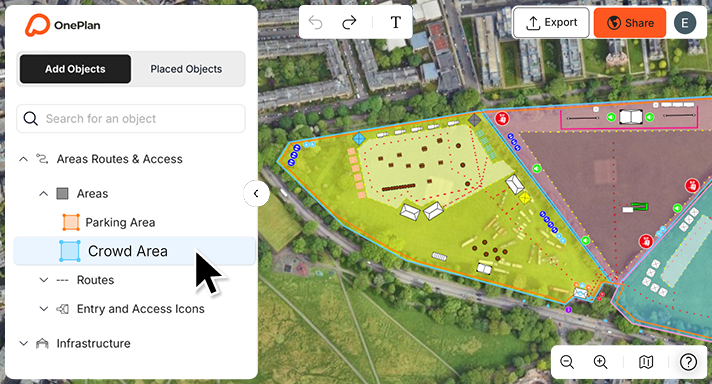
Max highlights specific tools that prove invaluable: “The measuring tools and 1:1 scale in particular are incredibly helpful within our event planning. Whether it be simply measuring from Point A to Point B or placing to scale, custom sized objects onto our site to ensure our layout works. For crowd management, he adds: “Another key feature that is useful when planning our events is the ability to select custom crowd areas across our site to work out crowd capacity based on selectable ‘people per m².’”

James at Silverstone confirms capacity planning is his most-used feature: “The most frequently used tool for us is the capacity or crowd density function so that we can look at an area, take out sections if we’re putting in a bar or putting in some other infrastructure and look at how many people we can put in there.”

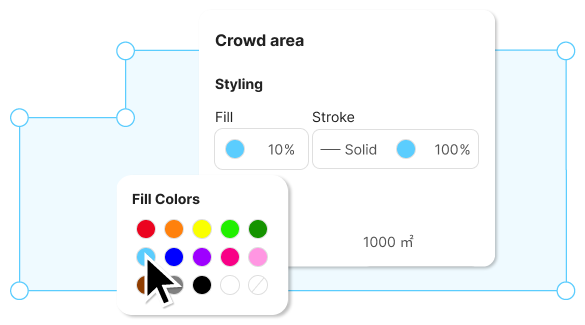
crowd area calculator

Real-Time Collaboration Across Teams and Suppliers

OnePlan breaks down information silos, enabling seamless collaboration between internal teams, contractors, suppliers, and regulatory authorities. The sharing capabilities are both powerful and simple.

James describes Silverstone’s collaborative ecosystem: “It helps us to share the plans with our different contractors, enabling them to have selected access so that we can develop the site and make the user experience for our guests turn up, a really positive one.”

The platform’s sharing flexibility accommodates diverse communication needs: “The way that we share our information with our contracts has improved significantly with the use of OnePlan. And as it’s always live, they’re always getting the correct information at the right time.” James explains.

For MSV, remote collaboration has dramatically reduced the need for physical site visits: “Being able to collaborate with our site teams live in OnePlan saves us a huge amount of time. We can flag issues immediately and make adjustments without having to physically travel to each circuit.”, says Alex. This frees staff to focus on strategic planning rather than reactive problem solving.

Max at Santa Pod appreciates the real time collaborative capability: “The ability to work on the shared events together in real time with fellow users within the company. Having the ability to see the amends that each other are making in real time, greatly enhances the ability to plan events.”

Yusif Basil at RedBull emphasises how OnePlan solved their update distribution challenge: “OnePlan’s online accessibility and instant updates allowed me to keep everyone in the loop.”

Safety and Compliance: Planning for the Unexpected

For motorsport events, safety isn’t optional, it’s the foundation of everything. MSV’s Alex explains their proactive approach: “The crucial changes always happen in the planning stage. OnePlan allows us to look at what worked in previous years, adjust for potential risks, and make improvements before the event”. By modeling crowd movement, access routes, and emergency paths digitally, they can anticipate and address safety concerns systematically.

James at Silverstone highlights how OnePlan supports regulatory compliance: “At Silverstone, we share OnePlan internally with all of our security contractors. So whether that be in house or third parties that we bring in to deliver the event, we also share with our local authorities.”

Accessibility and Ease of Use

Despite its sophisticated capabilities, OnePlan’s intuitive interface means teams can get productive quickly, without specialised training.

Max describes his experience: “It is an intuitive event planning [software] that is easy to use.” He emphasizes that: “The intuitive design features and structure of OnePlan makes event planning easy without requiring in depth knowledge of the software. With the extensive database of insertable Infrastructure, tools for measuring and zoning capabilities, there really is no situation that OnePlan can’t handle.”

James at Silverstone emphasises this democratisation of planning capability: “You don’t have to be a professional to use this. It’s all about that user interface. Before, when we were using CAD, you had to be almost a professional in it to work out how to add objects, move stuff around and then make sure you’ve got the correct date and version number and then share that around. Now, anyone can do that in our team. They can simply log in, they can start placing objects, start moving stuff around and start measuring or working out crowded spaces.”

Yusif at RedBull highlights the object library: “I often use fences, water barriers, vehicles, and other objects that help me visualise my event.” OnePlan’s comprehensive object menu provides the building blocks teams need without requiring custom design work.

Whether you’re managing a single circuit or a full racing calendar, OnePlan was built for teams like yours. Ready to see how you can transform how you plan?

Book a demo with the team today 👉

5 minutes read

Parking Calculators for Events

If there’s one part of an event that can quietly make or break the experience, it’s parking. You can have a perfect lineup, flawless production, and smooth gates — but if attendees spend 45 minutes stuck in traffic or can’t figure out where to park, that’s the memory that sticks.

That’s why using a parking lot calculator isn’t just a logistics exercise — it’s a direct lever on attendee experience. OnePlan’s built in parking lot layout calculator lets event organizers plan parking capacity, layout, and traffic flow visually. You can model different arrival and departure scenarios in advance, ensuring smooth entrances, fast exits, and a positive start and end to your event. 

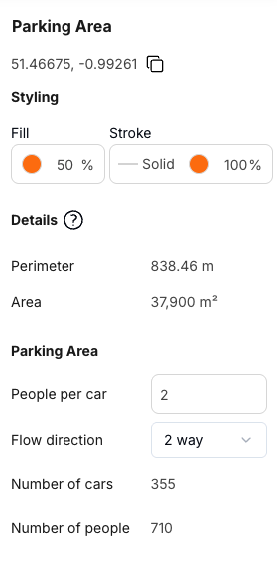
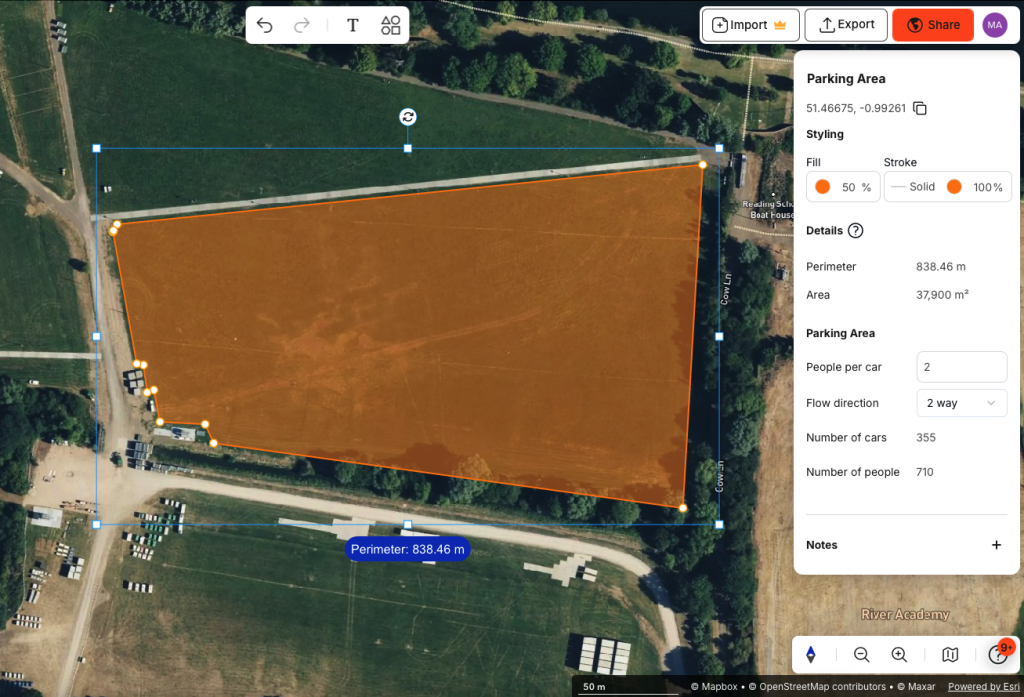
To get started, create a free account, define the parking area on a to-scale satellite map of your car park (or import drawings of your parking lot if it’s indoor), define traffic flow and the calculator will work out the number of cars that’ll fit into your area.

You can define multiple areas (or floors for indoor parking), manage parking lots in multiple locations and define the estimated number of people per car to ensure you have enough spaces for the number of attendees you expect. 

Sign up free to try it out or read on to find out how parking calculators work and how to use them. 

What Is a Parking Lot Layout Calculator?

A parking lot layout calculator helps you answer practical questions like:

Rather than guessing or relying on spreadsheets, a visual car parking area calculator, like the one in OnePlan, lets you see the layout on a map, change the size of areas, and receive instant updates on capacity.

The ability to visually change zones, areas and traffic flow, and receive instant updates is great for planning different layouts, testing scenarios and getting the balance right between maximum capacity, safety and minimum congestion.

Why Parking Layout Impacts Event Experience

Parking is often the first and last interaction attendees have with your event. Poor layouts, blocked lanes, or misplaced parking attendants can create frustration that overshadows a great show and sometimes makes it onto social media before the event is over.

A well-planned parking lot layout helps:

A proper parking space layout calculator ensures you have the space and flow to make this happen, while also helping address regulatory requirements.

How to Calculate Car Parking Area and Capacity

When planning parking, it’s not just about how much space is available. The trick is knowing how to calculate car parking area so it works in the real world.

Car parking calculation involves:

1. Measuring usable space, excluding:

  • Access roads and circulation lanes
  • Emergency and fire lanes
  • Pedestrian walkways
  • Obstacles, gradients, or structures

2. Applying realistic parking layouts.

3. Considering flow and entry/exit constraints.

Even the best parking calculator won’t help if you ignore how traffic actually moves. That’s why OnePlan combines space, layout, and flow in one visual plan.

parking-area-calculator

Planning “What If?” Scenarios

Every event throws curveballs. Weather changes. Arrivals bunch up. One exit closes early. Suddenly your perfect plan is tested.

With OnePlan you can create different versions of your plan to model scenarios like:

OnePlan updates calculations in real time so you can adapt plans quickly and show possible scenarios and potential risks in a visual way.

You can share your plans by link or export them as PNGs for printing or embedding in documents so your team, stakeholders and approving authorities can access the same visual plan.

Why Visual Parking Planning Beats Spreadsheets

Spreadsheets and PDFs are okay until something changes. Then recalculating parking spaces, rewriting instructions, and emailing new versions becomes a headache.

OnePlan’s car parking calculator and parking lot layout calculator make it easy:

It’s faster, clearer, and far easier to explain to stakeholders and approving authorities.

Plan Any Parking Lot, Indoors or Outdoors

Events happen everywhere — greenfields, stadiums, convention halls. OnePlan lets you use a car parking area calculation on any site:

This ensures your parking lot size calculator reflects the real site, not just theoretical numbers.

Parking attendants: Placed Where They Matter

Even the best parking layout needs human management. With OnePlan, you can place parking attendants exactly where they’re needed — at junctions, crossings, or bottlenecks.

After the event, you can review traffic flow, attendant placement, and vehicle movements, refining your car parking space calculator for the next event.

From Parking Lot Calculations to Better Events

A parking lot calculator does more than count spaces. It helps you:

Great events don’t start at the gate. They start in the parking lot.

Plan Smarter With OnePlan

For event organizers juggling experience, safety, and compliance, parking plans need to be clear, flexible, and easy to explain. OnePlan links parking layout, car parking calculation, and staff placement in one visual platform. You can:

FAQs

A parking lot layout calculator is a tool to design parking layouts, calculate parking capacity, and plan vehicle flow ensuring both safety and smooth operation.

By measuring usable space, applying realistic bay layouts, and factoring in traffic circulation, pedestrian safety, and emergency access.

Yes. OnePlan works with satellite imagery for greenfield and temporary sites, perfect for festivals and outdoor gatherings.

Yes. The visual car parking calculator makes it easy to show authorities how parking is organized, how traffic flows, and where attendants are placed.

Yes. OnePlan allows you to import existing file layouts, making your parking space layout calculator accurate for any venue, indoor or outdoor.

4 minutes read

Planning Not to Plan

By Paul Foster  | Founder & CEO, OnePlan

Paul Foster is the Founder & CEO of OnePlan, and was the Official Supporter of GIS Mapping & Digital Twin Software for Paris 2024. He has been involved in nine Olympic and Paralympic Games.

I’m a planner by nature, perhaps unsurprisingly for someone whose life’s work revolves around helping the world’s biggest events plan smarter. Normally, I’m the kind of person who books flights, hotels, and tickets well in advance, leaving nothing to chance.

But for Milano Cortina, I decided to do something different. I had a plan not to plan. And it turned out to be exactly the right call.

Why Winter Games Are Different

Winter Games are a very particular kind of major event, and understanding what makes them different is what made the late approach work.

Venues are often more dispersed than at a Summer Games, sometimes in remote mountain regions that require careful planning just to reach.

The combination of timing, winter travel, school terms, fewer tourists, and geography means that tickets don’t always face the same immediate pressure as they do for a Summer Games in a capital city.

There are also logistical realities unfolding behind the scenes that most spectators don’t see. Temporary venues frequently don’t have their final capacity confirmed until late in the build phase, simply because seating and operational layouts can’t be locked until construction is sufficiently advanced.

Organising committees respond to this by holding tickets back until they’re confident in the numbers, which means availability often improves significantly in the final weeks before competition begins.

The same dynamic applies to accommodation. Organisers reserve large blocks of rooms early for athletes, commercial partners, media, and officials, sensibly so, given the operational complexity involved. But once final delegation numbers are confirmed, many of those rooms are released back into the market, often just a few weeks before the Games open.

We saw this happen clearly in Paris: hotel rates dropped dramatically in the final weeks before the Opening Ceremony as blocks were released and the market adjusted. Anyone who waited was rewarded for their patience.

A Different Route and a Better Experience

The approach extended to the journey itself. Rather than flying into one of the busier Milan airports and navigating south before heading back north into the mountains, I flew from London to Innsbruck. It turned out to be a genius decision.

The drive from Innsbruck to Livigno takes around two hours and twenty-five minutes, passing through Austria, into Switzerland, and then down into Italy. It’s one of the more beautiful stretches of road in the Alps,  quiet, unhurried, with the kind of scenery that reminds you why people have been crossing these mountains for centuries. Livigno itself sits just a few kilometres from the Swiss border, and arriving via that route rather than through Milan felt like the right introduction to a place that operates on its own terms.

Last-minute flights to Innsbruck were readily available and very reasonably priced. The contrast with the anxious early booking that major events usually demand was striking.

What Waiting Actually Delivered

Two weeks before travelling, I secured a 25% group discount on Livigno event tickets. Accommodation presented no difficulty, good options remained available at fair prices, with no sense of the last-minute scramble that the conventional wisdom around major events would predict.

This shift isn’t just a personal observation. There’s growing evidence that more fans are leaving their purchases later, and the pattern is being noticed beyond the events industry.

A recent Reuters piece highlighted how ticket demand for Milano Cortina ramped up considerably closer to the Games, reflecting what the article described as a broader trend of late buying habits among event-goers. The market is adapting to a world where flexibility has become a legitimate strategy rather than a sign of indecision.

In a sense, it mirrors something we’ve seen in other areas of consumer behaviour. The traveller who books at the last minute is no longer necessarily the one who couldn’t plan. Increasingly, they’re the one who understood the market well enough to know that waiting was the better move.

Flexibility Isn’t the Opposite of Planning

At OnePlan, we build digital twins that help organising committees adapt confidently in real time, because no plan, however carefully constructed, survives contact with reality unchanged. The value of a live, shared operational picture isn’t that it prevents change, it’s that it allows you to respond to change without losing control of the wider picture.

This trip was my personal reminder of the same principle. Having a plan not to plan isn’t the absence of strategy. It’s a strategy that acknowledges uncertainty and builds flexibility into the approach from the start.Sometimes, especially in a world that’s constantly changing, that’s the most intelligent plan of all.

5 minutes read

Three Protests, One Opening Ceremony: Why Event Planning Is Spatial Design

By Paul Foster  | Founder & CEO, OnePlan

Paul Foster is the Founder & CEO of OnePlan, and was the Official Supporter of GIS Mapping & Digital Twin Software for Paris 2024. He has been involved in nine Olympic and Paralympic Games.

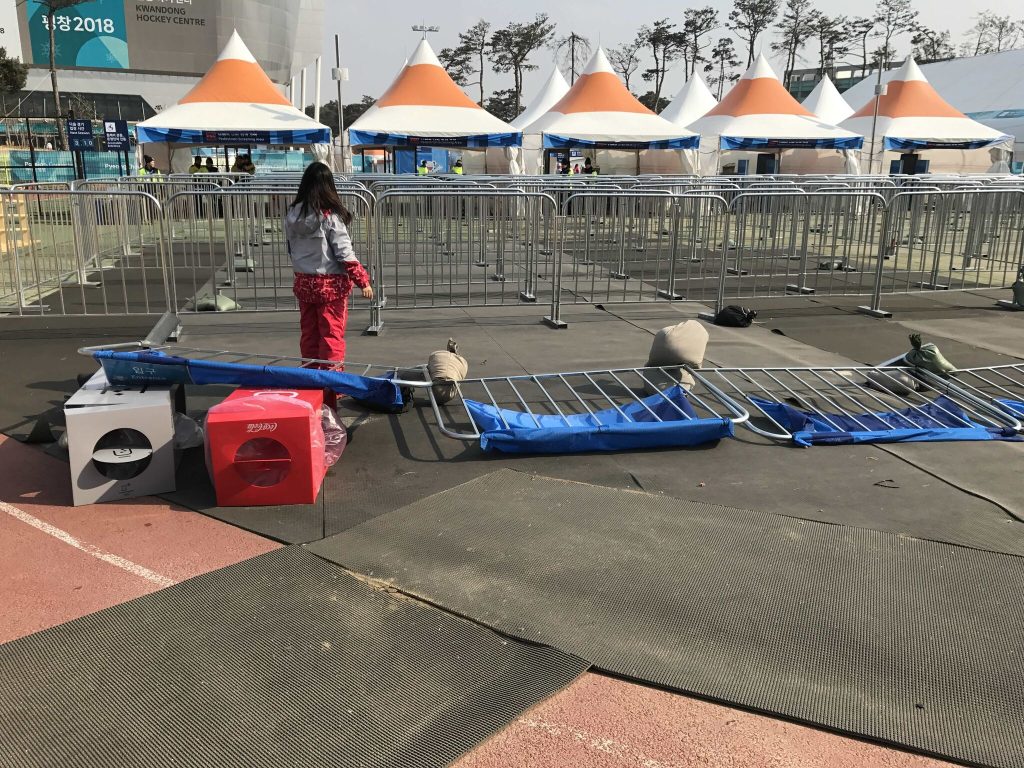
PyeongChang, South Korea. February 9, 2018. Two hours before the Olympic Opening Ceremony.

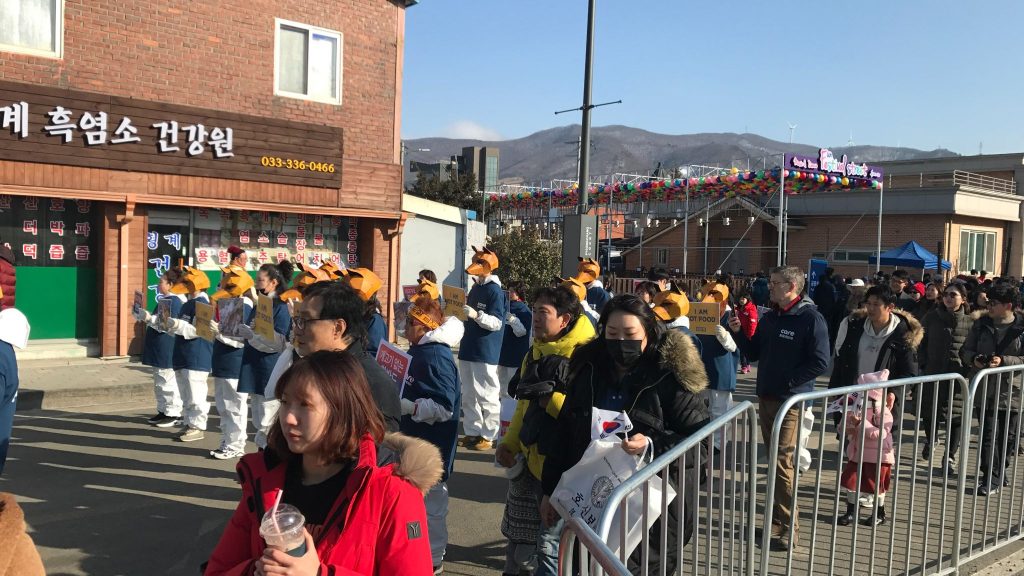
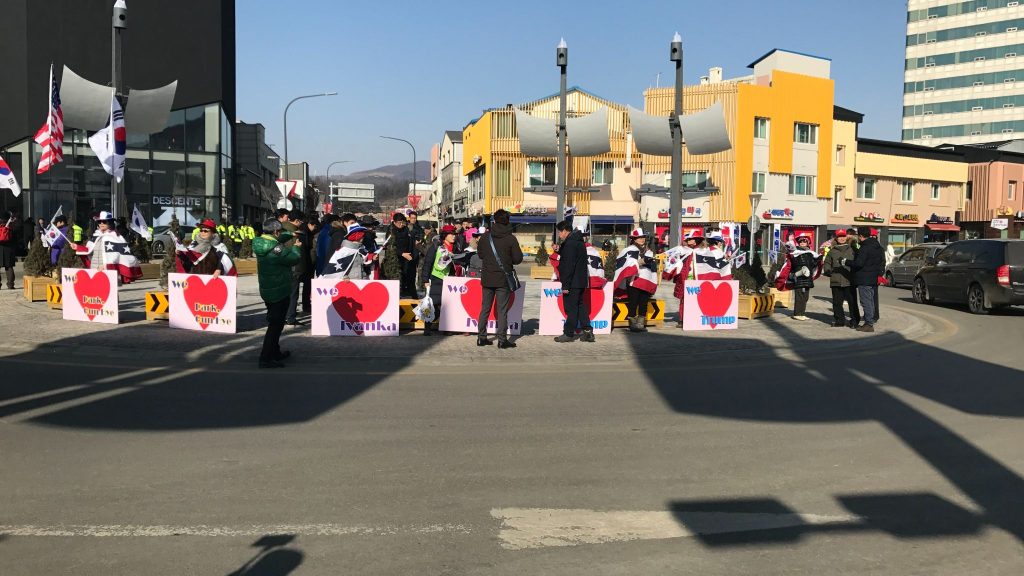
Outside the stadium perimeter, three protests were unfolding simultaneously:

A tightly organised, uniformed demonstration, clearly briefed, clearly timed, positioned with precision near the main spectator approach.

A very enthusiastic geopolitical fan club, complete with coordinated signage, occupying a highly visible corner near the media zone.

A lone protester with an explicitly discriminatory message, delivered with a portable speaker and admirable persistence, stationed at a pedestrian junction.

Different messages. Different tactics. Same postcode.

At the time, I was Project Director overseeing crowd management planning across all Olympic venues. What struck me that evening wasn’t tension, it was calm, the ceremony started exactly on time. Fifty thousand ticket holders entered without incident, the media got their shots, the protests were visible, audible, and entirely peaceful. And none of them accidentally conflicted with each other, the transport operations, or the security perimeter.

This didn’t happen by accident. It happened because someone, months earlier, had treated protest planning not as a security problem to be suppressed, but as a spatial design problem to be solved.

The Problem with “Security First” Thinking

Large-scale events attract visibility. Visibility attracts people who would very much like to borrow it for their own purposes. This is not a bug, it’s a feature of operating in public space.

The instinctive response, particularly from teams focused on risk mitigation, is to treat protest as a threat vector, something to be contained, minimised, or ideally prevented. You see this reflected in planning documents that frame demonstrations exclusively through the lens of disruption: how many people, how loud, how close to the venue, how quickly can we clear them if needed.

This framing isn’t wrong, exactly. But it’s incomplete. And incompleteness, at the scale of an Olympic Games, creates problems.

If you plan only for containment, you end up with conflicts you didn’t anticipate: protesters occupying a route you needed for emergency vehicle access. Counter-protesters arriving in the same location as the original group. Media crews trying to film from a position that blocks pedestrian flow. A single moral objector with a loudspeaker positioned directly outside the VIP entrance, creating an optics problem that could have been avoided with slightly different spatial planning.

The better approach, the one that actually worked in PyeongChang, starts with a different question: not “how do we stop this?” but “where does this belong?”

Spatial Design, Not Risk Management

What I learned across multiple Olympic cycles is that protest planning is fundamentally a spatial design problem. You have multiple actors with competing objectives, all operating in a finite physical space, all deserving of consideration.

The protesters have a right to be visible and audible. The ticket holders have a right to access the venue without intimidation or obstruction. The media have a job to do. The emergency services need clear routes. The local residents need access to their own streets. The VIPs require certain operational realities to be managed.

None of these needs is inherently more important than the others. But they do interact, often in ways that create genuine conflicts. And those conflicts only become solvable when you can see them spatially.

In PyeongChang, the three protests I witnessed had been anticipated, not in their precise messaging, but in their likely existence. The planning team had identified zones where protest activity could be visible and audible without blocking spectator flow, interfering with emergency access, or creating confrontation between opposing groups. Each protest had been spatially separated from the others. Each had been positioned where media could film them if they chose to, but where they wouldn’t dominate the visual frame of every broadcast shot.

This is what good spatial design looks like in practice. It’s not about control. It’s about creating the conditions for multiple legitimate activities to coexist in the same physical environment.

The Operational Prerequisites

To plan for protest spatially, you need three things that many event teams still don’t have:

First, a shared spatial model. Every functional area, security, transport, ticketing, media, protocol, needs to be working from the same map, with the same constraints visible. If the security team doesn’t know where the broadcast team has positioned cameras, or the transport team doesn’t know where the protocol team has designated a VIP route, you’re planning in silos. And silos create conflicts.

Second, early identification. You need to surface potential protest activity as early as possible, not to prevent it, but to incorporate it into the operational picture. This requires intelligence work, yes, but more importantly it requires an operational culture that treats protest as a legitimate planning variable rather than an external threat.

Third, the ability to test scenarios. If you can model what happens when three different groups occupy three different locations, you can identify conflicts before they become physical. Does the planned protest zone block the emergency vehicle route? Does it create a pinch point in the pedestrian flow? Does it position opposing groups within sight of each other in a way that creates tension? These are answerable questions if you have the tools to ask them.

At OnePlan, this is exactly the kind of scenario we’ve designed our platform to support. The digital twin capability we’ve developed as the IOC’s official supplier allows organising teams to model not just the physical venue, but the operational layers on top of it, including protest activity, crowd movement, emergency access, and media zones. You can see the conflicts before they happen. You can test solutions. You can coordinate across functional areas.

This isn’t theoretical, it’s how modern event planning works when it’s done well.

Beyond the Olympics

The principles here extend well beyond Olympic Opening Ceremonies. Any event that operates in public space, political conventions, large-scale festivals, major sporting fixtures, public ceremonies, will attract people who want to be seen and heard. That’s the nature of public space.

The question for organisers is whether you’re going to plan for that reality or be surprised by it. And planning for it requires a shift in mindset from “how do we prevent this?” to “where does this fit?”

I’ve seen this work in practice across multiple Games. I’ve also seen what happens when it doesn’t work, when protest activity is treated as an afterthought, or when the spatial planning is done by a single functional area without visibility of what everyone else is doing. The result is predictable: conflicts discovered on-site, solved reactively, often at significant operational cost.

The better approach requires coordination, early planning, and a shared operational picture. It requires treating public space as something that accommodates multiple legitimate uses, not something to be locked down.

A Different Kind of Success

That evening in PyeongChang, as fifty thousand spectators filed into the stadium and three separate protests unfolded peacefully outside, the operational success wasn’t that the protests were silent or invisible. The success was that everyone, protesters, spectators, media, emergency services, was able to do what they came to do, in the same physical space, at the same time, without conflict.

That’s not a security outcome. That’s a design outcome.

Large-scale events don’t exist in isolation. They attract visibility, symbolism, cameras, and people who would very much like to borrow all three. If you plan only for the ceremony inside the fence, reality will line up outside with a placard and a loudspeaker and prove you wrong.

Good event planning isn’t about stopping protests. It’s about ensuring they don’t accidentally conflict with each other, the media, or fifty thousand ticket holders at the same time.

The goal was never control, the goal was calm, and in PyeongChang, we got exactly that.

4 minutes read

Event Capacity Calculators Explained

Planning an event starts with one critical question: how many people can your event space safely and comfortably hold? Whether you’re organising a concert, festival, sporting event or outdoor gathering, using an event capacity calculator is essential for safety, compliance and audience experience.

OnePlan’s capacity calculator allows users to accurately and visually plan capacity for specific zones and their entire event. Sign up free to try it out yourself. 

In this guide, we explain how to calculate event capacity, and show how OnePlan helps planners move beyond spreadsheets to visual, accurate capacity planning.

What Is an Event Capacity Calculator?

An event capacity calculator is a method or tool used to determine the maximum number of people that can safely occupy an event space. It considers usable space, not just total area, and applies crowd density and safety assumptions.

Event professionals use capacity calculators to:

  • Calculate event capacity accurately
  • Plan safe crowd movement and flow
  • Justify numbers to local authorities and safety teams
  • Design better audience experiences

Why Capacity Calculators Matter for Events

Correct capacity planning underpins almost every aspect of event delivery:

  • Crowd safety and risk management
  • Licensing, permitting and safety advisory group (SAG) submissions
  • Security, medical and emergency planning
  • Ticket sales limits and revenue forecasting
  • Audience comfort and experience

Authorities increasingly ask not just for a number, but for evidence of how crowd capacity was calculated.

How to Calculate Crowd Capacity

Event-capacity-calculator-panel

1. Measure Usable Event Space

Remove non-usable areas such as:

  • Stages and production
  • Back-of-house and crew areas
  • Emergency access routes
  • Structures, barriers and concessions

2. Apply Crowd Density Assumptions

Typical guidance for calculating crowd capacity includes:

  • 0.2–0.5 m² per person – high-density, tightly packed crowds
  • 0.5–1 m² per person – comfortable standing crowds
  • 1–2 m² per person – relaxed movement and circulation

Understanding how to calculate crowd capacity starts with the available space and how people will use it. The right assumption depends on audience behaviour, event duration and safety requirements.

In OnePlan users can calculate capacity by defining crowd density by people per m2 or sq ft with the following options. 

  • 0.5 sq m / 10 sq ft
  • 1 sq m / 10 sq ft
  • 2  sq m / 10 sq ft
  • 3 per sq m / 10 sq ft
  • 4 per sq m / 10 sq ft
  • 5 per sq m / 10 sq ft

3. Identify Bottlenecks and Constraints

Final capacity is often limited by:

  • Entrances and exits
  • Walkways and circulation routes
  • Emergency evacuation times

Good crowd planning always accounts for the weakest point on the site.

The Limitations of Spreadsheet-Based Capacity Calculations

Traditional capacity calculators for events are often managed in spreadsheets or PDFs. This creates the following challenges:

  • Capacity assumptions are hard to visualise
  • Layout changes require manual recalculation
  • Different teams work from different versions
  • Calculations are difficult to explain to authorities

OnePlan’s Visual Event Capacity Calculator

OnePlan acts as a powerful space calculator for events, combining site design and capacity planning in one place. Here’s an explanation of how capacity planning works in OnePlan. 

Sign up free to try it yourself. 

Visual Zone-Based Capacity Planning

Event teams define zones directly on the site map, such as:

  • Audience and crowd areas
  • Queues and circulation routes
  • Hospitality and concessions

Each zone can have capacity assumptions applied, creating a clear event space capacity calculator that stakeholders can understand at a glance. Users can add notes to different zones in relation to capacity, crowd control or other aspects of the event to help different stakeholders understand the plan. 

Real-Time Capacity Updates

As layouts and their available areas change in OnePlan, zones and their capacity is changed instantly. This allows planners to:

  • Test different site layout designs and the impact on event capacity
  • Understand the impact of infrastructure changes
  • Balance safety, experience and revenue

Clear Evidence for Licensing and Safety Teams

With calculations tied to the visual plan and an ability to share plans by link with anyone, OnePlan makes it easier to demonstrate:

  • How event capacity was calculated
  • Why certain limits were applied
  • How risks have been mitigated

Sign up free to get started

Multiple-Crowd-Areas

Plan Safer Events and Strengthen Local Authority Submissions With OnePlan

For local authorities, Safety Advisory Groups and venues, capacity figures must be clear, justified and defensible. For event teams, they must also be practical, accurate and easy to update as plans evolve.

OnePlan helps bridge that gap by linking capacity calculations directly to your site plan — so safety decisions are visible, logical and easy to review.

With OnePlan, you can:

  • Visually define crowd areas, routes and zones on a live site plan
  • Apply capacity and density assumptions transparently
  • Clearly show how crowd and event capacity has been calculated
  • Reduce back-and-forth with local authorities and SAGs
  • Submit clearer, more confident safety and licensing documentation

OnePlan helps bridge that gap by linking capacity calculations directly to your site plan — so safety decisions are visible, logical and easy to review.

Frequently Asked Questions About Event Capacity Calculators

An event capacity calculator is a tool or method used to determine how many people can safely occupy an event space. It considers usable space, crowd density, access routes and safety constraints rather than total site size.

Calculating crowd capacity involves measuring usable space, applying appropriate crowd density assumptions (for example, square metres per person), and identifying constraints such as entrances, exits and evacuation routes.

An event space calculator focuses on how space is allocated across a site, while a crowd capacity calculator applies density assumptions to determine how many people those spaces can safely hold. In practice, both work together.

An outdoor event capacity calculation accounts for temporary infrastructure, terrain, weather planning, emergency access and crowd movement. Outdoor capacity is often lower than headline site size suggests due to these constraints.

Yes. OnePlan acts as a visual event capacity and space calculator by allowing teams to define zones on a live site plan, apply capacity assumptions, and update calculations as layouts change — all in one collaborative platform.

4 minutes read

When Everyone’s Right and Everything’s Wrong: The Case for a Single Source of Truth in Event Planning

By Paul Foster  | Founder & CEO, OnePlan

Paul Foster is the Founder & CEO of OnePlan, and  was the Official Supporter of GIS Mapping & Digital Twin Software for Paris 2024. He has been involved in nine Olympic and Paralympic Games.

Stand outside any major venue during a large-scale event and you’ll see the result of months, sometimes years, of meticulous planning. What you won’t see is the friction that almost derailed it.

Here in Milan for the 2026 Winter Olympics, watching the Games take shape across multiple venues, I keep coming back to a deceptively simple question: what happens when every functional area does exactly what it’s supposed to do, and the result is still a problem?

This is the central challenge of large-scale event operations, and it’s one that most planning frameworks still don’t fully address.

The Crowd Barrier problem

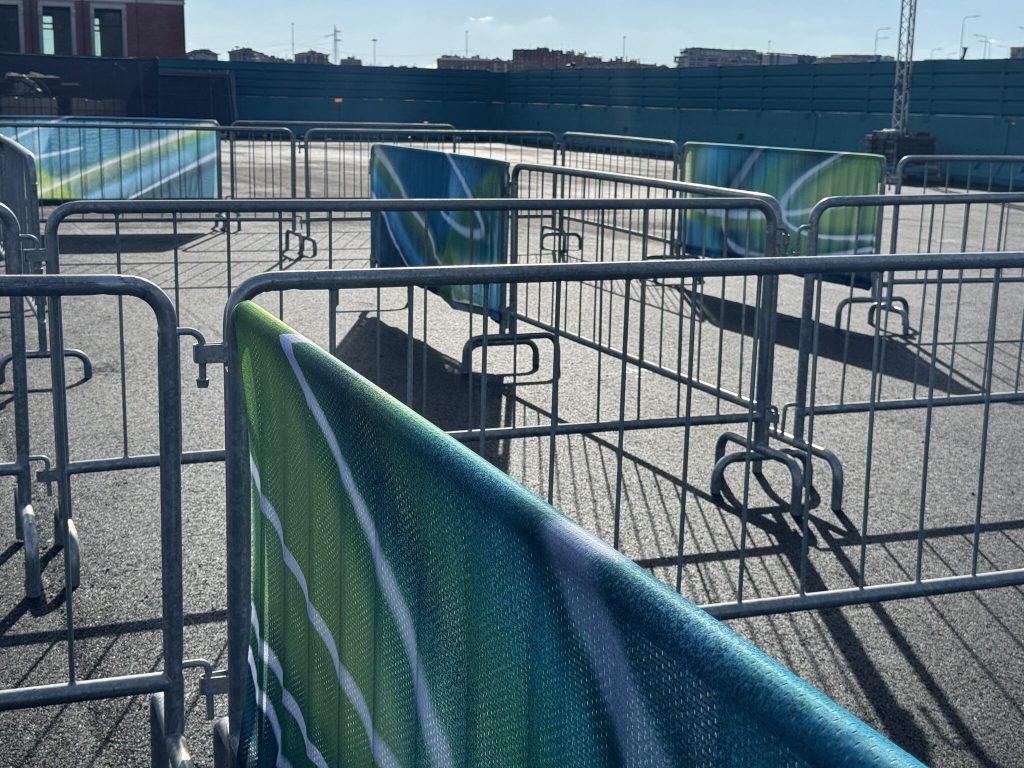
Let me give you a concrete example. Branding on crowd barriers looks fantastic. Bold, colourful, highly visible, exactly what a sponsorship or marketing team wants to deliver. The barriers become a canvas.

The problem is physics. Standard crowd barriers are significantly lighter than most people assume. A branding panel stretched across one acts like a sail. In wind, or under crowd pressure, a branded barrier becomes a safety liability.

Crowd Barrier Problem

The marketing team isn’t wrong to want brand visibility. The safety team isn’t wrong to specify barriers at certain locations. The operations team isn’t wrong to approve the barrier placement. Everyone has done their job correctly. And yet, without a shared view of how these decisions interact, you end up with a conflict that only becomes visible on-site, at exactly the point when it’s hardest to fix.

This is not a hypothetical. It’s representative of dozens of cross-functional conflicts that emerge at major events every cycle.

Milano Cortina got it right

What struck me at the Milano Santagiulia Ice Hockey Arena this week was a small but telling detail in the queue management system. Rather than wrapping crowd barriers in full branding panels, the team has deployed “barrier jackets”,  partial coverings placed on selected barriers at deliberate intervals to deliver visual impact without compromising stability.

Crowd Barriers Milano Cortina

It’s an elegant solution, but what I respect most about it isn’t the design itself. It’s what the design tells you about the process behind it. Someone, or more likely, some system, enabled the marketing, safety, and operations teams to see the conflict early enough to solve it creatively, rather than reactively.

That’s the difference between good planning and great planning.

Why functional silos are the default, and the problem

An Olympic Organising Committee can contain dozens of functional areas: transport, security, accreditation, broadcast, medical, catering, sponsorship, ticketing, protocol, and many more. Each has its own leadership, its own objectives, its own operational logic.

This structure makes sense. Specialisation is how you manage complexity at scale. But it creates a fundamental tension: the decisions made within each functional area don’t exist in isolation. They exist in a shared physical and operational space, and they interact, often in ways no single team can fully anticipate.

The sponsorship team places a structure near a fire exit. The catering team positions equipment in a service corridor. The transport team schedules a logistics vehicle movement that coincides with peak spectator flow. None of these decisions is unreasonable in isolation. Together, they create a bottleneck, a hazard, or a delay.

In my experience across nine Olympic and Paralympic Games, the events that run most smoothly are not the ones where every team worked hardest in isolation. They’re the ones where every team had visibility of what the others were doing.

The Single Source of Truth Principle

A “single source of truth” sounds like a technology concept, it is. But it’s also, at its core, a planning philosophy.

The principle is straightforward: every team, at every level, should be working from the same underlying picture of the venue, the operations, and the constraints. Not a version of the picture. The picture.

When that’s in place, cross-functional conflicts don’t disappear, but they surface early, when solutions are still possible. The barrier jacket in Milan isn’t a workaround, it’s the result of a planning process that caught the conflict before it became a constraint.

When it’s not in place, you get the version of events that every experienced event professional recognises: a cascade of individually rational decisions that collectively create an operational problem, discovered on-site, solved under pressure, at significant cost.

What’s changed, and what hasn’t

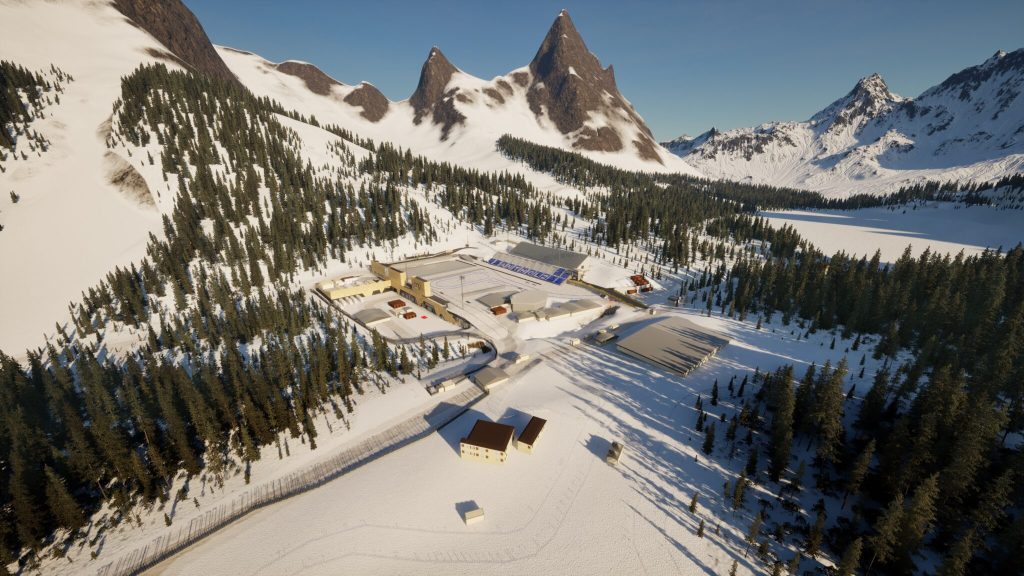
The tools available to event planners have evolved substantially. Digital twin technology now allows organising teams to model venues in full before a single barrier is placed or a cable is run. Every functional area can operate within the same spatial model, and conflicts between their plans become visible before they become physical.

At OnePlan, this is what we’ve been building toward across multiple Games cycles. The platform we’ve developed as the IOC’s official Digital Twin Supplier isn’t primarily about technology. It’s about giving every team a shared operational reality to plan within, the same floor plan, the same constraint layer, the same picture of what everyone else is doing.

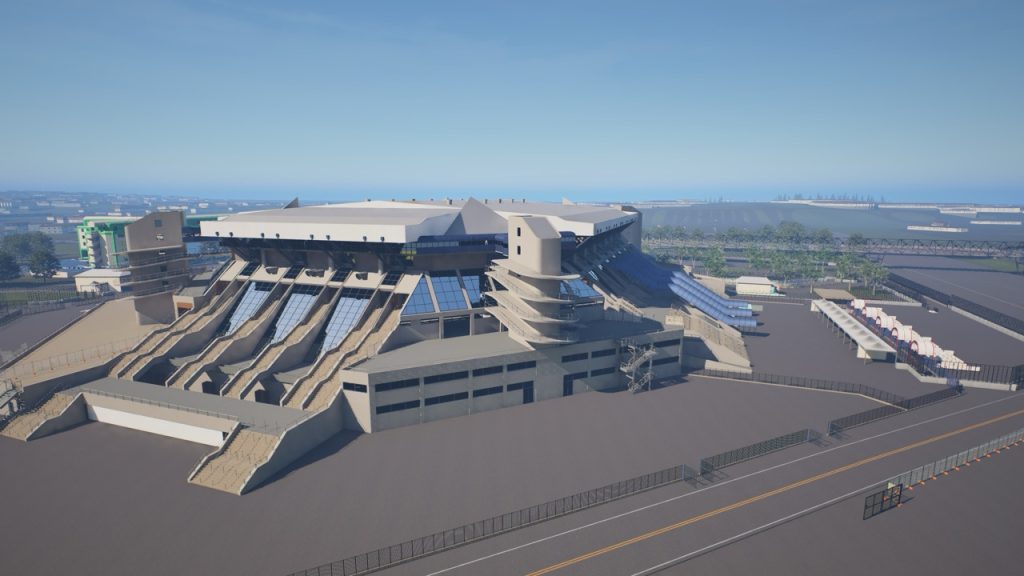
VenueTwin - Milano Cortina

What hasn’t changed is the underlying challenge. Events bring together people with different objectives, different priorities, and different definitions of success. Coordinating them effectively has always required more than good intentions and regular meetings, it requires a shared foundation.

A question worth asking

If you’re involved in planning a major event, at any scale, the most useful question you can ask isn’t “is each team doing their job?” It’s “can each team see what the others are doing?”

The barrier jacket in Milan is a small thing. But small things, done right, are what large events are actually made of, and they only happen when everyone is working from the same plan.

4 minutes read

71% of Event Professionals Say Safety & Security Is Their Top Priority for 2026

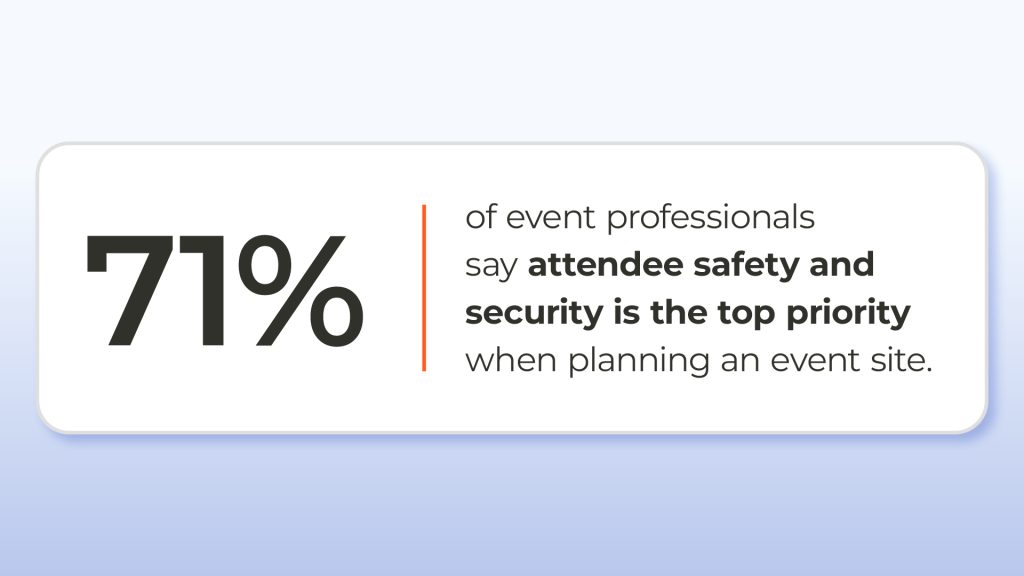
Event planning has never been simple – but this year the pressure on event teams is intensifying. New data in our Event Site Planning Report 2026 highlights the key event planning trends for 2026, and shows that 71% of event professionals say attendee safety and security is their top priority when planning an event site. The data comes from OnePlan’s event industry survey run in Q4 last year. 

Crowds are larger. Sites are more complex. Expectations from audiences, partners, and authorities are higher than ever. As a result, safety, accuracy, and collaboration are no longer separate considerations – they are foundational to successful event delivery.

71% say safety is top priority

Event planning trends for 2026 show safety and security as the top priority

Safety and security now underpin far more than operational delivery. According to the survey, they are central to:

  • gaining trust with audiences and authorities

  • securing long-term commercial partnerships

  • enabling events to scale year after year

In recent years, high-profile incidents across the live events industry have pushed safety scrutiny into sharper focus. Event teams are responding by designing safer crowd flows earlier, testing layouts before build day, and coordinating emergency access well in advance.

Why safety and security now underpin successful event planning

Safety and security are critical to modern event planning because they directly impact operational delivery, regulatory approval, audience trust, and long-term event viability. Events that demonstrate clear, well-designed safety plans are more likely to secure approvals, build confidence, and return successfully year after year.

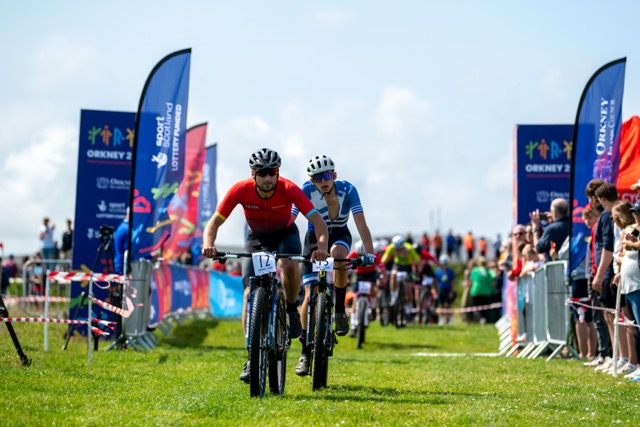
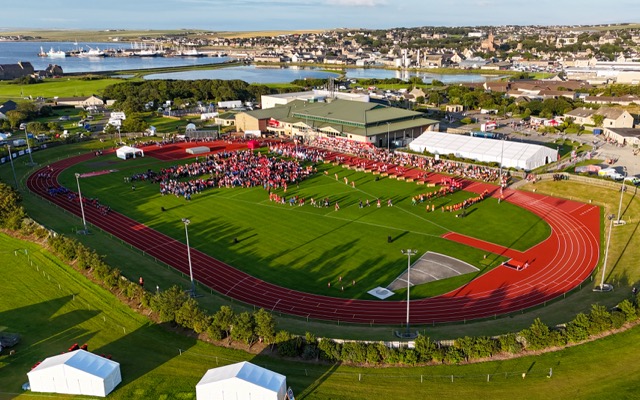
Orkney Games

This shift means safety planning is no longer owned by a single role. It requires close coordination between event operations, security, medical teams, contractors, and local authorities – all working from the same plan.

Why event site planning accuracy matters more in 2026

As event sites become more ambitious and experience-led, event site planning accuracy has become essential – not just for compliance, but for efficiency and cost control.

The survey found that:

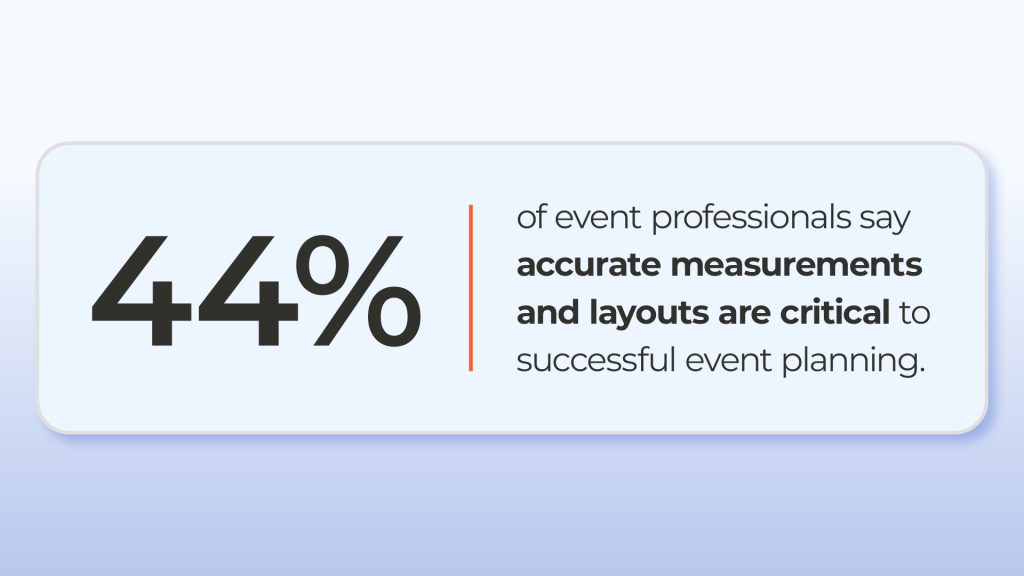
  • 44% of event professionals say accurate measurements and layouts are critical to successful event planning

Inaccurate plans can lead to overcrowded spaces, inefficient layouts, unnecessary costs, and late-stage rework on site. In an environment where margins are tight and scrutiny is high, estimates are no longer enough – teams need confidence in their data.

accurate layouts

The biggest event planning challenges teams face in 2026

Based on OnePlan’s event industry survey, the biggest event planning challenges in 2026 include:

  • ensuring attendee safety and security

  • managing complex site layouts and peak capacities

  • responding to weather and external factors

  • coordinating multiple stakeholders from a single plan

  • maintaining accuracy as sites become more experience-led

The data shows that 61% of event professionals say weather and external factors are their biggest stress, while 44% struggle with venue limitations and 41% cite logistics and transport as ongoing challenges.

Why collaboration is now critical in the live events industry

Events are a team sport – and the data reinforces this tension clearly.

  • 48% of event professionals say bringing people together is the best part of working in live events

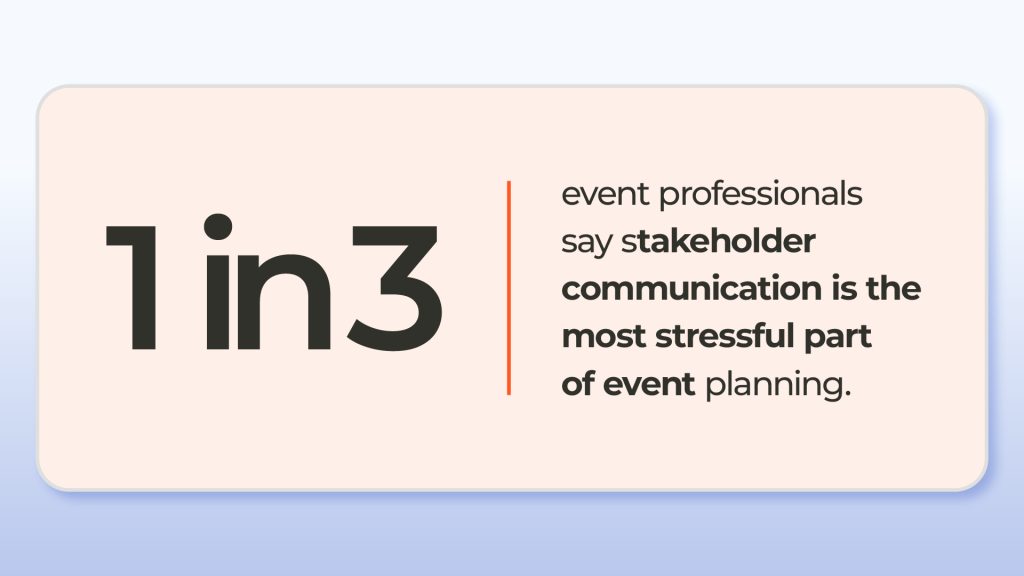
  • Yet 1 in 3 say stakeholder communication is the most stressful part of event planning

As events involve more suppliers, partners, and authorities, alignment becomes harder – and more important. The most effective teams are those working from shared, visual plans that give everyone confidence they’re looking at the same, up-to-date information.

What this means for event teams in 2026

Across the survey responses, a consistent pattern emerges. The teams delivering the strongest outcomes in 2026 are those that:

  • think carefully about how people move, gather, and experience a space


  • rely on accurate layouts and real-world measurements to make decisions


  • bring multiple stakeholders into the planning process early and clearly

As events grow more complex and more collaborative, the tools teams use to plan them matter just as much as experience and expertise.

Festival site plan in OnePlan

Across the survey responses, a consistent pattern emerges. The teams delivering the strongest outcomes in 2026 are those that:

  • think carefully about how people move, gather, and experience a space
  • rely on accurate layouts and real-world measurements to make decisions
  • bring multiple stakeholders into the planning process early and clearly

As events grow more complex and more collaborative, the tools teams use to plan them matter just as much as experience and expertise.

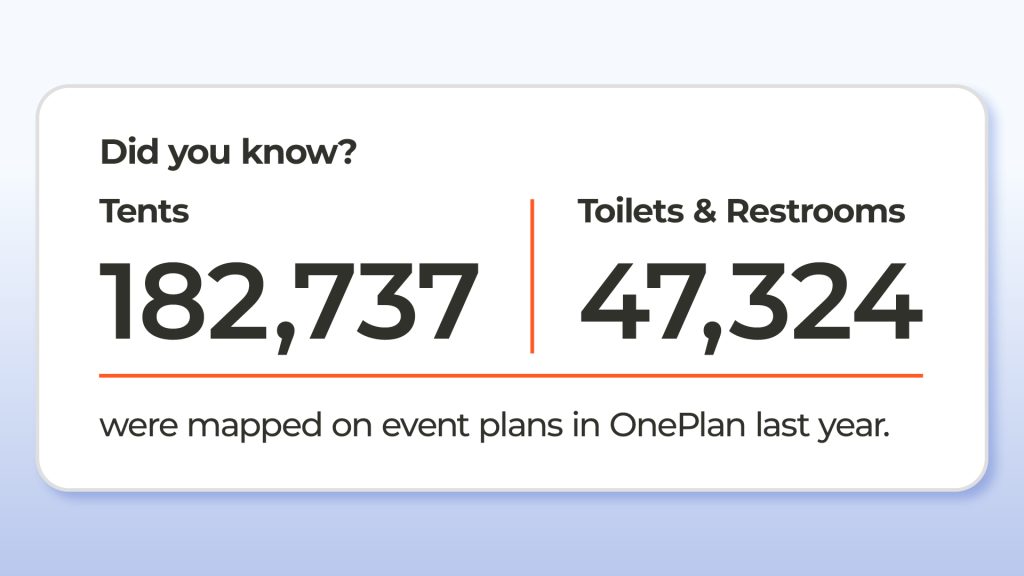
Tents and toilets mapped in OnePlan

Download the Event Site Planning Report 2026

The Event Site Planning Report 2026 is based on data from event professionals across venues, festivals, sports events, and community programmes, collected between October and December 2025.

👉 Download the Event Site Planning Report 2026

If you’re planning events in 2026 – or shaping how your organisation approaches safety, accuracy, and collaboration – this report provides a clear snapshot of where the industry is heading.

< 1 minute read

How to find and choose a venue

< 1 minute read

How to Manage an Events Venue

< 1 minute read

How to Start an Events Venue

< 1 minute read

How to Promote an Events Venue and Sell Its Space

3 minutes read

Questions to Ask a Venue Before Booking

Booking a venue is one of the most important decisions in any event plan. The right space can make an event feel seamless and inspiring — while the wrong one can create unnecessary challenges.

Whether you’re planning a fair, sports tournament or community festival, the key to success lies in asking the right questions before you sign a contract. These questions will help you understand a venue’s true capabilities, avoid hidden costs, and ensure everything aligns with your vision.

1. What Dates Are Available?

Popular venues book up fast, especially during high-demand seasons. Always check availability early and have a few alternative dates ready.

Tips:

  • Ask if weekday or half-day bookings are discounted.
  • Confirm if the venue has peak seasons — such as warmer weather for festivals and fairs, or year-end for Christmas markets and festive events.

Explore flexible scheduling; some venues offer early setup or extended hours for reduced rates.

2. What’s Included in the Rental Fee?

Avoid budget surprises by getting a detailed list of what’s covered in the base fee.

Ask about:

  • Furniture (tables, chairs, linens)
  • Lighting and AV equipment
  • Setup and cleaning fees
  • Service charges or insurance costs

Be clear on deposit and payment terms, including due dates and refund conditions. Transparent pricing ensures you can plan your cash flow and stay on budget.

3. What’s the Capacity and Layout Flexibility?

Every event needs a layout that supports its purpose – from networking spaces to concert staging.

Check:

  • Maximum capacity and recommended comfort levels.
  • Options for reconfiguring layouts (for example, switching from seated dinner to standing reception).
  • Accessibility routes for guests with disabilities.
  • Flow between entry points, restrooms, and key attractions.

Using OnePlan, organisers can test multiple layout scenarios in real scale before committing to a design – helping avoid bottlenecks or overcrowding.

4. What’s the Policy on Catering and Alcohol?

Some venues require in-house catering, while others allow external vendors. Always clarify their rules and any associated costs.

Ask:

  • Is there an in-house menu and price list?
  • Can I bring my own caterer or bar service?
  • Are there corkage fees or vendor insurance requirements?
  • Does the venue hold the necessary alcohol licences?

Aligning these details early prevents headaches later and ensures compliance with all regulations.

5. Are There Any Restrictions?

Every venue has its limits – understanding them helps avoid conflicts.

Common restrictions:

  • Noise limits or curfews.
  • Décor restrictions (e.g. no candles, no ceiling hangings).
  • Approved vendor lists or safety standards.

If your event involves live music, pyrotechnics, or temporary structures, check these points before signing.

6. What’s the Cancellation and Refund Policy?

Life happens. Always know your cancellation terms upfront.

Ask:

  • What’s the refund window if I cancel?
  • Are partial refunds available?
  • Can I reschedule without penalty?
  • Does the venue recommend event insurance?

Understanding the fine print protects your investment and reduces financial risk.

7. What Audiovisual Equipment Is Available?

Reliable AV is critical for conferences, performances, and hybrid events.

Clarify:

  • What AV gear is included (projectors, microphones, screens, sound systems)?
  • Is technical support provided on-site?
  • How early can we access the venue for testing?

Professional support and testing time can make or break an event’s smooth delivery.

8. Is There Adequate Parking and Accessibility?

Accessibility at events and festivals affects both attendance and guest satisfaction.

Check:

  • Number and cost of parking spaces.
  • Valet or shuttle options.
  • Step-free access, lifts, and accessible restrooms.
  • Proximity to public transport.

Every guest should be able to reach and enjoy your event comfortably — it’s both a legal and moral obligation.

9. What Staffing Support Is Provided?

Good venues provide more than space – they provide support.

Ask:

  • Is there an on-site coordinator or event manager?
  • How many staff will be present during the event?
  • Are they trained in guest management and safety protocols?

Clearly defining staff roles ensures smooth setup, service, and breakdown on the day.Asking questions about this should give you confidence with the venue you book. 

10. How Does the Venue Support Technology?

In today’s connected world, technology is part of the guest experience.

Discuss:

  • Wi-Fi speed and coverage.
  • Availability of power outlets and charging stations.
  • Integration with event management software for registration or scheduling.

Venues that support digital tools make coordination easier and elevate professionalism.

11. Can the Venue Handle Last-Minute Changes?

Flexibility is gold in event planning. Ask if the venue can adapt to layout adjustments, timing changes, or guest list fluctuations.

Examples:

  • Adding tables for extra guests.
  • Extending hours due to program changes.
  • Adapting catering for dietary requirements.

A flexible venue partner helps keep things running smoothly when plans inevitably evolve.

Using Technology to Streamline Planning

The best event organisers use tools to centralise communication, manage layouts, and coordinate logistics.

Platforms like OnePlan make it simple to:

  • Visualise your venue and infrastructure on an interactive map.
  • Collaborate with vendors, security, and staff in real time.
  • Share updated plans instantly with every stakeholder.

Integrating these tools early helps prevent confusion and last-minute changes — and ensures your event meets safety and accessibility best practices.

Final Thoughts

Choosing a venue isn’t just about finding a beautiful space – it’s about finding one that supports your vision, logistics, and guest experience.

By asking the right questions and using collaborative planning tools like OnePlan, you’ll be able to book with confidence, avoid costly surprises, and deliver an event that’s smooth, safe, and unforgettable.

3 minutes read

How to Book a Venue for an Event

Booking the right venue is one of the most important steps in successful event planning. The venue sets the tone, impacts logistics, and directly shapes the experience for your attendees. Whether it’s a festival, community event, or sports tournament, taking a strategic approach to venue booking can save you time, money, and stress.

Here’s a complete guide to help you book the perfect venue – from defining your needs to leveraging technology for seamless planning.

Step 1: Understand Your Event’s Requirements

Before you start searching for venues, define exactly what your event needs.

Consider:

  • The type of event, such as a festival, fair, sports event or fan zone.
  • The number of attendees and any special accessibility requirements.
  • The ambience and atmosphere you want to create.

A corporate seminar may need a professional setting with strong Wi-Fi and AV support, while a sports tournament will likely call for easy crowd flow to and from seats. 

Understanding your event’s scale and style helps you quickly narrow your options – ensuring you don’t waste time evaluating unsuitable spaces.

Step 2: Set a Realistic Budget

A clear budget is your roadmap. Remember, venue costs go beyond rental fees. Include:

  • AV and technology setup
  • Temporary infrastructure and other suppliers required 
  • Additional rentals (furniture, lighting, etc.)
  • Staffing, cleaning, and security
  • Catering and décor

Always keep a contingency fund for unexpected costs. Prioritise your spending: if the venue’s aesthetic is key, you may compromise on décor; if entertainment is your focus, choose a simpler space.

Step 3: Choose the Right Location

Your venue’s location can make or break attendance. Think about:

  • Accessibility for attendees, including public transport and parking.
  • Proximity to hotels, restaurants, or attractions.
  • Accessibility for people with disabilities.

A venue in a scenic rural area may offer a beautiful backdrop but might require shuttle services. Urban venues often provide convenience and post-event entertainment options – choose what fits your goals.

Step 4: Research and Shortlist Venues

Use online tools to streamline your search.

  • Explore venue directories like EventUp and Peerspace, which filter by location, capacity, and amenities.
  • Read reviews and testimonials from past clients to understand each venue’s strengths and weaknesses.
  • Tap into online communities — event planning forums or LinkedIn groups often share hidden gems.

Once you have a shortlist, schedule site visits to experience the space firsthand.

Step 5: Visit Venues and Assess in Person

A personal visit helps you evaluate the layout, flow, and functionality of each space. During your visit:

  • Check lighting, acoustics, and accessibility.
  • Review on-site amenities like restrooms, loading areas, and storage.
  • Meet the venue manager to discuss flexibility, setup times, and policies.

Bring your OnePlan venue map or sketch ideas in real time to visualise layouts, crowd flow, and vendor zones – helping you make faster, data-driven decisions.

Step 6: Review Contracts Carefully

Before signing:

  • Review all terms, including payment schedules, cancellation policies, and overtime fees.
  • Clarify what’s included in the price – furniture, AV, catering, etc.
  • Confirm insurance, liability, and setup/breakdown times.

Never hesitate to negotiate. Even small adjustments to rental fees or included services can have a big impact on your budget. For larger events, consult a legal advisor to ensure your contract fully protects your interests.

Step 7: Confirm Services and Amenities

Clarify exactly what’s included in your rental:

  • Tables, chairs, and linens
  • Audio-visual equipment
  • On-site coordinators or technicians
  • Security services – personnel and the hours they’ll work

If the venue doesn’t include what you need, ask about preferred suppliers or external rentals. Getting all costs up front avoids surprise charges later.

Step 8: Leverage Event Technology

Technology can make venue booking far more efficient. Use platforms like Cvent or Eventbrite to manage guest lists and RSVPs, and project management tools like Asana or Trello to track team tasks and deadlines.

Tools like OnePlan take it further — letting you plan the entire site layout in real scale, collaborate with vendors and safety teams, and visualise every detail before event day.

Step 9: Extra Tips for Special Events

  • Visit multiple venues before choosing. Comparing options helps you negotiate and refine your vision.
  • Confirm setup and breakdown times with the venue. For example, multi-site events often need longer prep periods across multiple locations.

Match the venue’s aesthetic to your theme. A naturally beautiful location can save on décor costs and make a lasting impression.

Step 10: Prepare for Last-Minute Changes

Even the best-planned events can face surprises – weather, supplier issues, or last-minute guest changes.

  • Have a backup plan for outdoor events.
  • Keep a list of alternative suppliers and traders.
  • Use collaboration tools to quickly update your team and partners if something changes.

A clear communication plan ensures smooth coordination no matter what happens.

Final Thoughts

Booking the right venue is about more than logistics – it’s about creating the foundation for a memorable experience.

By understanding your needs, setting a clear budget, and using smart event technology like OnePlan, you’ll simplify your workflow, strengthen collaboration, and deliver events that run seamlessly from start to finish.

3 minutes read

Essential Tips for Choosing a Venue

Choosing the perfect venue is one of the most crucial steps in planning a successful event.
Whether you’re hosting a racing event, town festival, boat show or Christmas market, the venue sets the tone and directly shapes the experience.

In this guide, we’ll share essential tips to help you choose the right venue – and show how using modern event planning tools like OnePlan can make the process simpler, faster, and more effective.

1. Understand Your Event’s Needs

Before looking at venues, define your event’s purpose and requirements. This clarity guides every decision that follows.

Ask yourself:

  • What’s the purpose of the event? (Networking, celebration, education, entertainment, etc.)
  • What’s the tone – formal or casual, high-energy or relaxed?
  • Who is your target audience and how many guests are you expecting?
  • Is the date fixed or flexible, and will seasonality affect pricing or availability?

An accurate guest estimate and clear vision help ensure your chosen space fits comfortably – neither overcrowded nor too sparse.

2. Set a Realistic Budget Early

A well-defined budget narrows your search and prevents costly surprises. Include every major cost component:

  • Venue rental fees
  • Temporary infrastructure including tents, toilets and barriers
  • Audio-visual and technical needs
  • Staffing, cleaning, and security

Always allow a contingency buffer for unforeseen expenses. Remember, a higher price doesn’t always equal better quality – focus on value for your specific event needs.

3. Research Venues Strategically

Leverage digital tools and event planning platforms to make venue research efficient and transparent.

Start online:
Use Google, social media, and review platforms like Yelp or Google Reviews to shortlist venues. Virtual tours and video walkthroughs provide a clearer sense of the layout than static photos.

Use specialised event tools:
Websites like EventUp and Peerspace offer extensive listings with filters for capacity, amenities, and budget.

For professionals:
Advanced software like Cvent or Tripleseat lets you compare venues, check availability, and manage communications all in one place.

Tools like OnePlan go a step further, letting organisers visualise a venue map, plan layouts, and design event infrastructure with spatial accuracy before booking.

4. Prioritise Location and Accessibility

The right location can determine whether your event succeeds. Consider:

  • Proximity to transport hubs and parking availability.
  • Accessibility for people with disabilities.
  • Availability of nearby hotels or accommodation for guests.

Choosing a convenient, inclusive location enhances guest satisfaction and boosts attendance.

5. Visit and Evaluate Shortlisted Venues

A site visit is invaluable. It’s the only way to truly assess the space and spot potential issues.

When visiting:

  • Check lighting, acoustics, and layout flexibility.
  • Visualise your event setup – entrances, exits, catering, staging, etc.
  • Evaluate the ambiance and suitability for your event’s tone.

Use your OnePlan map during your visit to test different layouts on the spot – adjusting crowd flow or vendor placement in real time. After that first time on site, you’ll find that by using OnePlan you won’t need as many future site visits as you may have done previously. 

6. Review Amenities and Flexibility

The right amenities can make or break your event experience. Ask:

  • What’s included in the rental (AV equipment, Wi-Fi, catering, tables, linens)?
  • Can you modify layouts, extend hours, or add extra guests if needed?
  • Is there an on-site coordinator available to help on the day?

Flexibility and support are signs of a venue that understands live event logistics.

7. Understand Policies, Contracts, and Fees

Before signing, carefully review the venue’s:

  • Noise, décor, and catering policies
  • Cancellation and refund terms
  • Hidden fees (service charges, overtime costs, cleaning fees, etc.)

Negotiate where appropriate – for example, requesting a package discount or extended access for setup. A clear contract protects both parties and ensures alignment on expectations.
8. Use Technology to Streamline Booking

Modern event management platforms can simplify bookings and communication.Software like Eventbrite and EventPro help manage registrations, payments, and vendor coordination, while integrated planning platforms like OnePlan centralise site maps, safety layouts, and vendor logistics in one shared space.

Digital signatures and cloud-based tools reduce paperwork and speed up approvals – allowing you to focus on creative and operational details instead.

9. Communicate Clearly with Your Venue

Effective communication avoids last-minute problems.

  • Assign a single point of contact.
  • Agree on preferred communication methods (email, phone, or project management software).
  • Schedule regular check-ins leading up to the event.

Collaboration tools like Slack or Microsoft Teams can help organisers and venue staff share updates instantly.

10. Plan for Contingencies and Review Afterwards

Even the best plans can face unexpected challenges – weather, logistics, or supplier issues.
Discuss contingency options early such as alternative layouts, indoor options, and extended hours.

After the event:

  • Collect feedback from guests, suppliers, and staff.
  • Document lessons learned for next time.

Strengthen your relationship with the venue for future opportunities.

Final Thoughts

Choosing the perfect venue involves more than location and price – it’s about matching your event’s goals with the right space, service, and logistics.

By combining strategic planning, clear communication, and smart technology, you’ll reduce stress, save time, and deliver a seamless experience for attendees.

With OnePlan, you can visualise layouts, collaborate with stakeholders, and manage your site plan in real scale – making venue selection and planning easier than ever. Get started for free now.

3 minutes read

Questions to Ask on a Venue Site Visit for a Sports Event

When planning a sports event, choosing the right venue is one of the most critical decisions you’ll make. It’s not just about location — the venue must meet the operational, technical, and safety standards required for athletes, spectators, and media.

A site visit helps you evaluate these factors first-hand. Knowing the right questions to ask on a venue site visit ensures you gather the information needed to make confident, informed decisions.

This guide outlines the essential questions to ask at a venue tour and how tools like OnePlan can simplify the entire process.

Preparing for Your Venue Tour

Before arriving on site, define the objectives of your sports event. Are you hosting a local tournament, a national championship, or a corporate sports day? Each type of event has unique requirements for space, equipment, and crowd flow.

Research your shortlisted venues online. Check their size, accessibility, facilities, and history of hosting sports events. This will help you refine your questions to ask when touring a venue and focus on the most important details during your visit.

Key Questions to Ask When Touring a Venue for a Sports Event

The following questions to ask on a venue site visit will help you evaluate whether a location is the right fit for your event.

1. Availability and Scheduling Flexibility

  • Is the venue available on your preferred event dates?
  • Can it accommodate early setup or late-night finishes?
  • Are there any local restrictions or curfews that may affect scheduling?

2. Playing Surface and Sport Standards

  • What type of surface is available — grass, turf, court, or track?
  • Is the surface certified to meet your sport’s governing body standards?
  • How frequently is it maintained and inspected?

3. Capacity and Spectator Experience

  • What is the venue’s spectator capacity?
  • Are there flexible seating layouts?
  • How does the venue handle safe entry and exit for large crowds?

4. Athlete and Team Facilities

  • Are there sufficient changing rooms, showers, and rest areas?
  • Are warm-up or training spaces available nearby?
  • How close are athlete areas to the field of play?

5. Media, Technology, and Broadcast Support

  • Are there dedicated media zones, commentary boxes, and power outlets?
  • Is there high-speed internet for live streaming and scoring?
  • Are broadcast teams supported with easy access and power connections?

6. Safety, Security, and Medical Services

  • What emergency response plans are in place?
  • Where are the medical and first aid stations located?
  • Is there on-site security or stewarding available?

7. Venue Layout and Accessibility

  • How is the venue laid out for players, staff, and fans?
  • Are there accessible routes and facilities for guests with disabilities?
  • Can operational areas (e.g., athlete zones or media spaces) be separated easily?

8. Parking and Transport

  • Is there enough parking for staff, teams, and spectators?
  • Are there bus or coach access routes?
  • What public transport options are nearby?

9. Catering and Hospitality

  • Does the venue offer in-house catering?
  • Can external vendors or food trucks be brought in?
  • Are there hospitality zones for VIPs and sponsors?

10. Costs and Contract Details

  • What’s included in the hire fee — utilities, staffing, or cleaning?
  • Are there extra charges for overtime or setup?
  • What are the payment, insurance, and cancellation terms?

How OnePlan Helps Sports Event Planners Reduce Site Visits

Technology can streamline the entire venue selection process. OnePlan enables sports event organisers to plan events with an accurate, to-scale map of any venue — whether it’s indoor or outdoor — and dramatically reduces the need for multiple site visits.

With OnePlan, you can: – Design your event with a drag-and-drop interface. – Define zones for athletes, spectators, and operations. – Add temporary or permanent infrastructure like stands, signage, or barriers. – Place facilities, equipment, routes, and access points. – Plan for different scenarios such as weather or crowd variations. – Import venue floor plans or PNGs for precise visual layouts. 
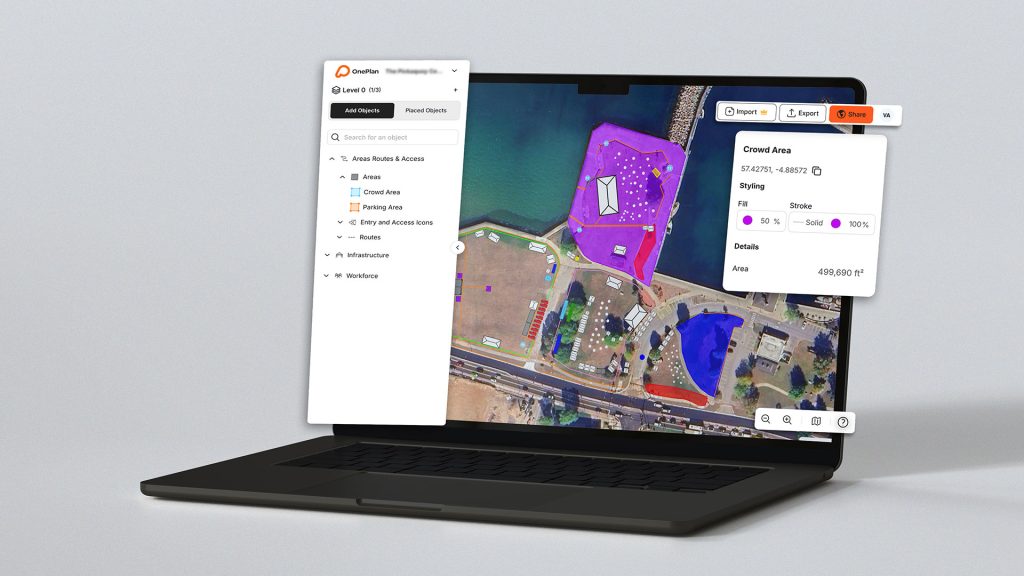
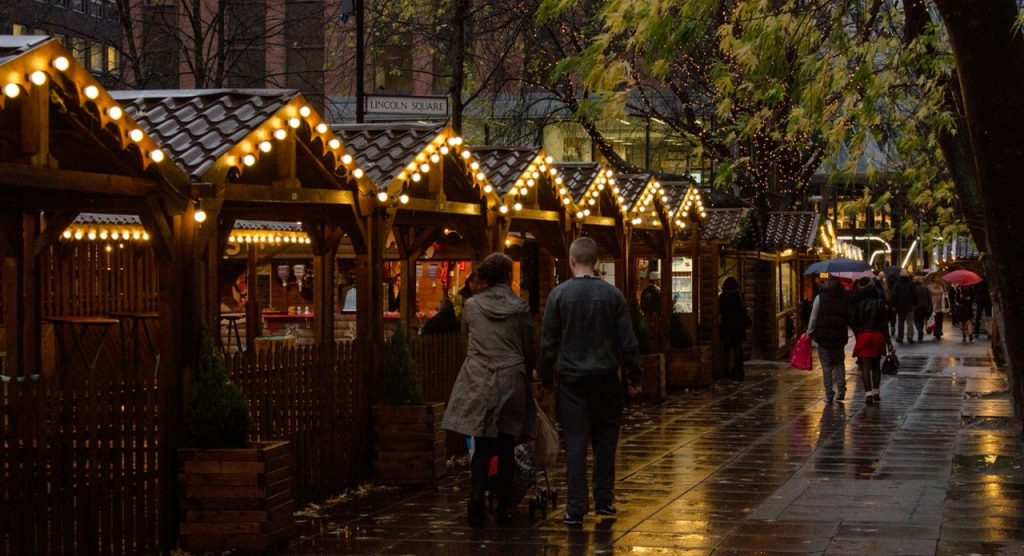
OnePlan helps event planners collaborate remotely, test layouts in real time, and ensure operational viability in a venue. 

Even better — OnePlan is free for one event with up to 50 objects on a plan, and plans can be scaled up to support large organizer teams. Sign up free and try it now.

After Your Venue Site Visit

Once you’ve completed your venue tours, compare each option based on the answers to your venue tour questions. Review logistics, accessibility, technical capacity, and cost.

When selecting your final venue, double-check the contract terms, including access times, insurance, and cancellation policies. Clear communication with venue managers helps ensure a seamless setup and event delivery.

Final Thoughts

Knowing the right questions to ask when touring a venue helps you identify whether a space truly meets your sports event’s needs. Combine these insights with powerful digital planning tools like OnePlan to visualise and plan every detail remotely.

By preparing thoroughly, communicating clearly, and using smart technology, you can reduce venue visits, streamline planning, and deliver a safe, well-organised, and memorable sports event for everyone involved.

6 minutes read

Optimizing Event Site Layouts for an Improved Visitor Experience

Whether you’re planning an indoor or outdoor event, creating an engaging event site layout is crucial for a memorable visitor experience. A well thought-out layout can enhance attendee flow and interaction.

Event coordinators face the challenge of balancing aesthetics with functionality. They must ensure that the design meets both logistical needs and visitor expectations. This requires careful planning and the right tools.
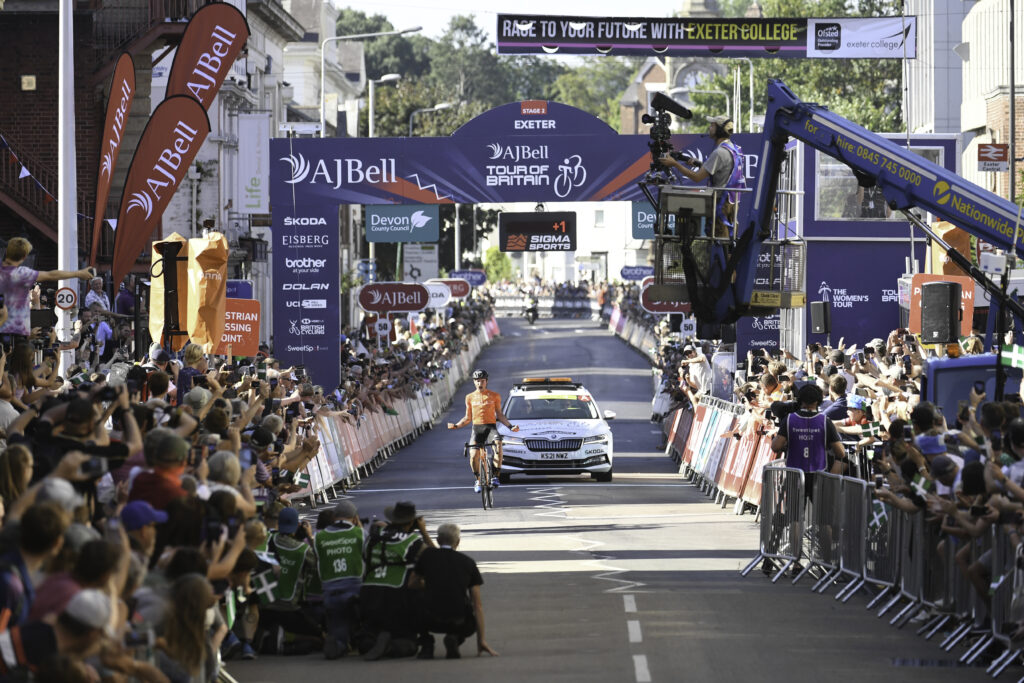
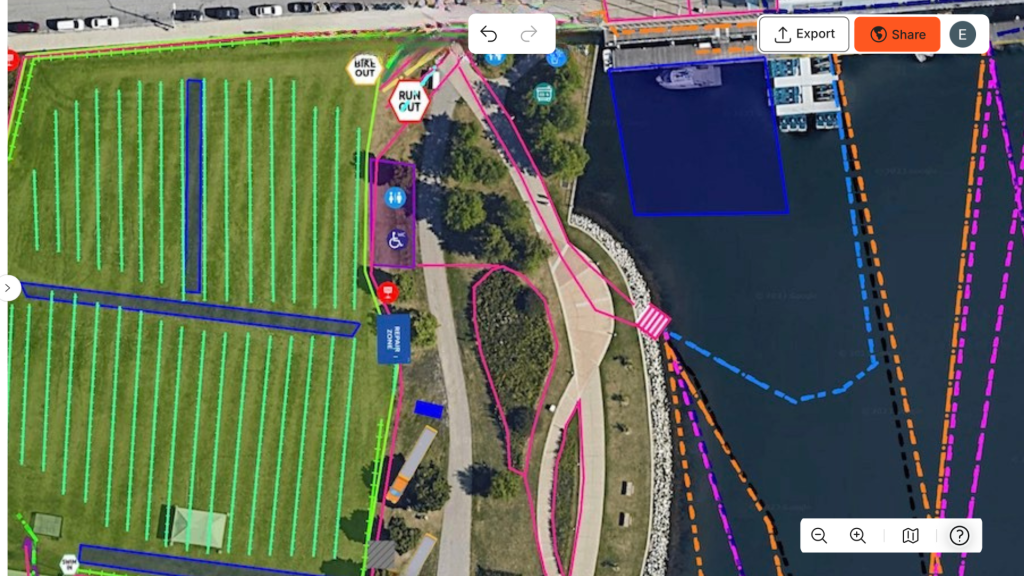
Event layout software like OnePlan offers solutions to streamline this process. These tools provide features like drag-and-drop functionality and real-time collaboration. They help coordinators manage complex layouts efficiently.
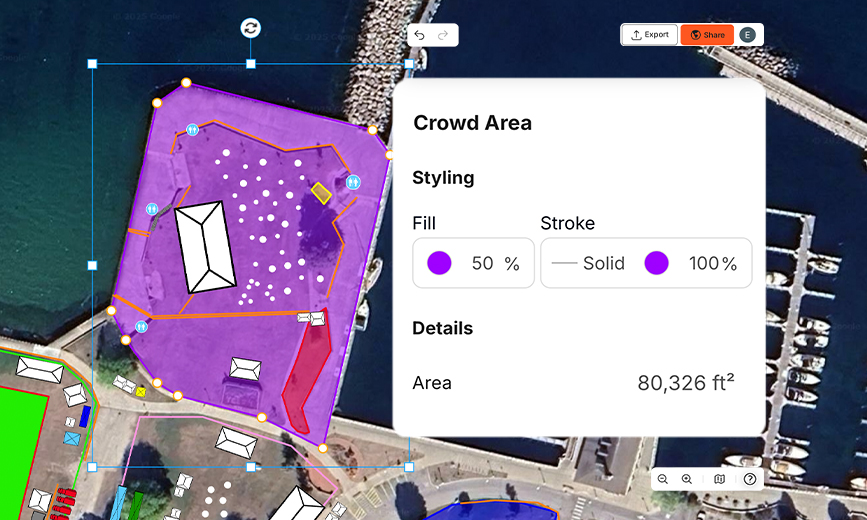
Venue managers also benefit from these technologies. They can address last-minute changes and optimize site logistics with ease. This adaptability is key to successful event management.

In this guide, we explore strategies to optimize event site layouts. We focus on enhancing visitor experiences through effective planning and technology integration.

The Importance of Event Site Layout in Visitor Experience

A well-executed event site layout is pivotal to a smooth and enjoyable visitor experience. It affects how easily attendees can navigate and engage with the event. An intuitive and well communicated event site layout minimizes confusion and maximizes interaction. The flow of traffic within a venue is a major consideration. Poor layout design can lead to congestion and frustration. By strategically planning entrances, exits, and activity zones, you can ensure efficient movement throughout the venue.

Bear in mind event site layout impacts more than just physical movement. It’s also a powerful tool for audience engagement. Cleverly positioned stages, displays, and rest areas encourage interaction and create memorable experiences.

When designing an event layout, event planners should prioritize:

  • Ease of access and navigation
  • Strategic placement of key features
  • Clear signposting and wayfinding

Proper layout planning leads to an event that runs seamlessly, leaving a lasting positive impression on attendees.

An Event Site Layout Planned in OnePlan

Key Principles of Effective Event Layout Planning

An effective event layout requires strategic planning that considers both functionality and aesthetics. This planning helps ensure a seamless experience for everyone involved. A structured approach to layout design increases efficiency and visitor satisfaction.

Key principles of effective event layout planning include flexibility and adaptability. An adaptable layout can accommodate changes and unexpected developments. This readiness proves invaluable, especially in dynamic event environments.

Consider the following core principles:

  • Flexibility in design
  • Integration of technology
  • Efficient use of space
  • Seamless traffic flow

By focusing on these principles, event planners can create layouts that not only meet logistical needs but also enhance the overall visitor experience. Embracing these strategies positions organizers to achieve success and create impactful events.

Event Layout Design: Balancing Functionality and Aesthetics

Whether indoor or outdoor, designing an event layout involves finding the right balance between functionality and visual appeal. This equilibrium ensures that the space is both practical for operations and engaging for attendees. A well-considered design can make the difference between an event that merely functions and one that delights.

Functional aspects of event layout design focus on accessibility and flow. These components ensure visitors can navigate the space effortlessly, enhancing their overall experience. A design that prioritizes effective traffic management can prevent congestion and optimize attendee movement.

On the flip side, aesthetics play a crucial role in conveying the event’s theme and mood. Visual elements such as lighting and decor can transform an event site or venue, making it inviting and memorable. Thoughtful design choices can enhance brand presence and elevate attendee perceptions.

Consider these key elements for balancing design:

  • Harmonized decor
  • Efficient lighting
  • Strategic signage placement
  • Space utilization

By integrating these elements, planners can craft environments where form and function coexist harmoniously, leading to successful and memorable events.

Cheese and Chilli Festival event

Leveraging Event Layout Software and Tools

Modern event layout software enhances planning precision. These tools offer powerful features for streamlining logistics and design processes. By utilizing these technologies, event coordinators can plan more efficiently.

One key advantage is real-time collaboration. Teams can update layouts simultaneously, ensuring everyone stays informed and aligned. This reduces the risk of miscommunication and enhances coordination among vendors and stakeholders.

Most software solutions now include intuitive drag-and-drop functionality. This feature allows planners to visualize and adjust the layout with ease. Such flexibility empowers users to explore different configurations swiftly and creatively.

Key features to look for in event layout tools include:

  • Real-time collaboration
  • Drag-and-drop interface
  • Compatibility with venue floor plans

Moreover, cloud-based platforms enable remote access to event plans. This is vital for coordinators managing multiple venues or last-minute changes. With these tools, adaptability and responsiveness are at the forefront of event planning.

OnePlan is an event layout software built for both indoor and outdoor events, individual users and teams. It allows you to plan your event site with to-scale accuracy and collaborate in real-time with your team. The drag-and-drop interface makes it simple to test different event layout scenarios and optimize space —without needing to visit the location in person.

OnePlan is free for one event with up to 50 objects on the plan. If you’re an event organizer or venue manager looking to streamline your planning process, sign up free now.

Creating and Optimizing Your Event Plan

Whether you’re using an indoor or outdoor venue, a detailed event site plan is crucial for effective event management. It serves as the foundation for all planning activities, from setup to execution. Precise floor plans guide traffic flow and enhance space utilization.

To create an optimal plan, consider the intended attendee experience. Map out key areas such as entry points, seating, and amenities. This attention to detail ensures seamless navigation for guests and staff alike.

Reviewing the logistics of the venue is also essential. Assess entry and exit routes, emergency access, and service corridors. These elements are critical for both safety and functionality during the event.

For optimizing your event plan, remember to:

  • Identify key traffic zones
  • Include emergency exits
  • Factor in accessibility
  • Maximize usable space
CAD imports in OnePlan

Adapting to Last-Minute Changes and On-Site Adjustments

Handling unexpected changes is a critical skill for event success. Flexibility in layout planning helps manage unforeseen challenges smoothly. Digital layout tools allow swift modifications and real-time updates and can save a lot of time before and during the event.

While the event is taking place, organizers should maintain a proactive approach to quickly respond to on-site demands.

Key practices include:

  • Regular communication with staff and vendors
  • Utilizing digital event plans
  • Preparing contingency plans for potential setbacks

By staying prepared and adaptable, you ensure a seamless event experience, regardless of last-minute changes.

Accessibility, Safety, and Compliance in Event Layouts

Ensuring accessibility in event layouts enhances inclusivity. Emphasize barrier-free paths for those with mobility challenges.
Safety considerations are crucial. Prioritize clear emergency exit routes and allocate space for safety equipment. Compliance with local regulations and safety standards is non-negotiable.

To achieve these goals:

  • Design barrier-free access points
  • Plan clear and visible safety routes
  • Stay updated on compliance standards

Prioritizing these elements not only ensures a secure environment but also demonstrates respect and care for all event participants.

Using Data, Feedback, and Analytics to Refine Layouts

Data-driven insights significantly enhance event layout planning. By analyzing attendee flow and engagement patterns, planners can make informed adjustments to optimize future layouts.

Collecting feedback from event participants provides direct insight into their experiences and can be used to improve the layout for future versions of your event. 

Consider these strategies:

  • Analyze attendee movement patterns
  • Gather post-event feedback
  • Use data to identify bottlenecks

By leveraging data and analytics, you can continuously refine layouts, ensuring each event offers an improved and seamless experience for attendees.

Site Plans We Love

If you’re looking for inspiration for your event layout, check out the site plans we love. They are real-world event site plans made in OnePlan that elevated visitor experience.

Scotiabank Hockey Day Canada

Best Practices and Future Trends in Event Layout Planning

Staying ahead in event layout planning requires adopting current best practices and staying aware of emerging trends. Effective use of data and feedback informs better decision-making.

To excel, focus on:

  • Utilizing AI for predictive analytics
  • Adopting eco-friendly materials and designs
  • Enhancing virtual and hybrid event components

These best practices promote sustainability, engagement and innovation. Trends indicate a shift towards more interactive, personalized attendee experiences. By integrating these strategies, planners can create versatile layouts. This adaptability ensures relevance and enhances visitor satisfaction at future events.

5 minutes read

The Purple Guide: Key updates for UK event organisers

The Purple Guide has long been recognised as the UK events industry’s essential reference for planning safe and successful events.

The updated edition reflects the fast-changing realities of event management – from crowd safety and sustainability to emergency resilience and the growing use of digital planning platforms like OnePlan.

For event organisers, local authorities, and safety professionals, The Purple Guide is more than a compliance document — it’s a playbook for smarter, more collaborative planning. This blog post summarises the key things you need to know in The Purple Guide.

1. Understanding your site and audience

Everything begins with understanding the type of event, its audience, and the suitability of the chosen site.

Chapter 3 (Venue and Site Design) makes it clear: your layout, infrastructure, and operational design should reflect audience behaviour, scale, and site conditions.

Key takeaways:

  • Assess site suitability early: analyse terrain, gradients, sightlines, and access routes before committing to a location.

  • Collect data: pre-site inspections should capture crowd movement, utilities, welfare points, and emergency access.

  • Adapt design to audience profile: family-friendly events differ greatly from high-energy concerts or endurance races.

The Purple Guide emphasises that good site design prevents problems. Digital tools like OnePlan allow event organisers to test layouts, overlay crowd routes, and spot pinch points before build begins – saving time, money and stress. 

2. Resilience and Emergency Planning

Chapters 4 and 26 address a core responsibility: resilience. Organisers must plan for disruption, whether it’s severe weather, crowd surges, or security threats.

Requirements include:

  • Defining an incident command structure using JESIP principles and the Joint Decision Model (JDM).

  • Preparing evacuation, invacuation, and lockdown strategies, supported by staff briefings and signage.

  • Establishing protected spaces for shelter or medical triage.

  • Holding multi-agency table-top exercises before major events.

This section closely aligns with the forthcoming Martyn’s Law (Protect Duty) – reinforcing that safety and security should be embedded in event design, not bolted on later.

3. Crowd Management

One of the Guide’s most detailed and practical chapters is on crowd management. This section reframes crowd management as a continuous system of design and operation, not a static plan.

Key principles include:

  • The DIM-ICE model (Design, Information, Management – Ingress, Circulation, Egress) remains the cornerstone of good practice.

  • Dynamic crowd management plans should evolve as site layouts or conditions change.

  • Organisers should model and monitor capacity, flow rates, and dwell times.

  • Crowd safety officers must be competent, with clear responsibilities and communication tools.

large festival crowd

The guide highlights that crowd safety is central to the Protect Duty framework – every organiser has a proactive duty to design for safe movement. The guide states: “We’re not just moving people; we’re managing experiences and expectations.”

Platforms like OnePlan make this principle tangible – letting organisers map entry routes, overlay barrier lines, simulate flow, and plan for egress in real scale.

4. Medical provision and incident management

Chapter 5 details the Medical Needs Assessment, which must be tailored to audience demographics, weather, activity level, and duration.

The Guide expects:

  • Competent medical providers capable of first response within seconds.

  • On-site triage points and accessible routes for ambulances.

  • Regular rehearsal drills between medical and security teams.

  • A post-event report analysing incidents and response times.

Common triggers for incidents – such as heat, crowd density, alcohol, or spectator activity – can all be mitigated through smart planning and data-informed site layouts.

5. Temporary structures and working at height

Chapters 8 and 9 now explicitly tie temporary demountable structures (TDS) to the Construction (Design and Management) Regulations 2015 (CDM), recognising the scale and risk involved in temporary builds.

Organisers must:

  • Appoint competent designers and contractors at the planning stage.

  • Ensure each structure has a wind management plan, load calculations, and sign-off certificates.

  • Carry out ongoing inspections — especially after severe weather.

  • Keep full documentation available on site for safety officers and authorities.

This is an area where planning technology is increasingly used to visualise structural layouts and ensure clear separation zones, access routes, and crane swing areas.

6. Communication and control

Effective communication underpins every safe event.C The Purple Guide recommends robust systems for operational coordination, emergency response, and public information.

Key guidance:

  • Maintain two communication systems – radios (with trained users) and a reliable backup (PA, tannoy, or runners).

  • Avoid over-reliance on mobile networks, which often fail under high traffic.

  • Use shared digital maps and documentation to keep all teams aligned.

  • Prepare pre-scripted public announcements for evacuations, missing persons, or weather alerts.

Integrated control rooms should include safety, security, comms, and medical leads – each with clear sight of the live event plan.

7. Food safety and traders

The guide reminds organisers they hold ultimate responsibility for ensuring traders and caterers operate safely.

Checks include:

  • Food Business Operator (FBO) registration.

  • Valid hygiene ratings and risk assessments.

  • Evidence of electrical safety (PAT) and LPG inspections.

  • Proper separation of cooking and fuel areas.

  • Firefighting equipment and emergency procedures in place.

Failure to verify traders’ credentials can invalidate an event’s insurance and licence – a common oversight the Guide warns against.

food truck at festival

8. Sustainability and waste management

Environmental accountability is a major update in 2025, reflecting obligations under the Environment Act 2021.

Recommendations:

  • Separate food, recyclable, and general waste streams – measured by weight.

  • Eliminate single-use plastics (plates, cutlery, containers, straws).

  • Include waste reporting within contractor performance reviews.

  • Plan collection routes and back-of-house waste zones to reduce vehicle movement on-site.

Partnerships with certified waste contractors and transparent end-of-life reporting are now expected industry norms.

9. Security, policing, and drones

In chapters 25-28 of The Purple Guide, the advice reflects the evolving threat landscape for public events.

Organisers should:

  • Maintain close contact with Safety Advisory Groups (SAGs) and local police.

  • Follow advice from the National Events Intelligence Unit (previously Operation Gothic) for information sharing on artists or audiences with elevated risk.

  • Embed counter-terrorism awareness through training such as NaCTSO, Project Argus, and Project Griffin.

  • Implement clear drone restriction zones, backed by ticketing terms and visible signage.

Drone incursions are now classified as significant operational and reputational risks, particularly near crowded areas or stages.

See the ways OnePlan can support your event security planning

10. Specialist event types

Later chapters of the Guide address niche but essential areas:

  • Animals at events – follow RSPCA and British Horse Society codes.

  • Fireworks and pyrotechnics – only by competent contractors with risk assessments and cleanup procedures.

  • Volunteer management – provide induction, welfare support, and defined reporting lines.

  • Accessibility – ensure routes, viewing areas, and facilities meet Equality Act requirements.

The Purple Guide in practice

The Purple Guide reinforces one clear principle: Safety management is a live process – not a static plan.

Every plan should be reviewed, tested, and updated as conditions change.

For organisers, the takeaway is to integrate safety, sustainability, and collaboration into one digital planning environment. Tools like OnePlan make this possible – providing a single shared map for crowd management, emergency response, contractor coordination, and event site information.

The content here has been summarised from The Purple Guide, published by the Events Industry Forum. Access the Purple Guide here >

This article features an AI-generated image used for illustrative purposes only, at the top of the page. No real events or people are depicted in this image.

2 minutes read

Our new strategic partnership with Esri

We’re delighted to announce our new strategic partnership with Esri, the global leader in geographic information system (GIS) software, location intelligence, and mapping technology. 

The collaboration will integrate OnePlan’s award-winning, collaborative event planning software with Esri’s powerful mapping, analytics, and datasets. The result is a seamless solution for event organizers, giving them smarter, more efficient tools to design safe, successful, and sustainable events. 

The first phase of the integration is now live, enabling OnePlan customers to access a range of Esri maps directly within the OnePlan platform. Future phases will further enhance functionality, offering customers deeper mapping and digital twin capabilities. 

OnePlan in a laptop

OnePlan has now powered over 100,000 events and venues worldwide, for local governments and festivals to sports stadiums and major global events such as the Paris 2024 Olympic Games. It saves customers up to 85% planning time compared to traditional venue planning methods. Through this partnership, OnePlan’s intuitive cloud-based planning tools will now be more accessible to Esri’s extensive global customer base. 

Paul Foster, Founder and CEO of OnePlan, says: “By uniting the mapping expertise of Esri with the planning capabilities of OnePlan, we’re giving customers more intelligent ways than ever to design their event sites and venues. This partnership means organizers can access richer maps and location intelligence — combined with the collaboration and ease of use that OnePlan is known for.” 

Richard Cooke, Director of Global Business Development at Esri, says: “The integration between Esri and OnePlan will deliver a dynamic event planning solution that empowers organizations to visualize, plan, and execute events with unprecedented clarity. This partnership exemplifies our commitment to enabling smarter events through geospatial intelligence.” 

See more about our Esri partnership and book a demo >

5 minutes read

How to Plan Multi-Site Events Efficiently in OnePlan

Planning a single event site is complex enough. But when your event takes place across multiple locations or you’re responsible for a venue that will host different types of events, the challenges multiply fast.

For organisers, this often means juggling endless spreadsheets and scattered files, making repeated site visits that eat into budgets, and coordinating with stakeholders who may be working from different versions of the plan. Miscommunication is common, risks increase, and teams are left struggling to bring everything together in time.

That’s why OnePlan is built to make multi-site planning simple. Whether you’re coordinating a city-wide festival, a market that spans different towns, a multi-stage cycling race, or the world’s biggest sporting event, our platform gives you the tools to plan every site in one centralised place.

Here are 5 reasons OnePlan event planning software is built for multi-site event planning.

1. Centralised planning across every site

One of the biggest challenges in multi-site planning is keeping every team member and stakeholder aligned. With OnePlan, all locations come together in a single platform, so everyone is always working from the same version of the plans.

A good example is the LSD Promotions markets in the UK, which take place in multiple towns and cities throughout the year. Using OnePlan, they manage layouts, infrastructure, and operations across a huge variety of events: from Christmas light switch-ons and food and drink festivals to autumn fayres, artisan markets, and seasonal celebrations like Christmas and Halloween markets. Their locations span the UK, including Bilston, Birmingham, Oxford, Tamworth, Waterside, Wolverhampton, Bath, Swansea, Stratford-upon-Avon and many more.

By planning all of these events in OnePlan, organisers keep every detail centralised and accurate. Whether it’s plotting stalls, allocating infrastructure, or coordinating local partners, every plan lives in one place – giving their team the flexibility to deliver dozens of unique markets and festivals without ever losing sight of the bigger picture.

market stalls and traders

At a larger scale, the Paris 2024 Olympic & Paralympic Games used OnePlan to plan all 49 venues. Across the Organising Committee, 46 different business units were able to collaborate directly in the platform, working together on everything from crowd areas to infrastructure placement.

This wasn’t just about permanent stadiums and arenas. Paris 2024 also included temporary venue sites and multi-event hubs like Place de la Concorde, which hosted breakdancing, BMX freestyle, skateboarding, and 3×3 basketball.

“It’s easy to switch between different sports, different fields of play, for different sessions on different says, all at the touch of a button. This flexibility is vital for multi-sport events”

Erwann Derradji
Sport Services Coordinator
Paris 2024

Planning multiple sports within the same site added layers of complexity – each with its own infrastructure needs, spectator flows, and safety considerations. OnePlan allowed teams to manage all of these variations in a single, centralised plan, ensuring that temporary and multi-use venues were just as detailed and accurate as the larger stadiums.
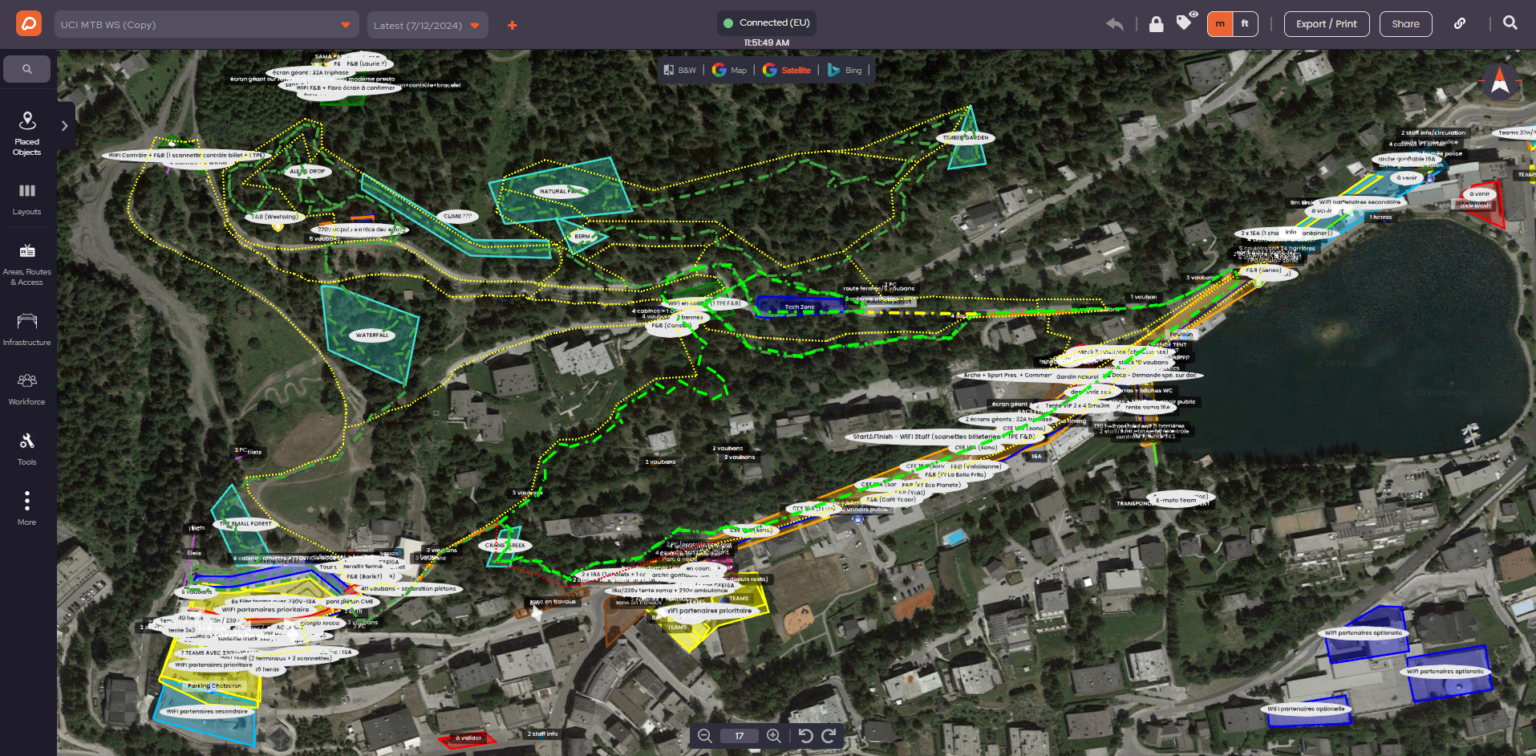
By managing everything in one place, Paris 2024 achieved up to 80% time savings compared to traditional methods. More importantly, it gave every stakeholder confidence that the plans they were working from were accurate and up to date, dramatically reducing the risk of errors.

2. Save time and money with fewer site visits

Multi-site events often require long days of travel just to check layouts or update maps. That time quickly adds up – but with OnePlan, organisers can reduce site visits significantly and still plan with confidence.

The Tour of Britain and Women’s Tour are strong examples. These races span over 1,300 kilometres, crossing dozens of towns and cities, with hundreds of staff and volunteers to coordinate. Before OnePlan, site visits were frequent and time-consuming. Now, organisers have reduced site visits by 75%, saving around 300 planning hours each year.

Tour of Britain Finish Line

This efficiency has delivered a threefold return on investment, with annual cost savings of €8–10k. Beyond financial savings, it has also meant 2.2 tonnes of CO₂ emissions avoided – proving that smarter planning can also be more sustainable.

3. Tools tailored for your sport or sector

No two events are alike, and multi-site events often have highly specific requirements depending on the activity. OnePlan includes the exact tools organisers need for their sector. 

For World Triathlon, this has been essential. The federation uses OnePlan to plan its international triathlon events, which require detailed layouts for swim, bike, and run routes, as well as safety zones, barriers, and volunteer deployment. 

By planning directly in the platform, organisers ensure every detail is considered and every stakeholder can visualise the same routes and operational areas. That level of accuracy builds trust and ensures smoother event delivery across all sites.

No two events are alike, and multi-site events often have highly specific requirements depending on the sport or activity. OnePlan can be customised to include the exact tools organisers need for their sector.

4. Improved collaboration between stakeholders

Large-scale, multi-site events involve a wide range of partners: local councils, safety teams, suppliers, and volunteers, to name just a few. With so many people contributing to the planning process, miscommunication can easily derail even the best-laid plans.

That’s where OnePlan for your Team comes in. This package enables organisers to collaborate in real time, with multiple people editing the same event plan together. Teams can assign different permission levels – so members, admins, and owners each have the right access – and make changes instantly visible to everyone involved.

Organisers can also share view-only links with stakeholders who don’t need editing rights, while suppliers and partners can be invited into the plan to place infrastructure directly. Every update is captured in the same central workspace, so there’s no risk of working from outdated versions or juggling conflicting files.

The result is seamless collaboration across every site. Teams work more efficiently, stakeholders stay aligned, and suppliers have confidence they’re working from accurate, up-to-date plans. For large-scale events with many moving parts, this level of collaboration is what transforms planning from a fragmented process into a unified, transparent operation.

5. Reduce risk with centimetre accuracy

When planning across multiple sites, the risks are higher: from misjudged crowd flows to safety hazards or procurement errors. OnePlan helps organisers mitigate those risks through its centimetre-accurate GIS mapping tools.

At Paris 2024, this precision was vital. From seating layouts to transport logistics and crowd safety measures, centimetre-level accuracy meant every object – from barriers to bike racks – was placed exactly where it needed to be. 

The same accuracy is just as important for road events like the Tour of Britain. Plotting over 1,300 kilometres of racing requires more than just mapping the route. Organisers must design safe spectator zones, road closures, marshal positions, and team areas along the way. By using OnePlan, they can plan every stage with precision, ensuring crowd flows are managed, risks are reduced, and last-minute changes can be quickly updated for everyone to see.

Whether it’s a multi-venue mega event, a city-wide festival, a regional market series, or a multi-discipline triathlon, OnePlan’s precision mapping makes risk reduction an integral part of the planning process.

Built for every event, everywhere

Whether your event spans multiple towns and cities, or your venue needs to host a diverse calendar of events, OnePlan is designed to make planning simpler, faster, and more collaborative. From the world’s largest sporting events to regional tours, city-wide festivals, and local markets, organisers are already saving time, cutting costs, and reducing risks with our platform.

Start planning your multi-site events more efficiently, with up to 50 objects per event included in your free plan.

3 minutes read

OnePlan for your Team: Better Collaboration for Event Site Planning

Collaboration has always been a core element of how to plan event sites in our platform, and we’re delighted to share that new OnePlan now provides a better way than ever to plan as a team. 

The Team package is now available for anyone who plans events with other people – whether that’s with your event team, assistants, suppliers, security services or any event stakeholder. It gives you a Team Workspace where you can assign permissions to different people in your team, and means everyone in your team can edit your events together in real-time. 

Easy for large teams to collaborate on event plans

The OnePlan Team package benefits teams of all sizes. You can have up to 10 users in your Team, and update their permission settings at any time, easily within the Settings menu. 

Teams benefit from the ability to collaborate in real-time, making their event site planning more efficient. For larger teams such as Silverstone, home of the Formula 1 British Grand Prix, OnePlan’s team collaboration tools mean that everyone who needs to can edit and view the plans. Planning as a team saves them time and money, as they plan over 30 events per year. 

James Loveridge, Senior Event Manager at Silverstone, says:: “The team has seen great success using OnePlan for our venue planning, with an estimated 13x return on investment.”

Ideal for small teams planning events

The same efficiency benefit is true for smaller teams too. With our new Team package, smaller teams of 3 people or more, can collaborate in their Team Workspace with the same features as larger teams, including the ability for anyone in the team to edit the plans. 

US event Festival Foods is a good example of this. Its Senior Director of Community Involvement, Brian Stenzel, says: “A few of us actively build and edit in OnePlan. We pull up the menu, go to the Search bar and find what we need. It’s easy.”

The Guernsey Together festival also plans more efficiently as a team for its outdoor sites. Event organizer Alex Lock told us: “As an organizing team we’re able to work far more productively thanks to OnePlan, due to the reduction of questions being asked. It saves us time moving things around.”

Advanced collaboration tools for your event site planning

The new version of OnePlan now has multiple collaboration tools to cover your event site planning needs. The Team package gives you the ability to set different hierarchical permissions within your team, with Team Members able to edit event plans, Team Admin able to do this and change access permissions, and Team Owner also having responsibility for subscription billing. 

Anyone can be added into someone else’s Team. They’ll receive an email to join the team and then have access to all the events within that Team.  

OnePlan users on Pro and Team packages can also share their plans with View-only access to anyone they want via a link. And all users can Export their site plans as a file, with some packages enabling A0 size print quality. 

Teams can also benefit from the ability in OnePlan to import existing layouts and floor plans files you may have. Easily upload these onto your map and plan on top of them by placing objects, areas and routes as normal. 

How do I upgrade to a Team account in OnePlan?

It’s easy to upgrade to a team account and start planning with up to 10 people in your team. To do this, in app.oneplan.io click into your settings in the top right corner of the screen, then choose ‘Subscription Plans’ and select the ‘Team’ option. 

We’re continuing to add more features soon to new OnePlan, including for the Team Workspace, and will share these on the Product Updates page of our website. 

3 minutes read

How to Organize a Food Festival

Food festivals are one of the most exciting event formats to plan. They’re vibrant, community-focused, and full of energy. Whether showcasing local producers or celebrating street food from around the world, food festivals draw in diverse crowds with the promise of flavour, culture, and experience.

But behind the scenes, organizing a food festival involves detailed planning across infrastructure, vendor logistics, crowd management, and public safety. 

In this blog post, we’ll explore the key ingredients for a successful event and how today’s technology makes it easier than ever to bring a food festival to life.

people buying food from food truck outside at Food Festival

Why planning a food truck festival is all about the details

Food trucks are a crowd favourite, offering a flexible, low-maintenance option for organisers. But planning a food truck festival requires precision. Each vehicle needs specific spacing, access routes, and reliable power and waste management facilities.

When laying out a food truck zone, it’s important to:

  • Avoid congestion with clear entry and exit points
  • Allow space for queues and seating
  • Ensure proximity to amenities and emergency access

Mapping this out on paper or spreadsheets can quickly become overwhelming. That’s where dedicated event planning tools like OnePlan come in.

food truck at festival

How to plan a food festival with collaboration in mind

Food festivals often involve input from multiple stakeholders, from local authorities and food safety teams to sponsors and service providers. With so many people involved, the planning process needs to be collaborative and adaptable.

OnePlan’s event site planning platform allows organisers to share their plans with stakeholders, where everyone can view and review plans with real-time changes being reflected. Whether you’re assigning vendor areas, coordinating walkways, or finalising emergency access points, having a single source of truth makes planning smoother and faster.

And because OnePlan uses live satellite imagery and GIS data, your plan is not just visually accurate – it’s spatially precise too

“With OnePlan you can create accurate, detailed and professional looking event plans, without the need for a degree or design engineer."

Simon Stewart
Owner & Organiser,
Cheese and Chilli Festival

OnePlan makes site layout smarter, safer and faster

The new OnePlan has been built with event infrastructure in mind. For food festivals, it offers features that simplify layout creation and improve operational oversight, including:

  • Click and drop placement for tents, trucks, fencing and amenities
  • Tools to plan walking routes, signage, waste stations and more
  • Ability to export your plan for easy collaboration with vendors, suppliers and safety teams

You can layer in key services like electricity or water, designate high traffic areas, and make informed decisions using accurate measurements – down to the centimetre. 

This allows organisers to test different layout options, communicate with stakeholders clearly, and be ready for whatever the event day brings!

Creating the kind of festival people remember

Great food festivals feel effortless to attend. Visitors move through the site comfortably, queues are manageable, and the overall experience is inviting and engaging. That kind of seamless event doesn’t happen by chance, it comes from thoughtful planning, grounded in data and visual clarity.

So whether you’re organizing a neighbourhood celebration or a large scale food truck event, using the right tools will help you stay in control, adapt quickly, and deliver an event people will talk about long after the final plate is served.

If you’re wondering how to organize a food festival with confidence and clarity, OnePlan is here to support every step of the planning journey.

Sign up for free today, your first 25 objects are free!

3 minutes read

How to Organize a Festival: A Step-by-Step Guide

Organizing a festival is an exciting yet complex task that requires meticulous planning and coordination. 

Once your concept is solidified and funding is secured, the real work begins – turning your vision into a well executed event. From selecting the perfect venue to managing vendors, entertainment, and crowd safety, every detail matters. 

This article outlines the steps to organize a festival and is for festival planners that already have a concept in mind. If you’re starting a festival and you’re at concept stage chekc out our related article How to Start a Festival: From Concept to Execution.  

Here’s how to bring your festival concept to life:

Choosing the Right Venue

Your venue choice sets the tone for the entire festival experience. Consider factors such as:

  • Capacity: Ensure the space can accommodate your expected crowd comfortably.
  • Accessibility: Think about transport links, parking, and facilities for attendees with disabilities.
  • Infrastructure: Check for existing amenities like power, water, and toilets – or budget for temporary solutions.
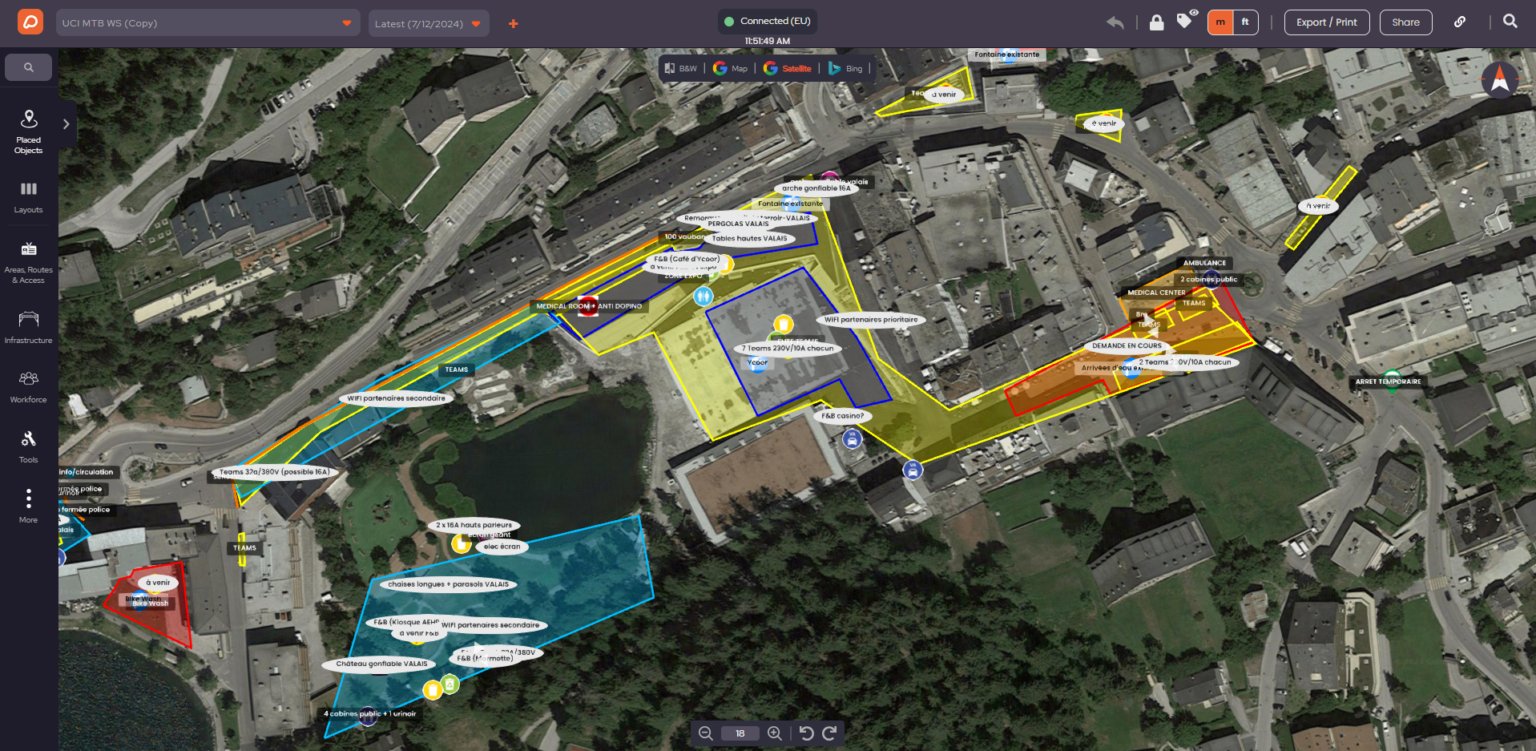
  • Permissions and Regulations: Research licensing requirements, noise restrictions, and environmental considerations.
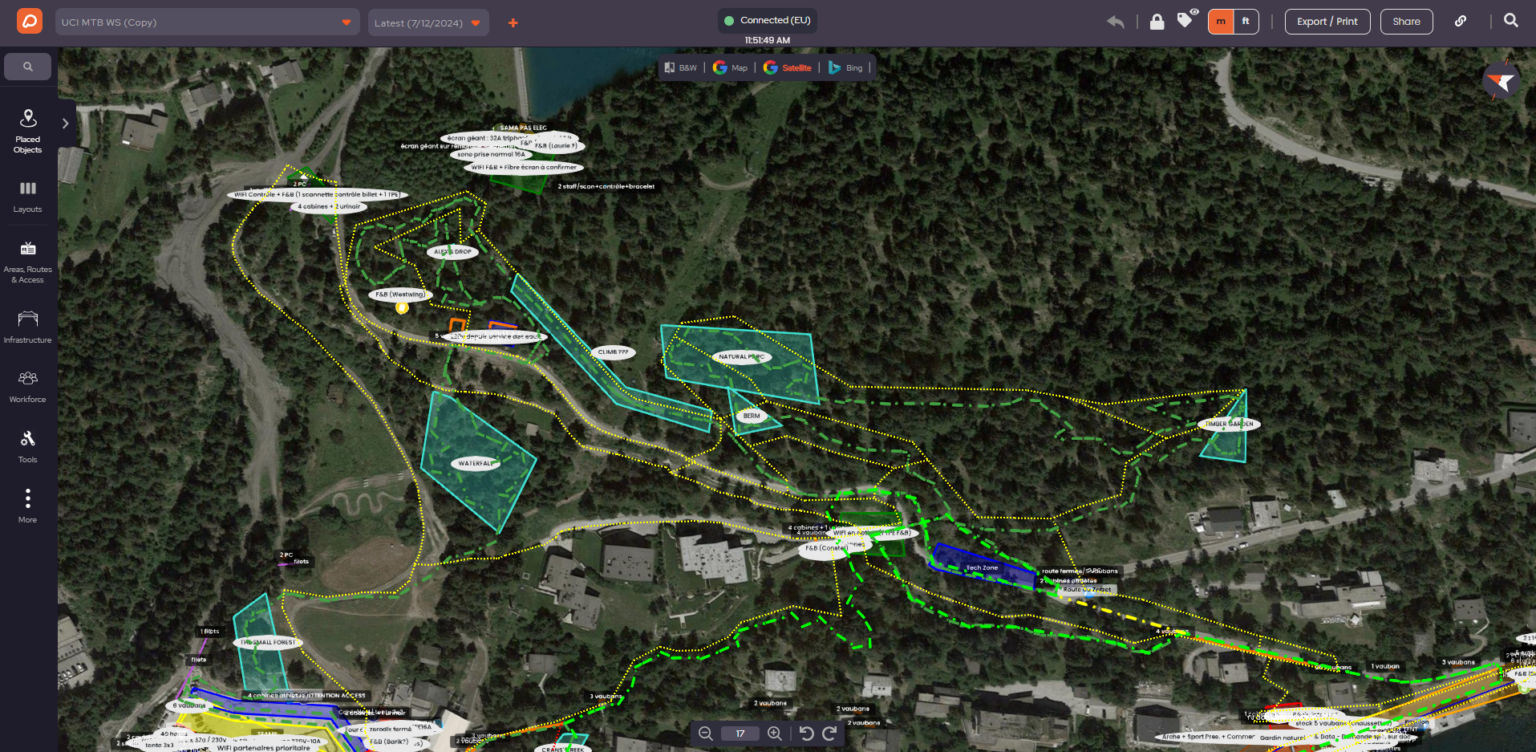
Many organizers use event planning platforms like OnePlan to assess site feasibility, visualize layouts, and optimize crowd flow before committing to a location.

Site Planning and Layout

Once you have your venue, designing the site layout is key to creating a seamless experience. Consider:

  • Stages and Performance Areas: Position them for optimal visibility and sound projection, avoiding noise interference between acts.
  • Vendor Zones: Arrange food and merchandise stalls in high-traffic areas without obstructing movement.
  • VIP and Seating Areas: If applicable, plan for exclusive sections and seating for accessibility needs.
  • Emergency Exits and Medical Tents: Clearly mark and position these for easy access.

OnePlan’s mapping tools help event organizers test different layouts and scenarios, ensuring smooth crowd movement and compliance with safety regulations.
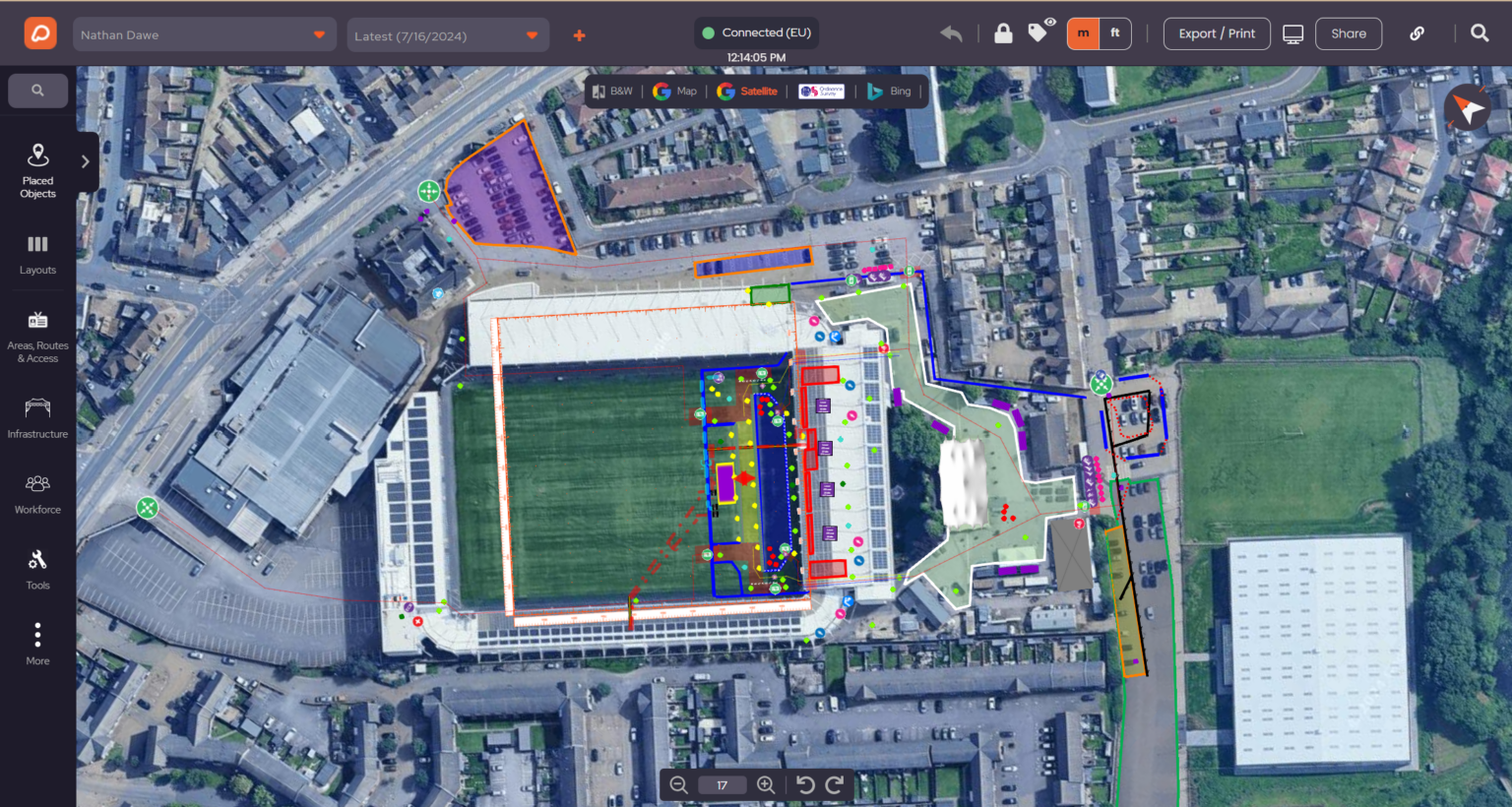
Booking Vendors and Food Stalls

A diverse mix of vendors can enhance the festival experience. When selecting food and retail partners:

  • Choose vendors that align with your festival’s theme and audience.
  • Ensure a variety of options, including dietary friendly choices.
  • Set up a clear process for applications, contracts, and permits.
  • Plan for power and water supply, especially for food stalls.

A well organized vendor village can be a major revenue source and a key attraction for attendees.

Festival Food Vendors

Securing Entertainment and Stages

Entertainment is the heart of any festival. Whether you’re booking musicians, comedians, or live performers, focus on:

  • Diversity: A mix of headliners, up-and-coming artists, and local talent creates an engaging lineup.
  • Stage Requirements: Consider the technical needs for sound, lighting, and set design.
  • Scheduling: Avoid long gaps between performances and ensure smooth transitions.
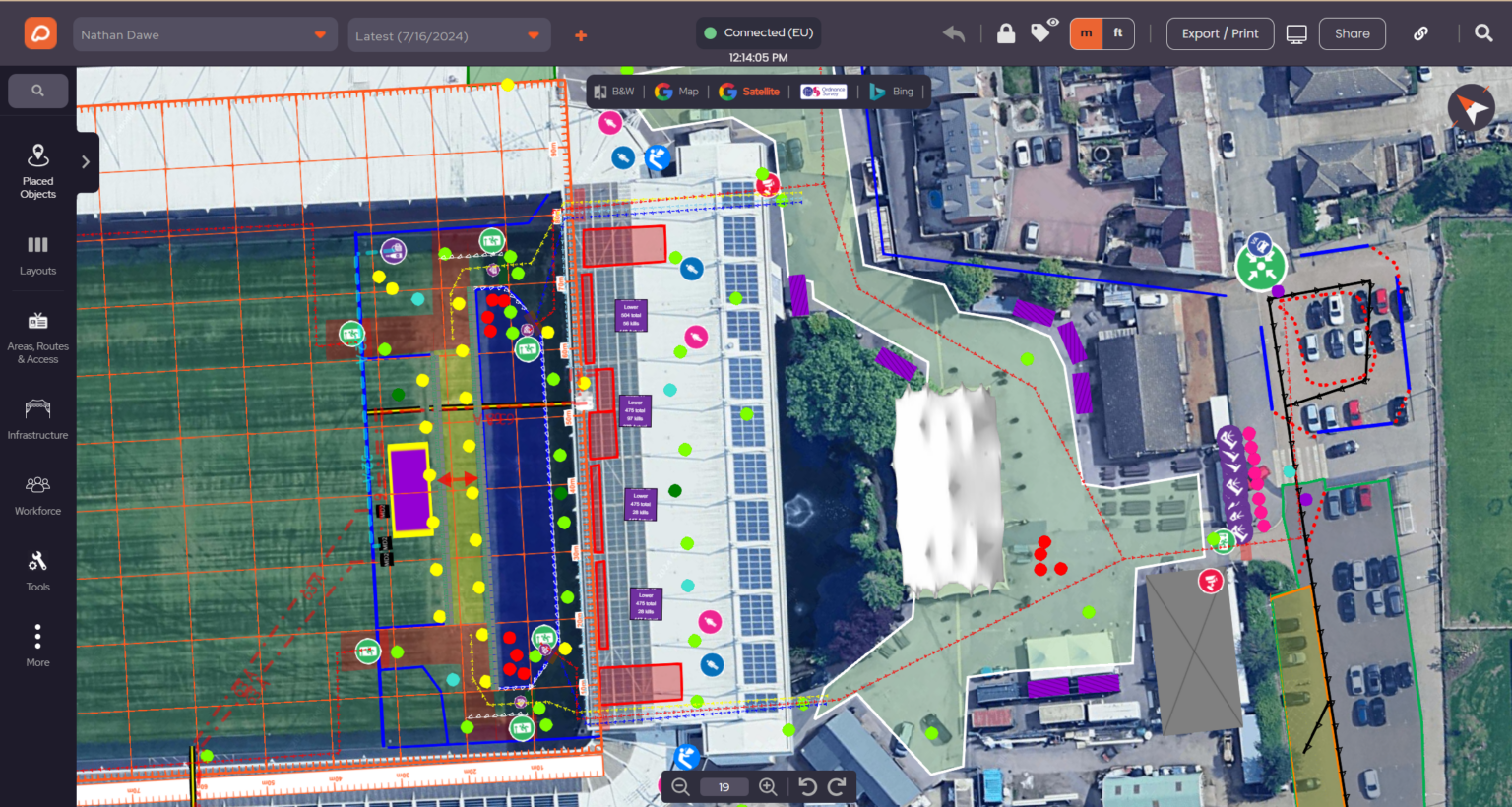
  • Artist Hospitality: Arrange accommodations, food, and backstage amenities.
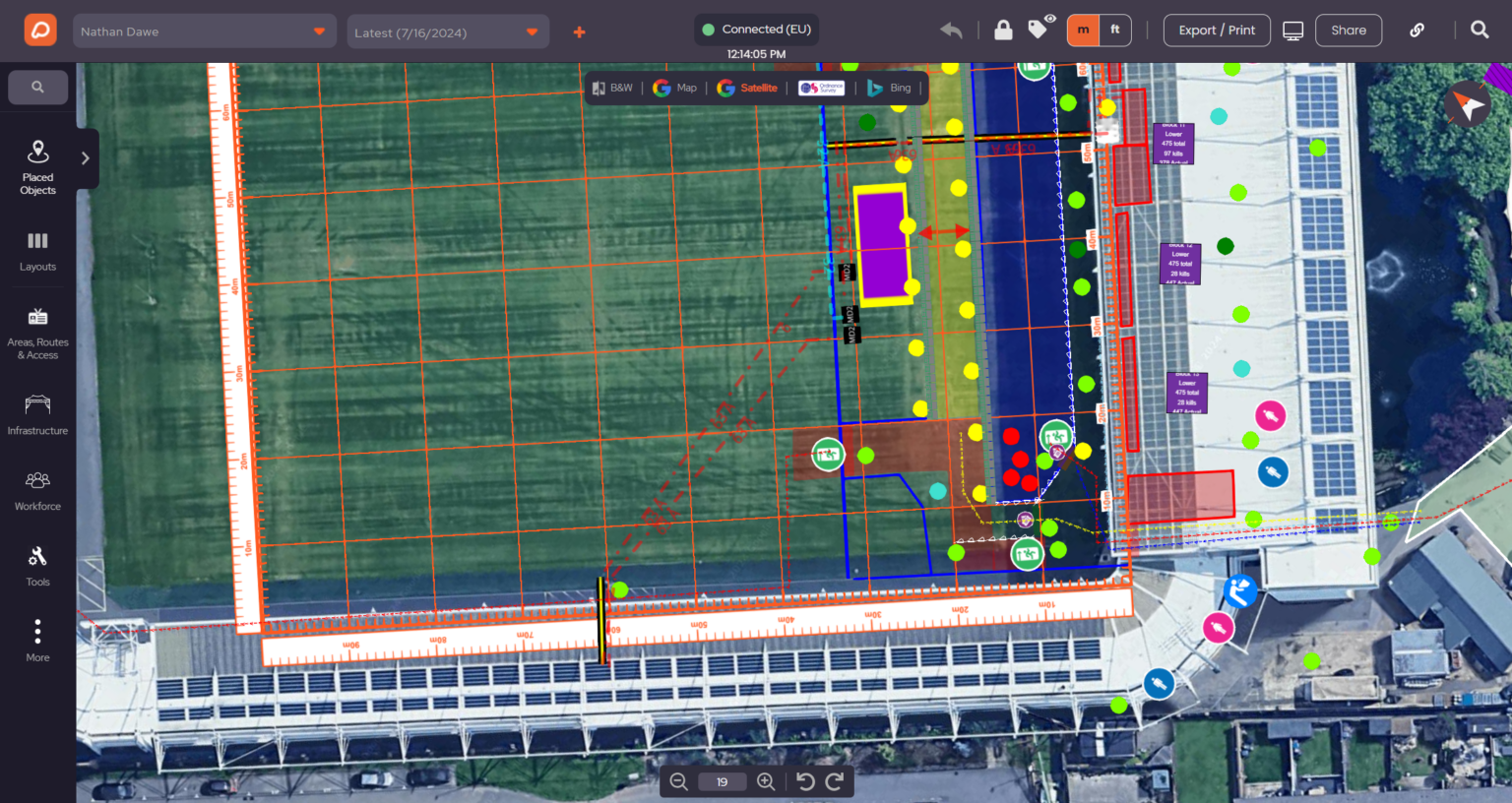
Collaboration with production teams and using digital planning tools helps streamline stage management and avoid last-minute surprises.
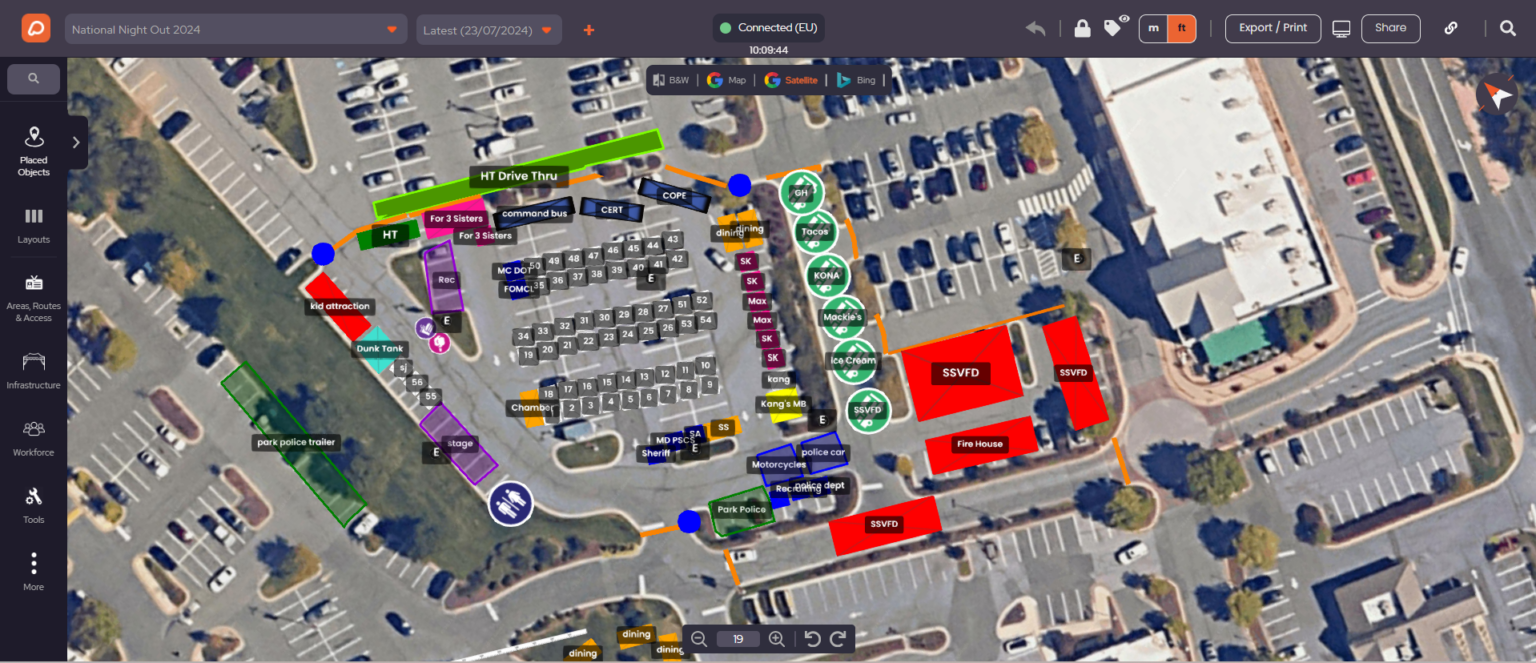
Festival Band

Managing Crowd Flow and Safety

Ensuring attendee safety is a top priority. Effective crowd management includes:

  • Entry and Exit Points: Minimize bottlenecks by spreading out entry gates.
  • Security and Medical Teams: Have trained personnel stationed at key points.
  • Clear Signage: Help attendees navigate with visible maps and directional signs.
  • Emergency Plans: Prepare for weather disruptions, medical incidents, and evacuation scenarios.

Using detailed crowd area planning tools, such as OnePlan’s Crowd Management feature, can help event organizers design safe event spaces and strategically position key areas to avoid overcrowding.

“From mapping out the site to booking vendors, every decision shapes the festival experience.”

Nathan Igoe - Festival Organiser headpic
Nathan Igoe
Festival Organiser

Conclusion

Bringing a festival to life requires careful planning, collaboration, and adaptability. By strategically selecting your venue, designing an effective layout, curating vendors and entertainment, and prioritizing safety, you can create a seamless and enjoyable experience for attendees.

With the right tools, like OnePlan’s event planning platform, you can visualize, test, and optimize your festival plans with confidence. Sign up for free today, your first 25 objects are free.

5 minutes read

Through the Versions of OnePlan: A Festival Organiser’s Perspective

Simon Stewart runs food festivals in the UK – the touring Cheese and Chilli Festival being the highlight of his events business. He’s used OnePlan since the early days for his 4 events each year. His knowledge of OnePlan stretches back five years ago when our 1.0 product had an orange interface, through the existing studio product and he now shares his views with us on the brand new version of OnePlan. 

As an experienced OnePlan user, Simon’s familiar with the features and benefits OnePlan provides event organizers. His first impressions of the new OnePlan didn’t disappoint. “It all looks brilliant. The range of functionality, the speed. Hats off to you, it’s fantastic,” he says. 

For Simon, as with so many of the event planners that use OnePlan worldwide, saving time when planning is a key benefit the product provides. The new version of OnePlan boosts this further, with an 8x faster load time, and tests showing that new OnePlan is 2x faster than before to create a festival plan. 

Simon adds, “It’s such a good product and offers so much in terms of time management.”

“Hats off to you, it’s fantastic! It’s such a good product and offers so much in terms of time management."

Simon - Cheese and Chilli Festival
Simon Stewart
Owner & Organiser,
Cheese and Chilli Festival

Easier usability for better planning

Helping our customers save time when planning their event has been a primary objective behind our re-build of the OnePlan product. New OnePlan is a completely new version, delivering a far easier user experience along with the speed improvements. 

Simon has seen our journey over the years, constantly iterating based on the user feedback we receive. He says, “In terms of usability, there have been areas it could be easier to use and I see you’ve covered those in the new version of OnePlan.”

New OnePlan includes a simplified object menu, giving you the ability to style any object easily. This means the object menu is de-cluttered, making it easier to navigate and find the objects you need. New features are being added regularly in the weeks and months ahead, as we continue developing the product at speed. 

The choice of maps in the new version of OnePlan provides a better choice for users, with dramatically faster load times worldwide. “The maps are really great,” adds Simon.

A confident way to plan events

When Simon first started using OnePlan, he needed a solution to streamline his process of planning the Cheese and Chilli Festival. With 9,000 attendees at his festivals across England, he needed an easier way to plan that gave him confidence on day one of the event. He had previously used a mix of spreadsheets, map screenshots, presentations, and email, all of which didn’t allow for a seamless way to plan or capture data. 

Cheese and Chilli Festival event

He says, “With the software we were using before, the ability to scale wasn’t great. We couldn’t rely on it to be accurate and we would often get to site and have to make changes to layout due to plans not being at scale.”

That all changed when he switched to OnePlan for the first time. That was using our ‘1.0’ product, with its orange interface and a forerunner to the OnePlan Classic product that he’s used since. “In that 1.0 version, you could only move one block at a time and it was really time consuming. What you’ve built since, and the improvements of this new version, are a real benefit for sure,” says Simon. 

Simon has been using our ‘2.0’ product, now known as OnePlan Classic, to plan his festivals. The key benefit he gets is confidence that what he plans in OnePlan will translate to the actual event site, acting as a ‘living plan’ for event set-up and operations. 

“The main benefit I get by using OnePlan is confidence. Being able to walk on to the event site and having the confidence to know it all fits, that means a lot,” he says. 

This comes from the accuracy of OnePlan’s web platform, along with the range of features and tools available. Simon adds, “All the functionality you’ve got is fantastic – in terms of barriers and fencing, as one example. I find it really helpful.” 

He’s not alone! In 2024, 10,286 festivals were planning worldwide in OnePlan, and barriers were one of the most popular object types our users placed. Top of the list were tents and marquees, with a huge 395,651 plotted in OnePlan. 

Now with the new version of OnePlan, it’s easier than ever to place objects. “It’s all really good,” says Simon. “It saves a lot of time planning the festival site from the office.”

More features coming soon

With this data and user feedback, we’ve designed and built the new version of OnePlan from the ground up. More features are coming soon including object coordinates, text-box labelling, multi-select objects, plus the ability to import your own files, and export your site plans. 

And new OnePlan will continue to have efficiency as a key principle, helping event organizers worldwide save time when planning their event sites and venues. Simon says of new OnePlan, “The speed at which you’re able to use the system is massively improved. It’s great – you’re progressing all the time.”

We’re grateful to Simon and all our users for the input we receive to help us continually improve OnePlan. It’s a fundamental part of our mission to make event site and venue planning as easy as possible for the incredible events that happen every day around the world. 

3 minutes read

New OnePlan: Event Site Planning Made Easier

Three months ago we introduced a new version of our platform for individual users. The response to it has been overwhelming, with 1,300+ people creating events in that time and building their site plans faster than ever before. As a result we’re delighted to share that all new users will now access this faster, modern version of OnePlan. 

New OnePlan makes planning 2x faster than before, with a huge 8x faster load time. That makes event site planning better worldwide no matter how many objects you place on your map, saving you time for the other tasks needed to make your event a great success.

It’s been completely re-built with a modern interface, better choice of maps, object styling, and still with the easy ‘click and drop’ way to place objects on your map. 

With the new product comes a name change for you to be aware of. The platform is now just OnePlan: our new core product that anyone can use to create their event site and venue plans. 

Our previous product was ‘OnePlan Classic’. Our new product is ‘New OnePlan’. 

New OnePlan and Classic OnePlan

The new version of OnePlan makes event site planning easier than before. We’re building it at pace, with new features and objects being added regularly in the weeks and months ahead. Coming soon includes text box labelling, multi-select objects, plus the ability to import your own files, and export your site plans. We’ll share these new features on our Product Updates page

Nim Wichienkuer, VP of Product at OnePlan, has led our team’s energies in creating the new version of OnePlan. She says, “Our focus has always been on empowering our users with a faster, more seamless planning experience. The new version of OnePlan is our best yet, built for better performance and usability to help event organizers plan more efficiently. New OnePlan makes event site planning easier than ever, wherever you are in the world.”

“New OnePlan makes event site planning easier than ever, wherever you are in the world.”

Nim Wichienkuer
VP of Product,
OnePlan

Support for this new version of OnePlan can be found at its own dedicated Knowledge Hub at support.oneplan.io. We’re adding to this every week whenever new features go live. 

Are you ready to start planning your next event? Sign up free for the new version of OnePlan, and plan your event site and venue quicker than ever before. 

Try new OnePlan for free >

3 minutes read

How to Start a Music Festival: From Concept to Execution

Starting a music festival is an ambitious and rewarding endeavor that brings communities together through the universal language of music. To ensure your festival’s success, it’s essential to meticulously plan each phase, from the initial concept to post-event evaluation. This guide will walk you through the critical steps involved in launching a memorable music festival.

Conceptualizing Your Festival

Defining Your Vision

Begin by articulating the core idea of your festival. Consider the genre of music, the atmosphere you wish to create, and the unique elements that will set your event apart. Reflect on questions such as:

  • What musical genres will the festival showcase?
  • What is the overarching theme or mission of the event?
  • How do you envision the attendee experience?

A well-defined vision serves as the foundation for all subsequent planning stages.

Identifying Your Target Audience

Understanding your intended audience is crucial for tailoring the festival experience. Analyze demographics such as age, interests, and cultural backgrounds. This insight will inform decisions regarding marketing strategies, ticket pricing, and on-site amenities. For example, a festival aimed at young adults might emphasize contemporary music genres and interactive experiences, while a family-oriented event would focus on diverse activities suitable for all ages.

Assessing Market Demand

Conduct thorough market research to evaluate the viability of your festival concept. Examine existing events in your region to identify gaps in the market. Surveys, focus groups, and social media polls can provide valuable feedback on potential interest levels. Additionally, studying trends in the music industry can help predict future demand and guide your planning process.

Planning & Feasibility

Budgeting

Developing a comprehensive budget is a critical step. Account for expenses such as:

  • Talent Fees: Costs for booking artists and performers.
  • Venue Rental: Fees associated with securing the festival location.
  • Production Costs: Expenses for staging, sound, and lighting equipment.
  • Marketing and Promotion: Funds allocated for advertising and public relations.
  • Logistics: Costs for transportation, accommodations, and on-site facilities.

It’s prudent to include a contingency fund to address unexpected expenses. Regularly revisiting and adjusting your budget ensures financial control throughout the planning process. Use OnePlan’s budget template to keep your spending on track.

Feasibility and Scenario Testing

Assess the practicality of your plans by conducting feasibility studies. Evaluate factors like venue capacity, accessibility, and local infrastructure. Scenario testing, including best-case and worst-case analyses, helps anticipate challenges and develop contingency plans.

Utilizing festival planning software, such as OnePlan’s platform, can aid in visualizing site layouts and optimizing space utilization. With real-time collaboration tools and centimeter-accurate mapping, you can fine-tune every detail before making major commitments.

A festival site planned in OnePlan

Securing Funding

Exploring Funding Options

Financing your festival may involve multiple revenue streams:

  • Sponsorships: Partner with brands that align with your festival’s ethos. Sponsors can provide financial support or in-kind contributions, such as equipment or services.
  • Ticket Sales: Develop a tiered ticketing strategy, offering early-bird discounts or VIP packages to incentivize purchases.
  • Grants and Donations: Research grants available for cultural events and consider crowdfunding campaigns to engage the community.

Crafting compelling proposals that highlight the benefits for sponsors and stakeholders is essential in securing funding.

Implementation

Logistics and Operations

Detail-oriented logistical planning ensures a seamless festival experience. Key considerations include:

  • Venue Layout: Design the site to facilitate smooth crowd flow, with clearly marked stages, vendor areas, and emergency exits.
  • Tools like OnePlan can assist in creating precise and accessible site maps.
    Permits and
  • Regulations: Obtain necessary permits and ensure compliance with local laws, including health and safety regulations.
    Staffing and Volunteers: Recruit and train a reliable team to manage operations, from ticketing to crowd control.

Marketing and Promotion

An effective marketing strategy amplifies your festival’s reach. Utilize a mix of digital and traditional channels:

  • Social Media: Engage potential attendees with regular updates, artist announcements, and interactive content.
  • Email Campaigns: Send newsletters with exclusive information and early access offers.
  • Local Media: Collaborate with local newspapers, radio stations, and influencers to broaden your audience.

Creating a cohesive brand identity, reflected in your promotional materials and communications, fosters recognition and excitement.

Post-Festival Evaluation

Gathering Feedback

After the event, collect feedback from attendees, staff, and stakeholders to assess the festival’s success and identify areas for improvement. Surveys, social media interactions, and direct interviews can provide diverse perspectives.

Analyzing Performance

Review key performance indicators such as attendance numbers, financial outcomes, and marketing effectiveness. This analysis informs future planning and helps refine strategies for subsequent events.

Conclusion

Embarking on the journey of organizing a music festival requires dedication, creativity, and meticulous planning. By following these structured steps and leveraging tools like OnePlan’s event site planning platform, you can create an unforgettable experience that resonates with audiences and stands the test of time. Sign up for free today, your first 25 objects placed are free!

4 minutes read

How to Organize a Beer Festival

Planning a beer festival is an exciting way to bring together beer lovers while showcasing incredible brews from local and international breweries. However, pulling off a successful event takes more than just great beer—it requires careful planning, coordination, and attention to detail.

If you’re an event organizer looking to create an unforgettable experience, this guide will walk you through the essential steps.

1. Choose the Right Venue or Site

The venue or site sets the tone for a beer festival, so pick a location that’s accessible, spacious, able to handle the expected crowd and offers the ambiance you want for your event. Consider factors like parking, public transportation, restroom facilities, and shelter options in case of bad weather. Some venues may require permits for alcohol consumption, so check local regulations early in the planning process.

2. Lock in Your Breweries and Vendors

A beer festival is only as good as the beer and services it offers. Reach out to local craft breweries and well-known names to secure a diverse selection of beer suppliers and vendors. Offering a mix of classic favorites, seasonal specials, and exclusive small-batch brews can make your festival more appealing.

Don’t forget about food—guests will want something to pair with their drinks. Partner with food trucks and local restaurants to provide a variety of options, including vegetarian and non-alcoholic choices for designated drivers and non-drinkers.

3. Use Event Planning Software to Plan efficiently

Planning a festival—especially one as dynamic as a beer festival—requires meticulous organization, seamless coordination, and real-time adaptability. Relying on spreadsheets, paper maps, and endless email chains can lead to miscommunication, inefficiencies, and errors. That’s why modern event organizers turn to specialized event planning software to streamline operations.

With years of experience supporting over 60,000 events worldwide, our visual event planning and management platform is designed to make organizing a beer festival seamless, efficient, and data-driven — With its interactive mapping features, you can visualize your entire event and plan with pinpoint precision, allowing you to prepare for different scenarios in advance.

OnePlan Software Interface

OnePlan can be used from early planning to determine if a venue or site is suitable, right up to the day of the event and post event analysis.

Sign up free and get 25 objects included for your first plan

4. Plan Entertainment and Activities

Whether you’re planning a multi-day festival or a more intimate beer event, a lively atmosphere keeps guests engaged beyond just the beer. Live music, DJs, beer education sessions, homebrewing workshops, or fun competitions like beer pong tournaments can add an extra layer of excitement. Think about what will resonate with your audience and create a unique festival experience.

5. Market Your Festival Effectively

Promoting your beer festival is key to attracting attendees. Leverage social media, email newsletters, and partnerships with breweries and food vendors to spread the word. Create a website or event page with key details like ticket prices, schedules, and featured breweries.

Consider offering early bird discounts or VIP packages with perks like early entry and exclusive tastings. Engaging content, such as behind-the-scenes brewery previews or ticket giveaways, can help build buzz leading up to the event.

6. Prioritize Safety and Responsible Drinking

Ensuring a safe and responsible drinking environment is essential. Provide plenty of water stations, encourage hydration, and consider partnering with local transportation services for safe ride options. Security personnel should be in place to monitor intoxicated guests, and wristband systems can help vendors quickly verify legal drinking ages.

Bar area at a beer festival

7. Make Sustainability a Priority

Beer festivals can generate a lot of waste, but there are ways to reduce your environmental impact. Use compostable cups and utensils, set up recycling stations, and encourage vendors to minimize plastic use. Partnering with local sustainability organizations can help make your event more eco-friendly.

Read our post on sustainable festivals tips for ideas to improve a festival’s sustainability.

8. Create a Game Plan for Event Day

A well-structured timeline ensures your festival runs smoothly. Organize staff shifts, set vendor setup times, and coordinate beer deliveries in advance. Prepare for potential challenges, like last-minute cancellations or weather issues, by having contingency plans in place.

Holding a pre-event briefing with volunteers and staff ensures everyone knows their roles and responsibilities, making for a more seamless event experience.

Whether you’re planning your first beer festival, or looking to refine an annual tradition, we’re confident OnePlan will help you create a festival that’s safe, profitable, and enjoyable for all.

FAQs: How to Organize a Beer Festival

Ideally, start planning 6-12 months ahead to secure vendors, permits, and marketing efforts.

You may need liquor licenses, food vendor permits, noise permits, and health department approvals. Check with local authorities for specifics.

Offer incentives like exposure, discounted booth fees, or marketing support. Building relationships with local brewers can also help

VIP perks can include early access, exclusive tastings, reserved seating, and meet-and-greets with brewers.

Use a mix of social media, email marketing, influencer partnerships, and traditional advertising. Ticket giveaways and behind-the-scenes content can build hype.

Reduce plastic waste, set up recycling stations, use biodegradable materials, and encourage public transport.

3 minutes read

What to Outsource to Save Time Planning Outdoor Events

Planning an outdoor event can be exciting but also overwhelming. From securing permits to managing vendors and ensuring smooth operations, the number of responsibilities can quickly add up. Knowing what to outsource is crucial to save time and focus on delivering a successful event.

Why Outsource Certain Tasks?

Outsourcing allows event planners to delegate time-consuming and specialised tasks to experts, freeing up time to concentrate on the bigger picture. Outdoor events, in particular, come with unique challenges, including unpredictable weather, complex logistics, and large scale crowd management. By outsourcing key tasks, you can improve efficiency, enhance attendee experience, and reduce stress.

1. Event Site Mapping and Layout Design

Creating a professional site plan for an outdoor event requires precision. Instead of manually mapping out event spaces, outsourcing this task to an event planning specialist or using digital mapping tools can streamline the process. Many event planners work with GIS specialists or digital planning platforms to ensure accurate layouts, optimise crowd flow, and comply with safety regulations.

2. Permits and Licensing

Navigating local regulations and securing the necessary permits can be time consuming. Outsourcing this task to a licensing specialist ensures compliance with local laws while saving you hours of research and paperwork. These professionals handle everything from alcohol licenses to public safety permits, reducing the risk of costly mistakes.

Check out our event guidance page for more information on licensing and permits in your area.

Outsourcing at events

3. Vendor Coordination

Managing multiple vendors from caterers to equipment suppliers, can be a logistical challenge. Hiring a vendor coordinator or event manager helps streamline communication, ensure timely deliveries, and oversee on-site setup. This guarantees that all elements come together seamlessly without last-minute surprises.

4. Crowd Management and Security

Ensuring attendee safety is one of the most critical aspects of event planning. Outsourcing security and crowd control to trained professionals allows you to focus on the overall experience while experts handle staffing, emergency planning, and on-site monitoring. Many events work with security firms that specialise in large gatherings to develop risk assessments and safety protocols.

5. On-Site Operations Management

An experienced on-site operations manager can be invaluable on event day. They oversee setup, troubleshoot issues, and ensure everything runs smoothly. This allows you to engage with attendees and stakeholders without being bogged down by logistics.

Enhancing Event Planning with Digital Tools

While outsourcing key tasks is essential, leveraging the right digital tools can further improve efficiency. Platforms like OnePlan offer solutions for event site mapping, crowd management, and logistics planning. OnePlan provides high quality mapping options, smart tools like barrier calculators and walking route planners, and collaboration features for larger event teams. Whether you’re an independent planner or managing a large scale festival, digital tools help streamline workflows and enhance accuracy.

Outsourcing digital tools

Conclusion

By outsourcing key aspects of event planning and incorporating digital solutions, you can save time, reduce stress, and ensure a seamless event experience. Whether it’s hiring specialists for licensing and security or using event mapping software to create professional layouts, the right approach will optimise your workflow and lead to a more successful outdoor event.

3 minutes read

10 Efficiency Hacks for Individual Event Planners

Event planning is no small feat, especially for solo planners who manage everything from logistics to design. To help you stay on top of your game, we’ve compiled 10 efficiency hacks that will save you time, reduce stress, and ensure your events run smoothly.

1. Start with a Solid Plan

Begin every project with a detailed plan that outlines your goals, timeline, and budget. Use tools like OnePlan Solo to create accurate site maps and layouts, ensuring you have a clear vision of your event from day one. Additionally, make use of OnePlan’s Budget Tracker to keep your spending on track.

2. Prioritise Tasks with a Checklist

Organise your workload by creating a comprehensive checklist. Start by downloading OnePlan’s free Event Planning Template to keep track of every detail. You can streamline this step by organising tasks into categories: logistics, vendors, design, etc. and ranking them by priority. This way, you’ll always know what to tackle next!

3. Use Templates for Repetitive Tasks

Save time by using templates for common tasks, OnePlan has a range of templates that you can download for free, to help streamline and speed up your planning process.

4. Leverage Technology

Don’t let manual processes slow you down. Platforms like OnePlan Solo provide features designed to drastically cut down planning time. With centimetre-accurate layouts, you can map out your event space with precision, avoiding costly errors or last-minute adjustments. The extensive object library allows you to quickly add and arrange elements like barriers, stages, and seating, saving you hours compared to manual methods.

5. Delegate When Possible

Even as a solo planner, you don’t have to do everything yourself. Outsource tasks like catering or AV setup to trusted vendors, freeing up time for you to focus on the bigger picture.

6. Build Relationships with Vendors

Maintain strong relationships with your go-to vendors. Having reliable contacts who understand your workflow can save time when sourcing materials or troubleshooting issues. Utilise OnePlan’s vendor management functionality to keep all of your vendor information in one place, making the planning process smoother for everyone involved.

7. Set Realistic Timelines

Avoid last-minute stress by setting realistic deadlines for each task. Break large tasks into smaller milestones and track your progress regularly. Use OnePlan’s free Event Scheduling Template to efficiently map out your timeline.

8. Optimise Your Layout

A well-organised site plan can save you countless hours during setup. Use tools like OnePlan Solo to map out your event space accurately, ensuring efficient use of resources and easy navigation for attendees. Get inspired by resources like the OnePlan Playbook to enhance your layout strategies. 

9. Prepare for the Unexpected

Create contingency plans for potential challenges like bad weather, late vendors, or technical issues. Download OnePlan’s free Risk Assessment Template to stay ahead of any risks. A little preparation goes a long way in preventing disruptions.

10. Reflect and Improve

After each event, take time to evaluate what worked well and what didn’t. Use these insights to refine your process and become even more efficient in the future.

Why Efficiency Matters for Solo Event Planners

Efficiency isn’t just about saving time; it’s about reducing stress and delivering a seamless experience for your attendees. Platforms like OnePlan Solo are designed to help individual planners optimise their workflows, allowing you to focus on creativity and execution without being bogged down by logistics.

Ready to take your event planning to the next level? Try OnePlan Solo for free today and discover how it can transform the way you plan your events. 

3 minutes read

Planning Christmas events in OnePlan

This year, we’re celebrating the incredible planners using OnePlan! Take a look at the impressive range of Christmas events created by our users below:

Christmas Light Switch Ons

Christmas light switch-ons are a highlight of the festive season, transforming towns and cities into sparkling winter wonderlands and bringing communities together to celebrate the magic of Christmas. Here are two great examples planned in OnePlan:

Rotherham Christmas Light Switch On

With OnePlan’s seamless event planning tools, Rotherham’s festive lights switch-on turned into a brilliantly organised celebration. The event came to life with live music, street entertainment, creative workshops, and a bustling gift market, all carefully planned to create a fun and festive atmosphere for everyone to enjoy!

Luton Christmas Light Switch On

It’s fantastic to see the event planners behind Luton’s “Lighting Up Luton for Christmas” using OnePlan to bring this festive celebration to life!

With our platform, they mapped out everything from road closures and dot planning to live performance areas, creating a smooth layout that made the event run like a dream. The result? A magical experience for families all across the town to enjoy.

Christmas Community Events

Christmas community events, like Mandurah’s Carols in the Park and Christmas Pageant, bring families and friends together to celebrate the magic of the season. These gatherings create a sense of unity and joy that makes the holidays even more special for local communities!

Carols in the Park

The event plan above is for Mandurah’s Christmas Carols in the Park, a beloved community event that was carefully planned using OnePlan. With OnePlan’s smart tools, the organisers created a layout that brought the festive magic to life, making sure everything ran smoothly on the day.

From keeping the crowd areas flowing to perfectly placing food trucks, activity zones, and performance spaces, every detail was thoughtfully considered. The result? An event that felt welcoming, well-organised, and full of festive cheer, where everyone could relax and enjoy the holiday spirit!

Christmas Pageant

The Mandurah Christmas Pageant is a cherished local event that kicks off the festive season, drawing over 10,000 spectators each year.

This event plan is a perfect example of how our route plotting functionality can be put to great use. The event organiser used it to map out the route for their Float across the event site, ensuring everything was perfectly planned for the big day!

Christmas Markets

Christmas markets, like Kristen Hudgin’s Christmas in July event, bring together local artisans and vendors for a festive celebration of creativity and community. OnePlan makes it easy to plan everything from vendor management to crowd flow, space allocation, and custom item placements. 

Christmas in July

Kristen Hudgin’s Christmas in July event brings together dozens of artists at a local farm for a day of selling their goods.
 

“We have over 170 tents and exhibitors across the Christmas in July event,” shared Kristen. “The ability to scale the tents and make sure everything is perfectly placed is a great benefit of OnePlan. It’s been a huge time-saver, and I feel more confident in my site map.”.

Kristen’s event also has unique items not used at every event, including a fire pit, ring toss games, a petting zoo – each one of these unique items has a bespoke icon in OnePlan. “OnePlan means I can now plan my Christmas event precisely. It’s super accurate which gives me confidence when I get on site,” said Kristen.

Christmas in July is the perfect example of a successful market event plan!

4 minutes read

In Their Words: Why Local Government Loves OnePlan

Local governments are increasingly adopting OnePlan to streamline event planning processes and improve collaboration. From parks and recreation departments to town councils to chambers of commerce, OnePlan’s smart tools and precise mapping capabilities make event planning easier. Here’s how professionals across various sectors are using OnePlan to plan their events:

Eagle Mountain City Reduces Event Planning Time with OnePlan

Eagle Mountain City's Halloween Town Event

For Dawn Hancock, Events Manager at Eagle Mountain City, OnePlan has become essential for accurate and efficiently-planned event layouts. With features like accurate HD maps, customizable tent icons, and design and drop walking paths, Dawn can confidently create detailed, professional site plans.

“Gone are the days of creating separate layouts for fire, police, facilities, and other departments. Now, I can create a single, all-encompassing layout.”

By consolidating her layouts, Dawn estimates that OnePlan saves her thousands of dollars and reduces planning time from 8-10 hours to just a few.

Discover the full story in the case study here.

It’s safe to say using OnePlan saves us thousands of dollars.”

Dawn Hancock

Events Manager at Eagle Mountain City

South Fayette Township Streamlines Site Planning with OnePlan’s Accurate Maps

Parks and Recreation department event plan at South Fayette Township

Paula Willis, Director of Parks and Recreation for South Fayette Township, emphasizes the value of OnePlan’s up-to-date mapping capabilities. In the past, outdated Google Earth images forced her to estimate layouts and rely on manual measurements. OnePlan’s recently updated maps and scaled design tools have eliminated this guesswork.

“The proportion factor is huge. In Photoshop, I would do a big giant rectangle and have no idea what proportion it would be to the actual space. I love that in OnePlan everything going on to your plan is to scale.”

Paula also highlights how easy it is to share exported layouts with her team and stakeholders, ensuring everyone is aligned.

“I can share the exported version of my plan with everyone who needs to see it, which is a real benefit for everyone connected to the event.”

Discover the full story in the case study here.

Banbury Town Council Found Easier Outdoor Event Planning

OnePlan has been a game-changer for Toby Russel, Events Manager at Banbury Town Council, especially for large-scale events like food festivals and Christmas light switch-ons. By removing the need for multiple software solutions, OnePlan’s all-in-one platform helps Toby stay organized while making site planning more efficient.

“OnePlan has revolutionized the planning of outdoor events, removing the need to use different sources of information and software.”

The drag-and-drop tools and wide selection of event elements, such as crowd barriers, have not only made planning easier but improved communication with contractors.

“Having such an accurate site plan has improved our communications with our contractors and vendors, resulting in a really smooth pre-event setup.”

Central Highlands Council Credits OnePlan’s Customer Support for Event Success

With any software – and especially when planning an event, timely support is critical. Nadine Cove, Events Officer for Central Highlands Council, praises OnePlan’s customer service for its dedication and problem-solving skills, helping her navigate last-minute challenges.

“OnePlan’s support team and onboarding process ensured that our event had a seamless and well-thought-out layout.”

City Parklands Team UsesOnePlan for Better Planning Flexibility

The team at City Parklands emphasizes OnePlan’s flexibility in allowing base plans to be uploaded when satellite imagery is obstructed by trees or foliage. OnePlan’s user-friendly interface and cost-effective pricing have made it a go-to tool for their event planning.

“The ability to upload base plans to the platform is a great feature, especially when foliage blocks a site in satellite view.”

City of Greater Dandenong Boosts Accuracy with OnePlan’s Measuring Tools

For Patrick Mageean, Festivals and Events Officer at the City of Greater Dandenong, OnePlan’s measuring tool has been a vital addition. It has reduced the need for frequent site visits and reliance on outdated or inaccurate maps, making event preparation more efficient.

“OnePlan’s measuring tool has been invaluable. It saved us from making numerous site visits or using inaccurate maps.”

Discover the full story in the case study here.

North Australia Festival of the Arts Chooses OnePlan for Updated Mapping and GIS Capabilities

Lachlan Welsh, Festival Director for the North Australia Festival of the Arts (NAFA), appreciates how OnePlan’s HD maps outperform even his city’s planning and GIS mapping systems. With real-time updates and accurate representations of site layouts, Lachlan can plan large-scale events with more precision than ever before.

“The festival is run by Townsville City Council, so I have access to a lot of the city’s planning and GIS mapping systems, but even that is older than what I can get through the HD maps in OnePlan,”

Discover the full story in the case study here.

NAFA Event Plan in OnePlan

Whether it’s saving time, improving communication with stakeholders, or offering cutting-edge mapping capabilities, OnePlan is transforming how public sector teams approach event planning. If your organization is looking to streamline your processes and elevate your event planning, explore how OnePlan can work for you.

To speak to one of our team and see how OnePlan can benefit your organization, Book a Demo here.

4 minutes read

Event Plans of the Month – September

It’s the time of the month again where we name the Event Plan’s of the Month! September is a good one with four fabulous event plans to give you inspiration for your next event.

Senior Pro Rodeo Finals - Buck-N Rodeo Grounds

The event plan above shows the Senior Pro Rodeo Finals at Buck-N Rodeo Grounds at Rawhide in Chandler, AZ.  The finals include a plethora of events including  Saddle Bronc, Bareback, Steer Wrestling, Tie Down Roping, Team Roping, Barrel Racing, Breakaway Roping and fan favorite, Bull Riding. As well as these exciting events, there will also be multiple food and drink vendors, guaranteeing a great day for spectators.

Dave Horen, Director of Entertainment, tells us “It was important to be able to mark out and list each of the horse stalls and trailer stalls since there will be such a large amount to keep track of”. 

He continues, “Scaling in this situation was extremely important to ensure everything will fit as expected and it was very helpful to have scaling automatically done through Oneplan. “

Riverside Festival

The Riverside Festival is now considered the 2nd largest electronic music festival in the province of Quebec, having welcomed over 60,000 festival-goers to Gatineau in its last 10 editions, and featuring artists such as Subtronics, Zeds Dead, Griz and R3HAB.

Set against the backdrop of the Canadian Museum of History, the Riverside Festival offers an unparalleled experience in a place rich in history and culture. Located on the banks of the Ottawa River, just across from Parliament Hill, the museum is a national treasure known for its remarkable architecture and important cultural exhibitions.

Andréanne Lacasse, Operations and Production Coordinator, told us “OnePlan provided us with a clear, easy-to-use site plan to determine our needs, saving us a lot of time and allowing us to be precise. As an electronic music festival, everything we needed was included. We were also able to share the plan easily with our suppliers and stakeholders.”

Riverside Festival use OnePlan for in multiple ways, these include set-up and tear-down, equipment and furniture orders, indicating access to concessions and deliveries, and determining available space and area capacity. 

Andréanne continues, “It’s refreshing to have a single plan that can be shared in real time and that everyone can comprehend.”


The Newport Show

This busy and exciting event plan belongs to the Newport Show 2024! The Newport show is Shropshire’s best one day show packed full of agriculture, vintage tractors, food, education and music! Run by by the Newport and Distruct Agricultural Society, the society relies on the hard work of members who form the various committees required to deliver an event of such complexity, with support from a small number of dedicated staff who are committed to the event year-round.

Having taken place on July 13th, the event was a triumph fun packed with activities including a dog show, tug of war, family circus skills, maypole dancing and lots of street food!

The Newport Show also focusses on education, each year, students from schools in the Newport area are invited to showcase their creative talents to the thousands of visitors at the Newport Show. By encouraging participation in this manner, the event fosters a connection between more young people and the show, as well as the farming community.

In addition to the events surrounding the show, the Society extends its support for education throughout the entire year by offering the Lodge at Chetwynd Deer Park to schools and other groups at no cost. It’s great to see such a rewarding event!

stART on the Street

This free community event has gained the name of central Massachusetts’ largest art, music and performance festival. Visitors can explore a vibrant marketplace featuring over 250 artists and crafters, where they can watch live demonstrations as artists create unique pieces right on the street. There’s also an opportunity to get hands-on and learn new skills from experienced creatives.

stART offers a variety of activities for children and families, along with numerous dining options, including food trucks, local restaurants, and vegan choices, all placed and managed in OnePlan. The event also showcases diverse music and performances, all happening right on the street, inviting everyone to join in and be part of the experience!

With so many vendors, Event Planner, Stacy Lord utilises the vendor management tool perfectly! Each item on your map has a vendor management section where you can input information like: Vendor name, Cost, In-and-out dates, Availability status, Power requirements, WiFi / Internet, Furniture requirements.

5 minutes read

Event Plans of the Month – August

August is a big month for event planners! In this edition of Event Plans of the Month we highlight the  many use cases of OnePlan! Whether you’re a Race Planner, Multi-use Venue Owner or Local Government Event Planner, this one’s for you!

WHOOP UCI Mountain Bike World Series

One year ahead of the 2025 UCI Mountain Bike World Championships in Valais, Crans-Montana will host a WHOOP UCI Mountain Bike World Series event featuring two disciplines: Cross-Country and Short Track. These competitions will showcase the world’s top athletes as they navigate the challenging course stretching from the heart of Crans-Montana to Lake Chermignon.

This is an exciting new cross country venue in the Swiss Alps. Both fans and athletes will be captivated by the vineyards, forests, lakes, and waterfalls that adorn the landscape, creating a stunning backdrop for the UCI Cross-country Olympic and Short Track World Cups taking place from June 21 to 23.

The region is well-versed in hosting international mountain bike races, having held the Enduro World Series in 2021 and 2022, as well as the Swiss Bike Cup in 2023. With Valais gearing up for the 2025 UCI World Championships, Crans-Montana is set to deliver a spectacular racing event!

Using OnePlan has significantly improved the efficiency and performance of their event planning. They are able to accurately map out the event site, ensuring optimal space utilization and object placement. Overall, OnePlan made the entire planning process smoother and more professional.

Franklin's Gardens- Northampton Saint's Stadium

Cinch Stadium at Franklin’s Gardens is widely regarded as one of the top rugby stadiums in the country, and one of the hosting stadiums in the 2025 Rugby Women’s World Cup. Rapidly becoming Northamptonshire’s leading entertainment venue, the Gardens host an array of activities that attract thousands of visitors.

The stadium has hosted legendary performers such as Lionel Richie, Madness, Pete Tong, Sir Rod Stewart, and comedy star Al Murray. The venue also features outdoor cinema screenings, Horrible Histories shows, corporate touch rugby tournaments, and even a Tough Mudder event, all taking place at the home of the Northampton Saints.

The event plan above shows Northampton Saint’s preparation for an event featuring DJ Nathan Dawe. OnePlan has enabled them to easily place their temporary staging to scale – even during the rugby season. The event planner has also placed multiple workforce across their event plan, so every member of staff knows their station on the day. This aides in smooth operational planning in the lead up to their event.

Steve Laws, Deputy Safety Officer, told us “OnePlan was the perfect modelling tool for us to design and plan for our Summer Concerts. OnePlan is intuitive and straight forward to use. I will definitely be using again.”

As demonstrated in these event plans, OnePlan is the perfect planning tool for multi-use venues. The user-friendly interface enables the creation of detailed, customisable venue layouts, all accessible via a web-browser. Share your plans in a few clicks with stakeholders for smooth approval processes, and to ensure up to date files across the team.

Are you looking for a new and efficient way to plan at your multi-use venue? Check out our multi-use venue Ebook here.

Olney, Maryland- National Night Out

Olney’s National Night Out (NNO), planned by the Olney Chamber of Commerce, is part of a worldwide effort to bring together communities and law enforcement. Also, out of over 16,000 participating communities, Olney’s 2023 event was ranked 16th in their population category!

Jaime Costolo, Olney Chamber Deputy Director, tells us “We’re incredibly proud of our event which brings together local public safety organizations, public officials, businesses, food, entertainment and about 5,000 residents! It’s a very large coordinated effort and using OnePlan to place exact display vehicles, kids activities, staging and so much more into a layout that can be shared with numerous organizations is essential. We also use the layout to ensure safety and logistics at the event by figuring out where barricades need to be placed and how vendors can access their location, as well as where people will be stationed to ensure traffic patterns are maintained.”

She continues, ” We work with over 70 businesses and organizations to make the event happen, so having a place where we can keep making additions and changes up to the day of the event is important! We love using OnePlan! It’s a great tool!”

The free family-friendly event takes place on August 6th and is sponsored nationwide by the National Association of Town Watch (NATW). Olney’s NNO will feature a DJ, demonstrations, martial arts and dance performances, face painting, giveaways and more! As well as educational information on fire and crime prevention. If you live near Olney, Maryland, it is not one to miss!

TRC Events- Christmas in July

As we exit July, and Christmas Marketing planning season is fully underway, it would be foolish to not include our 2022 Case Study- Christmas in July!

Kristen Hudgin’s Christmas in July event brings together dozens of artists at a local farm for a day of selling their goods. “We have over 170 tents and exhibitors across the Christmas in July event,” shared Kristen. “The ability to scale the tents and make sure everything is perfectly placed is a great benefit of OnePlan. It’s been a huge time-saver, and I feel more confident in my site map.”

Kristen’s event also has unique items not used at every event, including a fire pit, ring toss games, a petting zoo – each one of these unique items has a bespoke icon in OnePlan. “OnePlan means I can now plan my Christmas event precisely. It’s super accurate which gives me confidence when I get on site,” said Kristen.

Christmas in July is the perfect example of a successful market event plan! Since the event back in 2022, our software has improved immensely with new features making market planning easier than ever. Custom icons, the Festival pack, Arrays and multi-select are only a few examples. Check out the other product updates here.

6 minutes read

Plan with Pride: Examples of Inspiring LGBTQ+ Events

Pride events have been evolving ever since the early 1970s, allowing LGBTQ+ individuals and allies to celebrate their identities, discuss history, and advocate for change.

Pride Month focuses on acceptance, equality, celebrating the contributions of LGBTQ+ individuals, educating about LGBTQ+ history, and raising awareness of issues affecting the LGBTQ+ community. It also reminds us of the harmful impacts of homophobia, both past and present.

We asked our Pride event planners why pride events are so important and what they mean to them, along with how OnePlan helped them create their inspirational events! 

Windsor and Eton Pride

Next year will be Windsor’s first-ever pride event and Steve Harris is making sure it is going to be a big one! He says: “Windsor and Eton have a bit of a royal status and are well known worldwide, I think it will be all eyes on us!”. There will be a parade from Eton, across the River Thames, and up past Windsor Castle, and a Pride Village with 2 main stages and lots of stalls and vendors.

Steve told us: “It has never been done before. Once it has it will be done again and again. However, this delivers a problem in that the traffic must still flow. OnePlan will come into its own at the council meetings. I have a sketch in my head, and in theory, it will not cause problems but convincing police, council, and traffic teams is where OnePlan will really help”.

" I have a sketch in my head, and in theory, it will not cause problems but convincing police, council, and traffic teams is where OnePlan will really help”.

Steve Harris

Chairman | Windsor & Eton Pride

The Pride village will also need toilets, waste, placement of security, and fencing, all easily placed in OnePlan’s studio. OnePlan is also perfect for quickly amending plans, as Steve tries to navigate the constantly moving goalposts and keep on top of his plan. When the plan is all done, Steve will also use the site map to create his public-facing map, along with his graphic designer.

The Parade will be the protest part of the event, giving a nod to the Stonewall riots and the struggles that over time people have had to endure.

We also asked Steve about the importance of pride events, and what matters the most. He says “The things that matter the most to me is that this is not something that’s specifically made for the LGBTQ+ community, we are catering for all ages, genders, ethnicities, and sexualities as ultimately we are all uniquely beautiful humans and we need to celebrate that”.

Steve continues: “We are very lucky to live in the UK. There are a lot of forward-thinking, inclusive people living here, but there are also people who don’t understand or have harmful out-dated views. Pride events normalise inclusivity and slowly chip away at these older views.

I only came out as such a few years ago as pansexual and have been married for 9 years and still am to my female partner. I did that because I visited a pride event with one of my many homosexual friends and immediately got an understanding of it and I think this is why my wife and I have been so close with each other and even more so now as it’s Hearts, not Parts. Our relationship now is even stronger and I wanted to do Windsor and Eton pride as a way of saying thanks to everybody.”

Isle of Wight Pride

Isle of Wight Pride has been held annually since 2017, consisting of a Pride parade and an entertainment arena each year. It took a break during COVID-19 but has bounced back stronger and better than ever!

This year, the entertainment arena has returned to the beach for the first time since 2018 and so, OnePlan has allowed the event team to accurately plan the entire event, as logistically sand is a nightmare! Harry, one of the event organisers told us: “We’ve found it especially useful to plan where to place accessible trackway and fencing, to ensure the event is safe and accessible to all- plus to work out how much we need”.

We also asked Harry what makes pride events so important. He states: “For me, Pride is a celebration of the progress made, but also a time to raise awareness of the inequalities and discrimination we see globally for those in the LGBTQIA+ community. Pride events are important as they create a safe space for people to be their true selves and for the whole community to come together to celebrate and stand as one in the face of discrimination.”

The Isle of Wight Pride takes place from July 19-21. With headliners Kimberley Wyatt and RuPaul’s Drag Race UK winner Ginger Johnson, this event is set to be amazing! 

"Pride events are important as they create a safe space for people to be their true selves and for the whole community to come together to celebrate and stand as one in the face of discrimination.”

Harry

Event Organiser

Basildon Pride

Basildon Pride was founded in 2018 following a significant rise in hate incidents directed towards the LGBT+ Community in the borough. The response was a march through Basildon Town Centre with the message that “Love Conquers Hate” followed by a celebration at Colors Nightclub.

Following this, Basildon Pride formed and worked tirelessly on their first festival in 2019. Over 4,500 people attended, and it quickly became clear that Basildon Pride had cemented its place within the Basildon Borough and surrounding areas.

Event Lead, Alex Davies tells us, “OnePlan has been a great tool at Basildon Pride! We have been able to easily plan our Festival and Parade route and visualize what the Festival will look like each year, from a logistics point of view, we are also really looking forward to the addition of the Pride Festival add on coming to OnePlan”

The software has been really helpful with the slight changes the festival has each year, as our software is easy to edit and collaborate in real-time. 

Alex also highlights: “With the Icons in OnePlan it’s really easy to see emergency routes. This helps when completing our Health and Safety requirements”.

"Organisations like Basildon Pride will continue to represent the LGBT+ community untill we have equality for everyone no matter their gender idenity or sexual orientation”

Matt Winslow

Project Director


Project Director, Matt Winslow adds, “Having the ability to mark Pride in some way is incredibly important to LGBT+ communities and their allies who demonstrate that people can exist side by side despite differences. We must not forget that Pride started as a protest, a resistance to society’s unfair and unjust treatment of people who did not conform to what was felt to be society norms. Organisations like Basildon Pride will continue to represent the LGBT+ community until we have equality for everyone no matter their gender identity or sexual orientation.”

Basildon Pride not only focuses on its fabulous events but incorporates pride into every day. With their Pride Everyday program, they reflect on LGBT+ history, help other local charities fundraise, and aim to create an LGBTQ+ support network in the borough. Hats off to Basildon!

“The things that matter the most to me is that this is not something that's specifically made for the LGBTQ+ community, we are catering for all ages, genders, ethnicities, and sexualities as ultimately we are all uniquely beautiful humans and we need to celebrate that”.

Steve Harris

Chairman | Windsor & Eton Pride

Like what you see? Book a demo here and our experts will help you unleash your planning potential!

4 minutes read

Over 50,000 Events Now Planned Worldwide in OnePlan

We’re thrilled to share that over 50,000 events have now been planned in OnePlan! From festivals to road events, campsites to fairs, stadiums to mega events – and so much more – there’s been an astonishing breadth of event types created in 110 countries worldwide in OnePlan.

So we want to take a moment to celebrate just a few of the awesome event site plans that have been created in OnePlan to reach this milestone. Click on any link in this blog post to learn more about each specific event featured.  

Festivals

OnePlan has an extensive suite of tools for festival organizers, with hundreds of specialist objects and intelligent calculators that instantly show area sizes and capacities. Here’s a handful of recent festivals that have planned in OnePlan across the world. 

Parkenfestivalen (Bodø, Norway): This Rock, Hip Hop, and R&B festival has grown bigger each year. OnePlan helps the festival seamlessly plan its layout with effective labelling of objects aiding the organizer’s stakeholder engagement.

Scotiabank Hockey Day (Canada): This community celebration of hockey uses OnePlan’s mapping software to adjust site maps easily and support event planning needs.

Great Fair of Shalford (UK): This historic event in the quaint Surrey village of Shalford runs every two years. Its most recent edition was organized by self-professed amateur Frank Ago who planned 4x faster than before and says: “OnePlan turns me into a professional event organizer.” 

North Australia Festival of the Arts (Queensland, Australia): This Arts and Performance festival spans two weeks, with an impressive range of contributors and vendors. The quality of HD maps in OnePlan has helped this festival make real-time, informed decisions that eliminates guesswork. 

Road Events

Road events including marathons, triathlons, parades and street fairs require a high level of stakeholder collaboration, especially with local authorities given the demands for robust traffic management. For the Sydney Harbour 10k to USA Triathlon’s integration of OnePlan, the Tour of Britain and so many others, OnePlan provides road events with significant time and cost savings, and a big risk reduction. 

Buffalo Marathon Weekend (Buffalo, New York): This event showcases how OnePlan can manage an entire weekend of activities. Race Director Rich Clark shared, “OnePlan took a weekend of events with documents galore and combined it into one digital map that all members of the team can collaborate on.”

Omagh St Patrick’s Day Parade (Omagh, Northern Ireland): Urban Events used OnePlan’s traffic management features to plan road closures and ensure a smooth approval process with authorities.

World Triathlon (multiple locations): The international federation for Triathlons partnered with OnePlan to shape the Triathlons pack within our platform. With over 100 objects unique to triathlon planning, it’s the ultimate way to organize a triathlon event.  for a structured step-by-step approach to planning. 

Triathlon planners can get extra value by downloading our Triathlon Planning Guide for a structured step-by-step approach to planning. 

Multi-purpose venues

Indoor and outdoor multi-purpose venues, including sports and entertainment stadiums, arenas and conference centers are benefitting from OnePlan’s unique, easy-to-use functionality. Our users upload 100 CAD and floor plan files per month on average, meaning they can easily plan on different floor levels in a building. And for major venues that want to visualise their venues and operational plans in a 3D digital twin, our VenueTwin view is just a click away. 

ExCeL London (UK): London’s leading event venue uses VenueTwin technology to create interactive 3D virtual walkthroughs, helping event organizers make better decisions about event locations and flow. This technology reduces the need for in-person site visits and allows organizers to share bespoke visuals with stakeholders, aiding in efficient and sustainable planning.

Crypto.com Arena (Los Angeles, California): Home to the NBA’s Lakers and Clippers, NHL’s Kings, and WNBA’s Sparks, this iconic venue uses OnePlan’s GIS mapping and digital twin software to rapidly customize the venue for events, streamline collaborations, and enhance guest safety by accurately planning security resource placement.

Paris 2024 Olympic and Paralympic Games (France): As the Official Supporter of GIS Mapping and Digital Twin Software for Paris 2024, OnePlan’s award-winning software is being used to plan 49 venues for the Olympic and Paralympic Games Paris 2024. OnePlan is used by 46 departments, or functional areas, within the organizing committee and our VenueTwins can be accessed by 206 National Olympic and Paralympic Committees (NOCs and NPCs). See here for some of the digital twins we’ve created for Paris 2024

Local government events

City councils, Chambers of Commerce and other local government organizations benefit from managing multiple events in one collaborative platform. 

City of Greater Dandenong (Victoria, Australia): This vibrant community has used OnePlan to seamlessly organize various public gatherings, some up for 33,000 people, enhancing community engagement and participation.

Wintersköl (Aspen, Colorado): Aspen’s longest-running winter event since 1951, organized by the Aspen Chamber Resort Association. Julie Hardman, Senior Director of Events, praised OnePlan for its intuitive platform and professional-looking maps: “It’s a great, intuitive platform to create our event maps with the ability to add extensive descriptions and information as needed.” See one of their event plans below:

Winterskol EPTOM Event Plan

Eagle Mountain City (Utah, USA): This community organizes outdoor events with up to 50 vendors. OnePlan has led to a 70% time saving for its planning, and is delivering a 5x return on investment on its subscription. 

Want to see OnePlan in action? Book a demo with our team here > 

4 minutes read

Event Plans of the Month – May

This month we have three plans from France, all showcasing our festival pack. As a bonus, we fly over to Australia with the City of Great Dandenong’s Fun Day!

Moorea Festival (Festival International DJ)

For its first edition, the Moorea Festival has thought big. With a surface area of 10 hectares, the Grillemont domain in Touraine will enable the 6,000 people expected to attend each evening, to enjoy two festival stages, as well as a nightclub area on the campsite open until the end of the night.

This is a unique concept featuring 20 DJs, including Kavinsky and Sound of Legend over two days of festival action that promises to transport festival-goers into an exceptional musical universe. Each artist will bring his or her own world, creating an immersive and unforgettable experience.

One Plan enabled the Kreatio team, the company managing the technical direction of this new event, to carry out all of the plans in one place, calculate parking and camping areas, calculate the possible gauges in front of each stage, and the overall festival and to draw and calculate the lengths of barriers and electrical cables.

Fête de la Musique 2024 - Student Competition

We recently held a training session for French university students and ran a competition to create event plans for the upcoming Fête de la Musique on June 21 across France. Congratulations to our two winners, Justine and Hervé, for their impressive event plans! 

The judges said of the winning entries: “In one, we can immediately recognise a Fête de la Musique event with different stages, bars, parking across the city. The planner also arranged her folders to have a more organised view of her placed objects. And for the other, it’s all about gathering people in a great location to enjoy the sound of music!

Winner, Justine's Event Plan:

When speaking about her event plan, Justine said “The most important aspect for me in this plan was to create a pedestrian zone specifically for the event, to ensure everyone’s safety but also to allow as many music groups as possible to practise their art, catering to all tastes and ages.”

Justine added “This platform is really easy to use, very intuitive, and very comprehensive. Even with limited access, it was perfectly suited for beginners. I sincerely hope that OnePlan will continue to develop, as it’s a great tool that should be accessible to all organizations responsible for organizing events, whether they are sports-related or cultural”.

Winner, Hervé's Event Plan:

Joint winner, Hervé stated that security was at the forefront of his event plan saying “Most of the positioned elements remained imperative to security needs and essentials allowing the public to stay within the event premises for a sufficient amount of time – such as toilets, water points, food services, etc.”

However, he also states the importance of attendee experience “What is most important to me is to work towards enhancing the participants’ experience: from the entrance to the stage, there is a crescendo effect in terms of exploiting the site’s assets”.

Each plan showcases the ease and seamlessness of planning in OnePlan, once again congratulations to you both!

City of Greater Dandenong- Noble Park Community Fun Day 2024

Finally, we have the City of Greater Dandenong, who we have also just released a case study with (Check it out here). The Festivals and Events team organises a variety of events, from the Keysborough Big Picnic, attracting roughly 7,500 attendees, to the grand Springvale Snow Fest, which draws in as many as 33,000 participants. The range of events is diverse, including award ceremonies, movie screenings, and festive celebrations like Christmas Carols and New Year’s Eve fireworks.

In the event plan image above you can see the plan for ‘Noble Park Community Fun Day 2024’. This is a great example of planning out road closures, evacuation routes and the use borderless areas. With the areas clearly showing the existing infrastructure in the park.

The City of Greater Dandenong recognized that traditional event planning methods were becoming obsolete in our digital world and were looking for an innovative way to plan their events. OnePlan transformed the way the Dandenong City Council planned and executed its events. 

“We’ve used OnePlan for the past year, and it has been really beneficial,” said Patrick. “One great tool we’ve used is zoning off areas, since these maps go to all our contractors, and stallholders, and even a version of the map goes out to the public”.

5 minutes read

Six Triathlons, Six Continents in Six Days – How OnePlan Helped an Athlete Achieve a World Record

Kelsey Myers has been a triathlete for over 15 years, and wants to make triathlon history, and make a difference. In an incredible achievement, Kelsey raced an Olympic distance triathlon in six countries in under a week: a 0.9 mile swim, 24.8 mile bike, and a 6.2 mile run. 

We spoke with Kelsey about how OnePlan’s easy-to-use planning platform aided her in planning out the triathlon route to help set the world record for completing six triathlons across six continents in six days – from Brazil to Australia!

Discovering OnePlan

Kelsey came across OnePlan from a call when launching a race series with her business partner. They were looking to work with OnePlan to help plan out their events and learn more about OnePlan’s illustrative map service. Kelsey says, “When on the call, I thought then this could be a really great way to plan out the record attempt.”

The event plans for her Triathlon World Record Attempt were plotted all over the world – in Brazil, Portugal, Morocco, Oman, Australia and Malibu, USA. She adds: “All of the locations that I went to didn’t have races so I just went and made up the race when I got there, and raced with local triathlon clubs and cycling clubs.”

Kelsey used OnePlan’s accurate route plotting functionality. “I based the course locations on proximity to the airport, if it was a swimmable beach, and I picked cities that had hosted major triathlons before to be sure it was doable,” says Kelsey.

She had only visited Malibu before so plotting out her routes seemed like a tricky task at first, adding that “OnePlan was super helpful to be able to map out the distance exactly like an Olympic distance triathlon.”

Kelsey Myers - World Record Attempt

Race Route Plotting Made Easy

Thanks to OnePlan’s user-friendly interface, Kelsey was able to start planning out her triathlon routes quickly and efficiently. “This was the first time I have ever planned something like this, I am not a race director – I haven’t done anything like that before!” Kelsey adds. 

Using OnePlan, Kelsey was able to plan the most optimal  routes in places she hadn’t visited yet. She adds: “It was the first time for every single country I went to, so it was really useful to map out a course that was not only the distance that I needed, but also I was able to hit on the touristy spots.” 

Being able to easily modify your placed routes in OnePlan meant Kelsey was able to add to her overall experience and customise her Triathlon route.

“Because of OnePlan, I was able to pick the bike route tool and make sure that I’m travelling through the town at this part and able to see certain things. Then for the running route, I’m going to go in a different direction so that I can see a different part of the area,” she says.

Kelsey adds: “I think something a lot of people don’t realise about this record attempt was that it was just really fun! It was like the coolest way to explore a city.”

To be eligible for a world record, Kelsey collected two witness signatures at each location, took photos at the start, finish, and throughout each race, recorded her distance via GPS, and had a certified USAT race director review the evidence and provide a statement that verified the completion of each race.

Refining the chosen route

Once Kelsey had completed plotting her race routes, she was able to use OnePlan’s public maps service led by our Mapping Specialist Alice.

Kelsey says: “The illustrated map from Alice was great – being able to share that to social media, a lot of my followers just loved that.

“I think they really liked having a visual of where I was and really helped it click for people.”

Kelsey was able to customise the overall design of her illustrative map from start to finish: “I sent some pictures of other illustrations that I liked, such as the Nike women’s half marathon in San Francisco. Alice then came back and asked how detailed do you want this to be? Should it include elevation? There was so much more that she was offering to do! In the end we kept it pretty simple as it was just for social media.”

Check out Alice’s map service here!

Kelsey Myers

The next world record attempt

Looking forward to the next challenge, Kelsey says: “I’m going to do this again in a year, but this time doing seven triathlons on seven continents in seven days.” And of course she’s planning to use OnePlan for her next Triathlon world record attempt: “I will be back, you guys will hear from me again soon!”

We look forward to seeing Kelsey take on the record attempt of seven triathlons on seven continents in seven days in a year’s time!

Be sure to follow Kelsey’s journey via her Instagram account: @kelseymyers4

3 minutes read

OnePlan at VivaTech: The Technology Transforming Event Planning

OnePlan was at the heart of this year’s VivaTech in Paris, France with our game-changing event planning and digital twin software being showcased at the UK Pavilion. A space dedicated to leading British companies for exports, the UK Pavilion hosted a presentation by OnePlan CEO Paul Foster followed by a networking event with the UK government’s Department of International Trade and representatives from the British Embassy in Paris. 

With over 150,000 people at VivaTech and the pick of generation-defining tech leaders including Elon Musk giving presentations, it’s France’s premier technology event, once again proving incredibly popular. 

New technology helping event organisers reap rewards

During the week, OnePlan founder Paul Foster shared new insights from the data that underpins OnePlan’s platform, and fresh examples of VenueTwin, our digital twin software, in action. That included for the Paris 2024 Olympic and Paralympic Games – you can find the latest examples of our digital twins for Paris 2024 here

Interviewed in the VivaTech News studio, Paul Foster, said: “Our software is really focused on the planning phase. Mitigating some of the security challenges, the logistics challenges, people movement, and transport movement.”

He shared how events of all sizes have traditionally relied on non-specialist tools like PowerPoint and Excel, but with 50,000+ events now planned in OnePlan the transformation in the event industry is in full swing, with event organisers reaping the benefits.  

“For temporary overlay, where the human resources are, barriers, dot planning – OnePlan is now the single source of truth for event site planning.”

Watch Paul’s interview here: 

A proud partner at the UK Pavilion

OnePlan’s team at VivaTech shared the latest product developments and use cases with the French audience. It included a presentation at the UK Pavilion that took a journey through the planning process that the Paris 2024 Olympic and Paralympic Games organizing committee have done thanks to OnePlan. 

This includes the planning of 49 venues across France, by 46 different departments – or Functional Areas – within Paris 2024, and delivering an 80% time saving compared to the old way of planning mega events. 

Paul Foster’s presentation at the UK Pavilion also shared examples of how VenueTwin is used by a broad range of customers including NBA team the LA Clippers and ExCeL London. Our presence at VivaTech comes soon after our recent announcement of the strategic investment in OnePlan made by global design and architectural firm Populous.

Paul Fosters Presentation at VivaTech

Paul Foster’s presentation at the UK Pavilion also shared examples of how VenueTwin is used by a broad range of customers including NBA team the LA Clippers and ExCeL London. It was followed by a networking event hosted by the UK government’s deputy ambassador to France, Theo Rycroft. 

Our presence at VivaTech comes soon after our recent announcement of the strategic investment in OnePlan made by global design and architectural firm Populous.

Thanks to the Department of International Trade, along with the VivaTech team for another great event in Paris. And thanks to the 150,000+ people who attended this awesome display of innovative technologies changing our world. 

Gaelle at VivaTech

Want to see OnePlan in action? Book a demo at a time of your choosing here > 

2 minutes read

Populous Makes Strategic Investment in OnePlan

Populous, the renowned global sports and entertainment venue and events design practice, announced today a strategic investment in OnePlan, the world’s leading event site and venue planning software company.

OnePlan’s innovative GIS mapping collaboration platform is used by over 50,000 events in 110 countries, delivering up to 85% time-savings for its customers. The platform simplifies the planning of live events and venues through easy-to-use, collaborative mapping tools. 

OnePlan Populous event plan

Its award-winning digital twin software, VenueTwin, enables teams to visualize, plan operations, and sell spaces in a virtual version of any venue including stadiums, arenas, conference centers, and smart cities. The company’s web platform accommodates the event planning of venues of any size, indoors and outdoors, seamlessly integrating existing architectural CAD and floor plan files.  

The partnership with OnePlan will enable Populous to further enhance its industry-leading live event services. It will also integrate their collaborative VenueTwin platform with its own digital offerings to provide a unique level of planning and visualisation for clients, throughout the design phase and the entire life cycle of projects.

An exciting new chapter

Paul Foster, Founder and CEO of OnePlan, said: “This investment opens an exciting new chapter for OnePlan, building on the fast growth we’ve experienced to date. The unrivalled knowledge and specialisms of the team at Populous will deepen the positive impact our software provides. We’re excited by the new opportunities this partnership opens, and the many benefits it creates for events and venues across the world.”

Earl Santee, CEO and Chair of Populous, said: “This strategic investment is part of our commitment to focus on digital innovation across our business. OnePlan is a company we’ve admired for a long time. Alongside our own design and operational expertise our strategic investment with them will enhance our delivery capabilities for major events worldwide.”

Nick Reynolds, Chief Global Strategy Officer at Populous, comments: “The increasing role that virtual environments play in the collaborative design process, and the opportunities they provide in connecting venues and events to their audiences before and after opening, is key to our design approach and ongoing relationship with our clients. OnePlan has established itself as the leading collaborative platform in 2D and 3D event planning and they will work in tandem with our internal digital teams to enhance the digital twin services we can offer our clients.”

Want to see OnePlan in action? Book a demo at a time of your choosing here > 

3 minutes read

Event Plans of the Month – April

Some impressive options for Event Plans of the Month this April, but who made the final 3? A great mix from around the world – let’s take a look!

Victoria Park Brisbane - Easter Egg Hunt

City Parklands Services have used OnePlan for both their 2023 and 2024 Easter Egg Hunt at Victoria Park, Brisbane. It’s amazing to see the development of their event plan from last year to this year, as they discover and learn all of the helpful planning features OnePlan has to offer.

This plan also shows how simplicity can go a long way, both plans have less than 100 items but are clear and professional, leading to seamless planning up until the event day. We can’t wait to see how OnePlan continues to help City Parkland Services develop their site plan, year on year!

Buffalo Marathon Weekend

Buffalo marathon

The Buffalo Marathon Weekend in NY state consists of many events and perfectly demonstrates how OnePlan can help plan an entire weekend of events in one central platform.

Race Director, Rich Clark told us “OnePlan took a weekend of events with documents galore and combined it into one digital map that all members of the team can collaborate on.”

Friday is an exciting street party for the entire community but a highlight for the VIPs! Including a 0.0K party featuring one of their local bands and finishes the night off with a huge fireworks display by Skylighters of New York.

Saturday starts the morning off with the Buffalo Marathon 5k run to be followed by our Buffalo Marathon 5k walk. There is then a mini-marathon free for kids ages 8 and under, three different distances depending on their age. After the mini-marathon has completed there’s 26.2 foot Diaper Dash for children 2 and under!

This year they have added a plogging event for both runners and walkers where athletes will pick up garbage on the surrounding streets of the race site. Sunday is then the big events, the full and half marathon and the relay. What a fun packed weekend!

The best part of the Buffalo Marathon Weekend is the giving back to the community, they strive to have a positive impact on the local and surrounding communities in Western New York by giving back. In the first 23 years over $1,800,000 has been given to more than 50 local not for profit organisations.

Fareham West Scouts - Camp24

Camp24 is a key part of Fareham West Scouts’ programme, celebrating its 40th anniversary and organised internally by the organisation’s events team.

This event is the organisation’s largest and most ambitious to date, engaging participants aged 4-25 in a weekend filled with fun, adventure, and challenging activities from the largest inflatables to science experiments.

From Fareham West Scouts’ planning team, Tom Ridge told us: “OnePlan played a crucial role in designing a safe and accessible event, adaptable to various ground conditions and weather scenarios. The system was user-friendly and featured excellent sharing options, allowing the entire team to monitor the event setup in real time.”

Tom continues, “The platform enabled us to identify and avoid using areas of the site that might have been waterlogged, ensuring the safety and comfort of everyone on site. We look forward to collaborating with OnePlan on future events.”

Hit enter to search or ESC to close