
Written by: Paul Foster, Founder, CEO, OnePlan
Key Takeaways
- Crowd management software lets event teams plan capacity, flow, and layouts without engineering expertise, while still producing permit-ready documentation at any scale.
- Practical map-based tools beat manual methods and complex simulations by offering to-scale planning, real-time collaboration, and instant capacity calculations.
- Key selection factors include event size, team technical skills, documentation needs, and the need for multi-stakeholder access with reliable version control.
- Best practices focus on accurate geo-referenced maps, calculated capacity figures, a single source of truth, and exportable permit-ready outputs that reduce on-site issues.
- OnePlan delivers these capabilities for operations teams; schedule a 15-minute walkthrough tailored to your event.
Executive Summary: Simulation vs. Practical Crowd Management Tools
Health and safety now sit at the center of venue selection, and regulatory pressure continues to increase for event planners. Against that backdrop, the tools teams use to plan crowd flow and capacity matter more than ever.
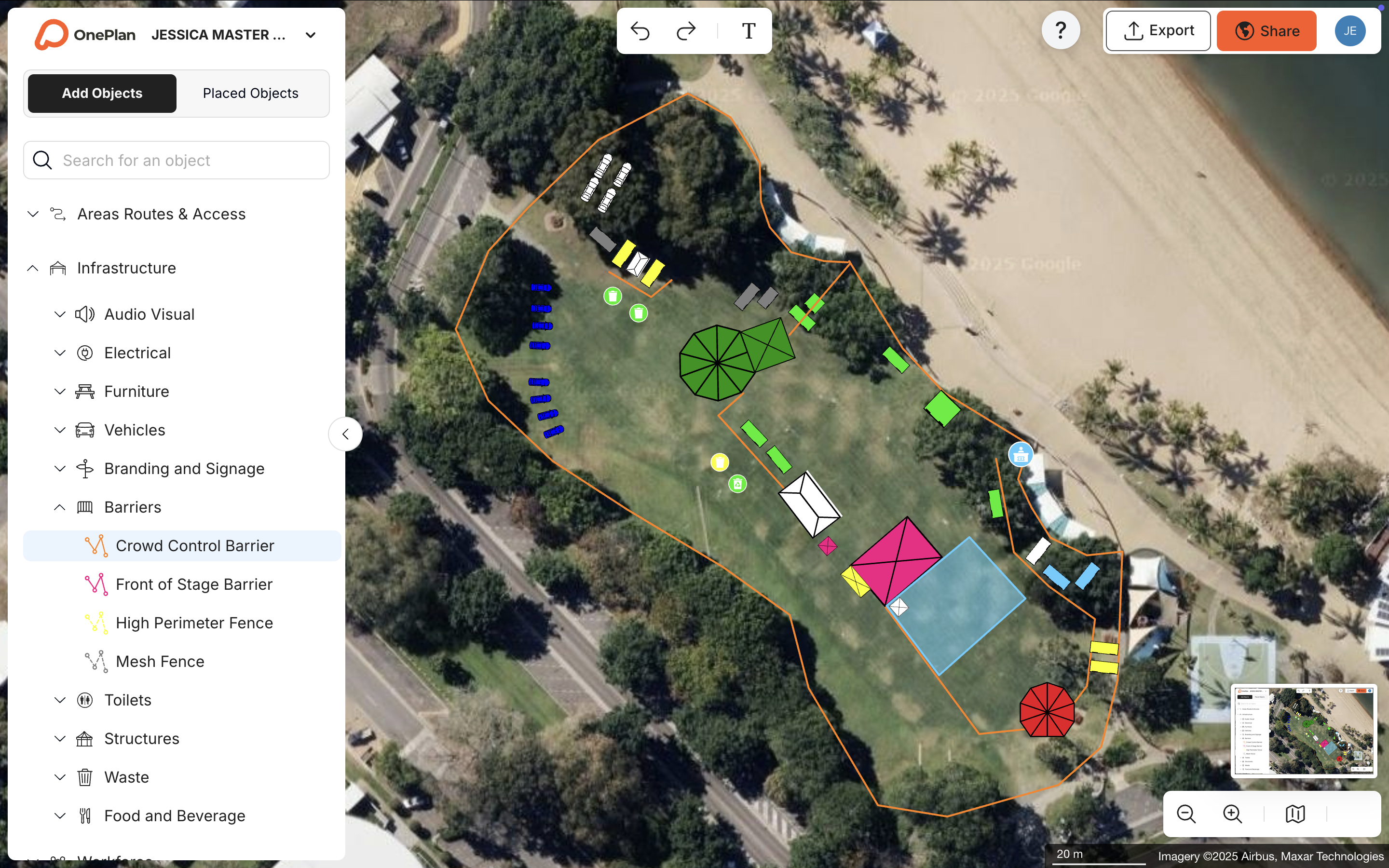
The market splits into two broad categories, each serving different users. Simulation and analytics platforms, such as pedestrian-flow modeling tools used by engineers, produce detailed behavioral predictions but require specialist training, significant budget, and weeks of setup. For most event operations teams, that level of complexity is unnecessary. Practical, map-based planning tools let operations teams design to-scale layouts, calculate standing crowd capacity, and share permit-ready documentation without any engineering background.
OnePlan sits firmly in the second category. It is a drag-and-drop, browser-based platform built for event professionals who need accuracy and speed, not a PhD in fluid dynamics.
Industry Landscape: How Event Teams Plan Crowds Today
To understand why practical planning tools matter, it helps to see what most teams use today. Most event teams still plan in PowerPoint, Excel, Canva, Photoshop, Google Maps, or internal static, top-view screenshots and plan files. The Jockey Club, which plans events for over 100,000 attendees, described its previous process as taking aerial photos from the prior year and plotting red and white lines over them in PowerPoint, a workflow that is neither to scale nor collaborative.
The planning tool landscape falls into three categories:
- Manual tools (PowerPoint, Excel, Google Maps screenshots): familiar and low cost, but not to scale, with no real-time collaboration and chronic version-control problems.
- Simulation and analytics platforms (pedestrian modeling, computer-vision monitoring): precise for engineering analysis but expensive, slow to set up, and inaccessible to non-technical teams.
- Practical map-based planning platforms (OnePlan): to-scale, drag-and-drop, event-specific, and ready for immediate use by operations professionals.
According to OnePlan's 2026 Event Site Planning Report, 71% of event professionals cite attendee safety and security as their top planning priority. Over 1 in 3 name crowd safety and flow as their single biggest challenge, and 1 in 3 say stakeholder communication is the most stressful part of the job. The tools most teams reach for were never built to solve any of those problems.
Strategic Factors When Choosing Crowd Management Tools
Event leaders face real trade-offs when choosing between simulation and practical planning tools. Simulation platforms offer deep behavioral modeling but demand engineering expertise and extended timelines. Practical planning tools prioritize speed, accessibility, and documentation readiness, which are the qualities most event operations teams need on a deadline.
Key factors to weigh:
- Event size and complexity: A 500-person community fair and a 100,000-person racing festival both need accurate crowd capacity figures. The larger event may also require multi-stakeholder coordination across police, medical, and traffic teams.
- Team technical depth: Teams that currently plan in PowerPoint will not adopt a complex simulation platform. A drag-and-drop tool fits their skills and gets used.
- Documentation requirements: Permit applications and safety reviews require exportable, professional-grade maps and capacity figures, not screenshots pasted into slide decks.
- Stakeholder mix: Operations, security, traffic, vendors, and local authorities all need to work from the same plan. A tool that only one person can edit creates version-control chaos.
Best Practices for Crowd Flow and Capacity Planning
Teams see better outcomes when they follow a few consistent practices for crowd flow and capacity planning, regardless of which platform they choose.
- Plan to scale from the start. Layouts built on accurate, geo-referenced maps remove the guesswork that causes on-site surprises. The Cheese & Chilli Festival previously found that plans not built to scale required layout changes on arrival at the site. That experience shows how inaccurate tools create costly and stressful rework that accurate tools prevent.
- Use calculators, not estimates. Standing crowd capacity, arrival queue length, and exit flow should be calculated from actual area dimensions and density figures, not guessed. OnePlan's free arrival calculator and exit calculator handle these calculations instantly.
- Maintain a single source of truth. Multiple plan versions across email threads create safety risks. Real-time collaboration on one live plan keeps every department current.
- Export documentation in permit-ready formats. High-resolution maps and structured inventory reports (Bill of Quantities) make permitting and safety reviews faster and better documented.
Implementation Readiness Checklist for Crowd Capacity Software
Understanding best practices is one step, and confirming that your team can apply them is the next. Before adopting any crowd capacity planning software, assess readiness across these dimensions:
- ✅ Team structure: A designated "ring leader" should own the plan and bring in other departments.
- ✅ Workflow maturity: Teams that still share plans via email will see immediate gains from a collaborative platform.
- ✅ Stakeholder involvement: Police, fire, medical, and traffic teams often need access to the plan. Role-based permissions and view-only links support that access safely.
- ✅ Approval processes: Events that require permit submissions or safety review documentation need exportable maps and Bill of Quantities reports.
- ✅ Existing assets: Floor plans, site maps, or CAD-derived files can be converted to .png and used as base layers in OnePlan.
Common Pitfalls in Crowd Management Planning
The most frequent failures in crowd management planning share a common root: fragmented tools that produce fragmented information.
- Outdated plans in circulation: When plans live in static files emailed between departments, someone eventually acts on the wrong version. Columbus Crew's Director of Guest Experience described the problem directly: "We were looking to overcome old maps, a lack of collaboration, and the struggle of having data in too many places."
- Capacity figures based on guesswork: Estimating crowd density by eye risks overcrowding and failed safety checks. Defensible figures require a documented calculation method.
- Separate plans per department: Security, traffic, and operations each maintaining their own map means no one has the full picture. Discrepancies then surface on event day.
Comparison Table: Manual Tools vs. Simulation Platforms vs. OnePlan
| Criteria | Manual Tools (PowerPoint, Excel, Google Maps) | Simulation / Analytics Platforms | OnePlan (Practical Planning) |
|---|---|---|---|
| Spatial accuracy | Not to scale, layouts rely on guesswork | High, but requires engineering input | To scale on a live geo-referenced map |
| Ease of use | Familiar but limited | Steep learning curve, specialist required | Drag-and-drop, usable in seconds |
| Real-time collaboration | None, version-control chaos via email | Limited, typically single-user outputs | Multiple editors on one live plan |
| Crowd capacity calculator | None, manual estimation only | Advanced simulation modeling | Instant standing capacity by area and density |
| Arrival / exit flow calculators | None | Simulation-based, requires setup | Free calculators for queue length and exit capacity |
| Permit-ready documentation | Screenshots, not professional-grade | Technical reports, not event-permit format | High-resolution maps plus Bill of Quantities export |
| Cost | Low or free | High, often project-based fees | First event free, from ~$75/month |
| Best fit | Informal, small-scale events | Engineering analysis, infrastructure design | Every event size, from festival to stadium |
Best Software for Event Crowd Safety 2026: Why OnePlan Stands Out
OnePlan has powered over 200,000 events across 150 countries, from community fairs to the Paris 2024 Olympic and Paralympic Games. Its crowd management capabilities are built for the operations professional, not the engineer.
Standing crowd capacity calculator: Planners draw any crowd area on the map, select a people-per-square-foot density, and OnePlan instantly returns the safe standing capacity. Bearfoot Productions uses this to confirm that a defined area can hold 7,000 people at one person per square meter, giving them a visual, defensible figure rather than a guess.
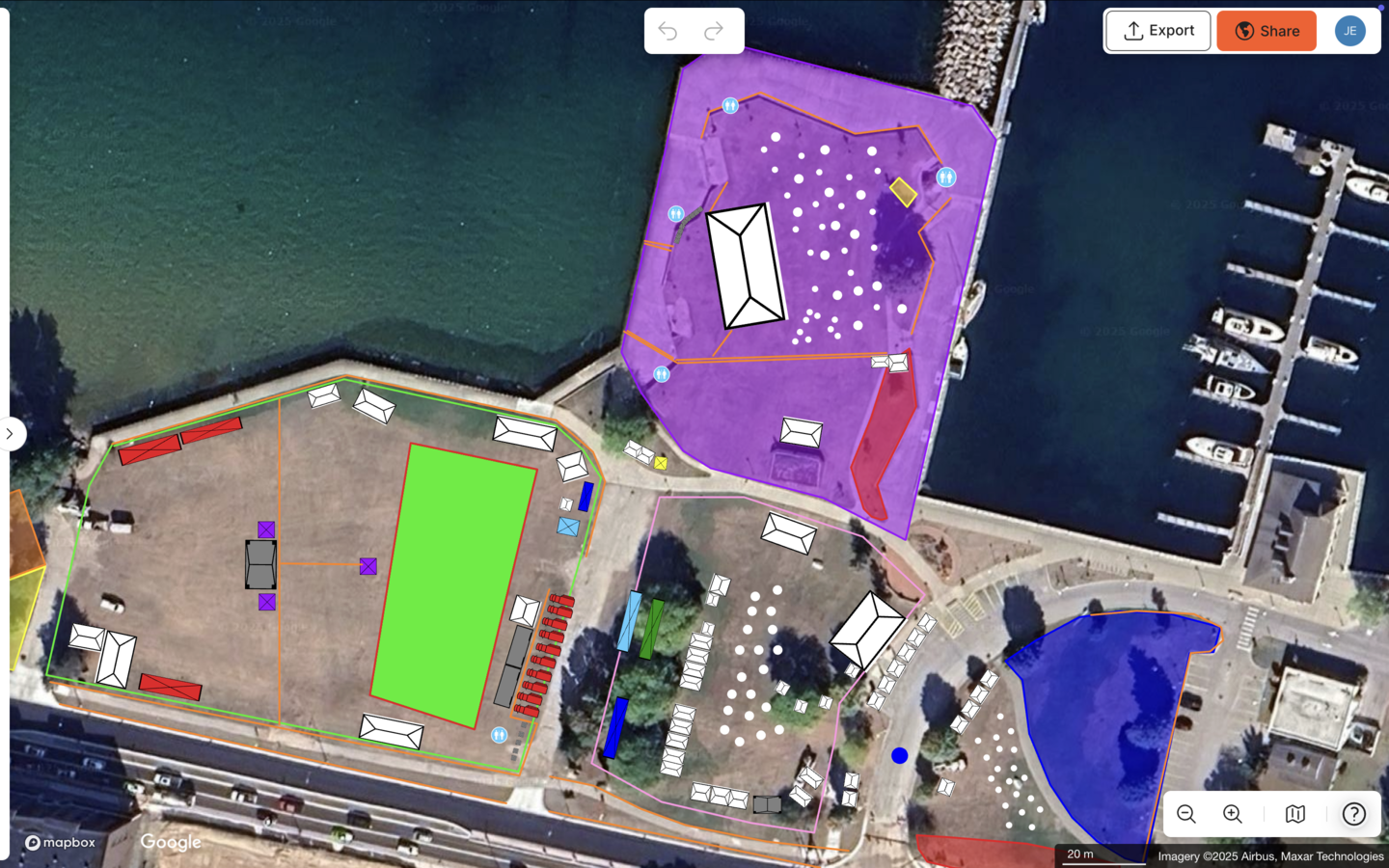
Arrival and exit flow calculators: The free arrival calculator estimates queue length and wait time for ticket checks and security screening. The exit calculator uses exit width, crowd size, and flow rate to estimate exit capacity, which provides critical inputs for any crowd safety plan.
Proven ROI across event types:
- Silverstone: 13x ROI, 10% reduction in planning days, 5% supplier efficiency gain
- Tour of Britain: 75% reduction in site visits, 300+ hours saved per year, 3x ROI
- Eagle Mountain City: 70% time savings, 5x ROI
- SoulFest: 85% time savings, full map built in two days
- Beirut Marathon: 75% reduction in site visits for a 49,000-runner race
- Columbus Crew: 40% reduction in planning time
New users can get up to speed quickly through OnePlan Academy, a free self-taught online course with a shareable completion certificate. This training removes barriers to confident, professional event planning from day one.
Frequently Asked Questions
What is the difference between crowd simulation software and practical crowd management planning tools?
Crowd simulation software models how people behave in a space using algorithms and behavioral data. These tools support infrastructure design and engineering analysis but typically require specialist training and significant setup time. Practical crowd management planning tools, like OnePlan, focus on helping operations teams build accurate, to-scale layouts, calculate standing crowd capacity, plan ingress and egress flow, and produce permit-ready documentation without engineering expertise. For most event organizers, festival directors, and venue operations teams, the practical planning approach delivers the accuracy they need at a fraction of the cost and complexity.
When does an event team need structured crowd capacity planning software rather than a spreadsheet?
Any event that requires a permit, involves multiple stakeholders such as police, fire, medical, or vendors, or has a defined crowd area that needs safety sign-off benefits from structured crowd capacity planning software. Spreadsheets cannot calculate capacity from actual spatial dimensions, cannot be edited collaboratively in real time, and cannot produce the professional-grade map exports that permitting authorities require. The tipping point usually arrives after a compliance scare, a failed inspection, or the realization that repeated site visits are costing more time than the software would.
How does OnePlan handle crowd flow planning for arrival and exit?
OnePlan provides two free calculators specifically for crowd flow. The arrival calculator estimates queue length and wait time based on crowd size, arrival rate, and the number of ticket check or security screening lanes. The exit calculator uses exit width, crowd size, and flow rate to estimate how quickly a crowd can safely exit a space. Both tools are accessible directly from OnePlan's calculator suite and can be used alongside the platform's to-scale map planning to confirm that entry and exit infrastructure is sized correctly before event day.
What documentation can OnePlan produce for permits and safety reviews?
OnePlan exports high-resolution maps, up to A0 and print-ready, with a separate legend generator, which makes them suitable for permit submissions, contractor briefings, and safety review meetings. The auto-generated Bill of Quantities exports every object placed on the map as a structured Excel or CSV inventory, covering fencing, barriers, toilets, generators, signage, and more. Procurement and compliance documentation are produced directly from the plan without re-keying data. Crowd capacity figures are calculated from actual area dimensions and selected density values, giving safety reviewers a documented, defensible basis for approval.
How does OnePlan's crowd capacity calculator work, and what are its limitations?
The crowd capacity calculator works by letting the planner draw a polygon around any crowd area on the to-scale map. The planner then selects a standing density, measured as people per square foot or square meter, and OnePlan instantly returns the maximum safe standing capacity for that space. The calculator is designed for standing crowds only. This makes it well suited for festival fields, parade routes, finish-line areas, and general admission zones. For any capacity figure used in a formal safety submission, planners should confirm the appropriate density standard with their local authority or relevant safety body.
Conclusion and Next Steps
The choice between simulation platforms and practical crowd management planning tools depends on who is doing the planning and what they need to produce. Simulation tools serve engineers designing infrastructure. Practical, map-based platforms serve the operations professionals who must plan, document, and deliver safe events on deadline, and that group represents most event teams.
Manual tools fall short because they are not to scale and cannot support true collaboration. Complex simulation software falls short because it requires expertise that most event teams do not have. OnePlan delivers the middle ground with to-scale, drag-and-drop crowd capacity and flow planning that anyone can use quickly, along with the documentation outputs that permitting and safety reviews require.
Use the implementation readiness checklist above to evaluate your current workflow. Teams that still plan in PowerPoint or email static maps between departments can measure the gap to OnePlan in hours saved, site visits eliminated, and safety risks reduced.