
Written by: Paul Foster, Founder, CEO, OnePlan
Key Takeaways
- Protect Duty software helps UK venues and event organizers meet the Terrorism (Protection of Premises) Act 2025, also known as Martyn’s Law, by supporting risk assessment, training, incident management, and site planning.
- The Act introduces two compliance tiers, with standard duty for venues with 200–799 capacity and enhanced duty for those with 800+, and full implementation expected no earlier than spring 2027.
- Software tools help create auditable compliance records, as the statutory guidance requires organizations to document what measures were taken and why decisions were made.
- Four main categories of Protect Duty software exist: risk assessment platforms, staff training apps, situational awareness systems, and event site planning tools, each addressing different aspects of compliance.
- OnePlan provides to-scale mapping and crowd capacity tools that support enhanced-tier compliance. Book a demo to see how it can streamline your Martyn’s Law planning.
Why Venues Benefit From Protect Duty Software
Manual planning, paper-based risk assessments, and fragmented communication no longer meet the expectations of Martyn’s Law. The Security Industry Authority (SIA) will regulate compliance, and responsible persons must show that they have taken “reasonably practicable” steps to reduce the risk of physical harm.
The statutory guidance, published in April 2026, explains that organizations should build a compliance record by documenting decisions, assumptions, and actions early. It expects venues to demonstrate why decisions were made as well as what was implemented. Software supports this by providing an audit trail, version control, and collaborative documentation that paper-based systems cannot match.
The statutory guidance confirms that organizations do not have to use third-party products or services to comply with the Act. Buying software alone does not create compliance, and the responsible person still holds legal liability and must implement effective procedures. Well-chosen tools, however, help venues meet the “reasonably practicable” standard in a more efficient and defensible way.
Types Of Protect Duty Software
The Protect Duty software market falls into four main categories. Each category supports a different part of Martyn’s Law compliance.
Risk Assessment And Compliance Management Platforms
These tools generate automated compliance and audit reports, evaluate threats, identify vulnerabilities, and document safety measures. They streamline the risk assessment process and produce the documentation needed to demonstrate compliance to the SIA. Effective compliance platforms provide evidence and audit trail capabilities, workflow and role management, and auditor-ready reporting. These capabilities matter for Martyn’s Law inspections.
Staff Training And Awareness Applications
These platforms give staff access to counter-terrorism advice, emergency action guidance, and training assessments. They ensure that staff understand the four core procedures: evacuation, invacuation, lockdown, and communication. Staff can also access guidance during an incident. Effective training platforms include automated tracking, downloadable reports, and audit-ready records to prove compliance during inspections.
Situational Awareness And Incident Management Platforms
These systems help organizations log security planning, share risk data across teams, and manage emergency response. Situational awareness platforms correlate real-time data sources, including weather, events, traffic, and security alerts, and proactively suggest recommendations before an incident occurs. They provide centralized incident management and real-time collaboration for security operations teams.
Event Site Planning And Mapping Software
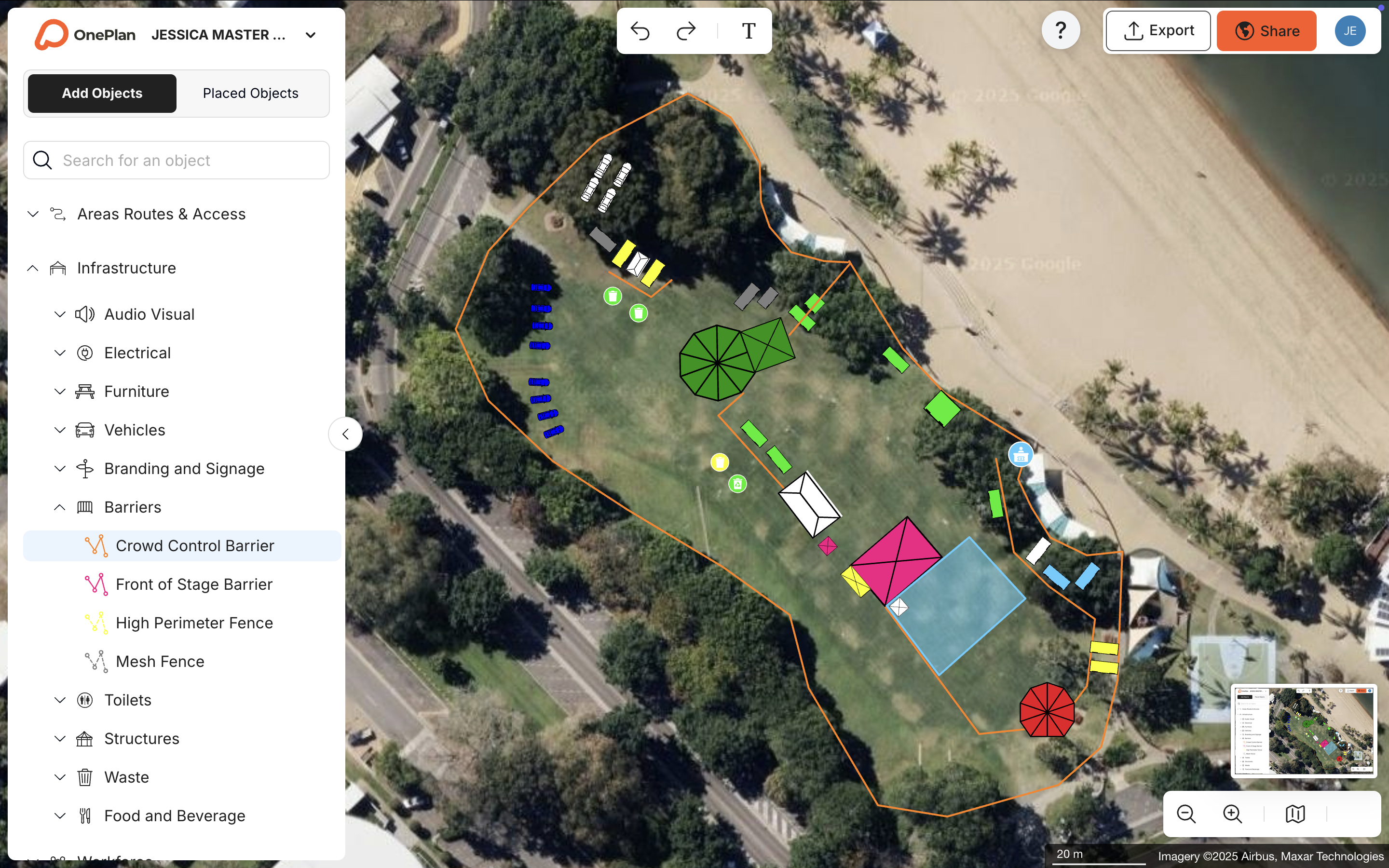
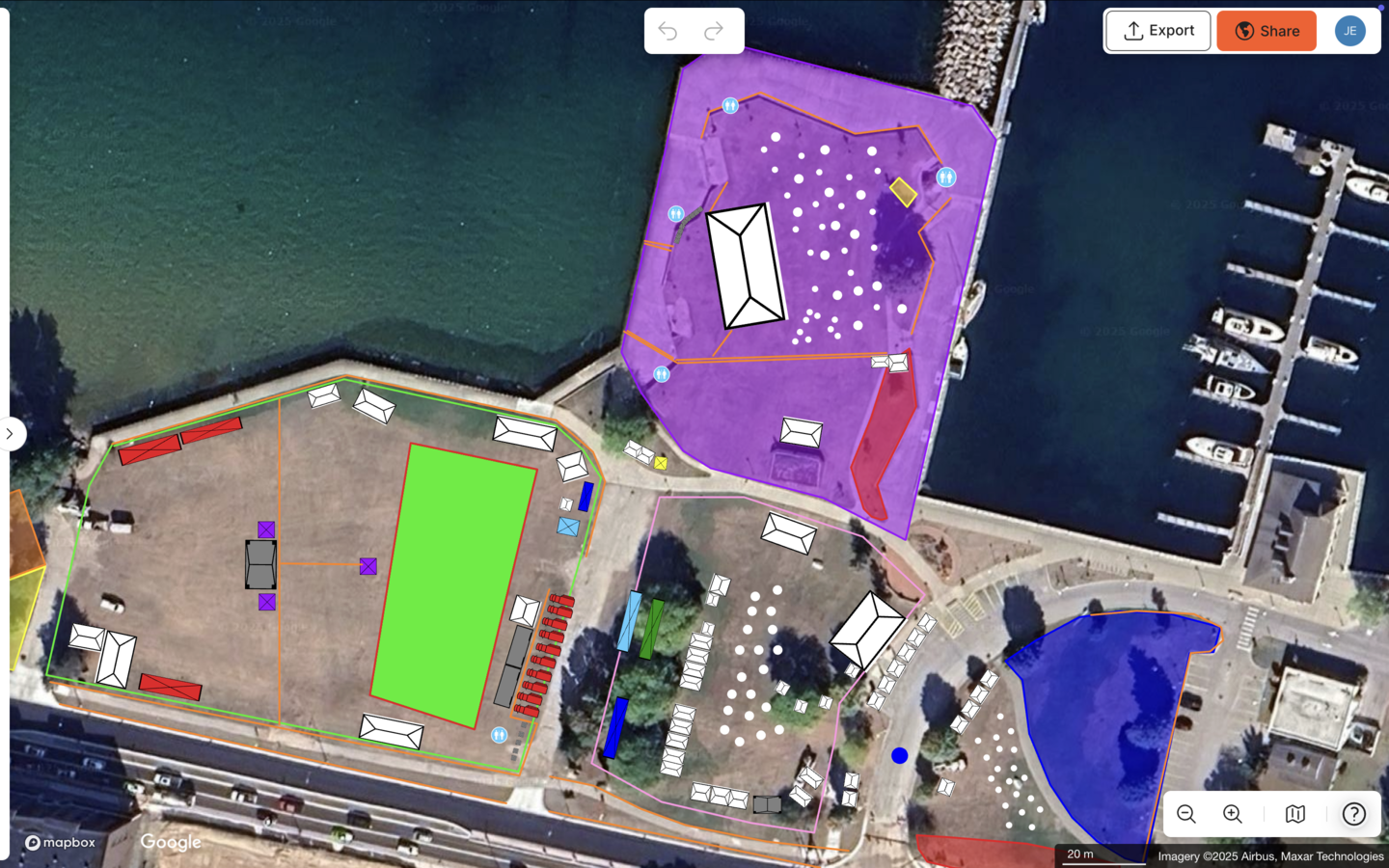
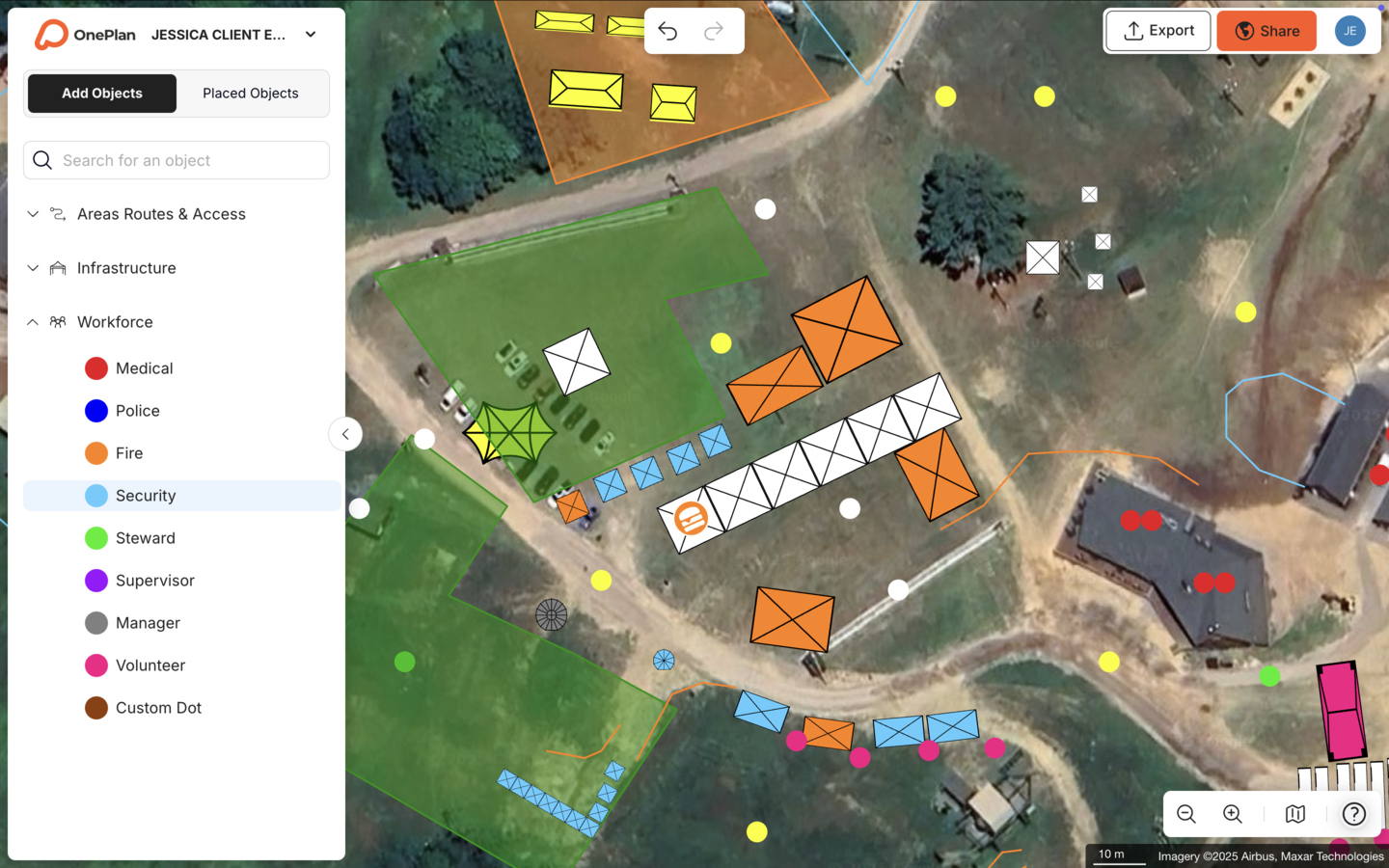
This category is crucial for the enhanced duty tier. These tools support physical layout, crowd flow, and emergency planning, and they provide the spatial intelligence that risk assessments and training modules cannot. OnePlan enables venue operators to create to-scale, map-based plans showing infrastructure placement, crowd capacity calculations, evacuation routes, and emergency response zones. OnePlan is built for events and operations teams, not engineers, so your team can start planning within seconds.
Key Features To Look For In Protect Duty Software
When you evaluate Protect Duty compliance software, focus on these essential features. Together they create a joined-up approach to planning, documentation, and response.
- Fast Risk Assessment Templates – Pre-built templates that align with Martyn’s Law requirements and can be completed efficiently without specialist knowledge. These templates become even more powerful when they feed directly into your wider planning and training processes.
- Real-Time Collaboration And A Single Source Of Truth – Multiple team members and stakeholders can work on the same live document. This approach removes version control issues across departments and keeps everyone aligned on the latest plan.
- Audit Trails And Version Control – Tamper-resistant logs that record who did what, when, and what changed. These logs provide clear evidence for SIA inspections and internal reviews.
- To-Scale Mapping And Spatial Planning – Accurate, map-based layouts that reflect the real physical environment of your venue or event site. This should include surrounding public areas and ingress and egress routes.
- Standing Crowd Capacity Calculations – Tools that help you determine safe occupancy levels and model crowd flow scenarios across your site. This supports both everyday operations and emergency planning.
- Incident Management And Emergency Response Planning – Features that support evacuation, invacuation, and lockdown procedure documentation and rehearsal. These tools help you move from written plans to practical readiness.
- Training And Awareness Modules – Staff-facing content that builds counter-terrorism awareness and tests procedural knowledge against the four core procedures. This connects your documented plans to staff behaviour on the ground.
- Reporting And Export Capabilities – The ability to generate professional documents for Safety Advisory Group meetings, SIA inspections, and stakeholder presentations. Consistent reporting helps you show your work clearly.
Once you understand which features matter most, you can start matching them to your venue, team, and risk profile.
How To Choose The Right Protect Duty Software
Selecting the right software works best as a step-by-step process. Use this checklist before you commit to any platform.
- Assess Your Venue’s Capacity Tier. Confirm whether you fall into the standard tier (200–799) or enhanced tier (800+). This determines the scope of your obligations and shapes which risks you must prioritise. Enhanced tier venues and qualifying events need more comprehensive tools, particularly for spatial planning and physical security measures.
- Identify Your Key Risks. Based on your tier, consider the specific terrorist threats relevant to your venue type, location, and event profile. Risk assessment must cover the wider crowd environment, including queues, approaches, and surrounding public areas, as well as the building or event footprint.
- Consider Your Team’s Technical Skills. Decide whether your team will realistically adopt a complex platform. Many venues benefit from intuitive, drag-and-drop tools that reduce training time.
- Evaluate Integration With Existing Tools. Security measures must work correctly with fire alarm systems, escape routes, and emergency release mechanisms. Software should therefore complement your existing physical safety controls.
- Check Scalability. Confirm that the platform can grow with your needs as regulations evolve and your venue or event portfolio expands. Flexible licensing and modular features help here.
The table below compares leading Protect Duty software categories based on their primary strengths.
| Category | Primary Strength | Best For |
|---|---|---|
| Risk Assessment Platforms | Automated compliance documentation and audit reports | Standard tier premises needing fast, structured documentation |
| Staff Training Apps | Counter-terrorism awareness and mobile action guidance | Organizations prioritizing staff preparedness and procedure rehearsal |
| Situational Awareness Platforms | Real-time threat monitoring and incident management | Venues with active security operations teams |
| OnePlan | To-scale event site and venue mapping with crowd capacity tools | Enhanced tier venues and qualifying events requiring spatial planning |
As the table shows, each category serves a distinct purpose within your compliance stack. For event site planning and venue mapping, OnePlan stands out. Its browser-based platform lets you drag and drop to-scale objects onto a live satellite map, calculate standing crowd capacities, model traffic flow, and collaborate with every stakeholder on a single live plan.
Frequently Asked Questions About Protect Duty Software
What Is Martyn’s Law?
Martyn’s Law is the common name for the Terrorism (Protection of Premises) Act 2025, which received Royal Assent on 3 April 2025. It requires UK venues and event organizers to prepare for terrorist attacks, with duties phased in over at least 24 months from that date. The legislation is named in memory of Martyn Hett, one of the 22 victims of the 2017 Manchester Arena attack. His mother, Figen Murray OBE, campaigned for six years to bring the legislation into force.
What Does Protect Duty Require?
Protect Duty requires responsible persons for qualifying premises to implement appropriate public protection procedures. These include the four core procedures described earlier and must be realistic, tailored to the environment, understood by staff, and suitable for implementation under pressure. Enhanced tier premises (800+ capacity) and qualifying events must also consider public protection measures relating to monitoring, movement, physical safety, and information security. The statutory guidance expects organizations to document both what they implemented and why, which makes an auditable compliance record essential.
Is Protect Duty Software Mandatory?
Protect Duty software is not mandatory. As noted earlier, software is optional, but it can help you document decisions, maintain audit trails, and collaborate effectively across teams and stakeholders. The responsible person retains legal liability for compliance regardless of the tools used. Non-compliance with Martyn’s Law can result in fines of up to £18 million or 5% of global revenue, so the case for robust documentation tools remains strong even without a legal requirement.
What Makes Event Site Planning Software Different From Other Protect Duty Tools?
Risk assessment platforms, training apps, and incident management systems address the procedural and documentary side of Martyn’s Law compliance. Event site planning and mapping software focuses on the physical environment: where infrastructure goes, how crowds move, where evacuation routes run, and how emergency response zones are laid out. For enhanced tier venues and qualifying events, this spatial intelligence forms the foundation of a defensible security strategy. OnePlan is purpose-built for this category and lets you create to-scale, map-based plans that every stakeholder can access and collaborate on in real time, producing documented layouts that support both SIA inspections and Safety Advisory Group meetings in the UK.
How Much Does Protect Duty Software Cost?
Pricing varies significantly by category and vendor. Risk assessment and compliance management platforms typically offer subscription pricing based on the number of premises or users. Staff training apps often charge per user per month. Event site planning tools like OnePlan offer a free first event (up to 25 objects), with paid plans starting from around $75 per month per seat. Annual plans usually provide around 20% savings. The most effective approach is to assess your tier, your team’s needs, and the specific compliance gaps you must close, then pilot the tools that address those gaps before committing to a full rollout.
OnePlan In Action For Venue Safety Planning
To see how these capabilities work in practice, consider how OnePlan has supported safety-critical events across the UK and internationally. These examples show how spatial planning and clear documentation translate into measurable results.
At Silverstone, home of the Formula 1 British Grand Prix, the team uses OnePlan as its single source of truth for planning more than 50 events a year. The platform’s Bill of Quantities tells suppliers exactly how many barriers each area needs. Role-based access ensures external partners see the right information. These efficiencies translate into measurable gains, and Silverstone achieved an estimated 13x ROI and a 10% reduction in planning days across its 9,000 contractors.
For the Tour of Britain, an 8-stage, 1,352 km national race, OnePlan reduced site visits by 75% and saved more than 300 hours per year. Plans are ready six months in advance and remain a living document until race day. This ensures every stakeholder works from the latest version.
These results show how to-scale spatial planning supports thorough, evidence-backed processes that align with Martyn’s Law. They also highlight why event site planning software forms a distinct and often underserved category within the wider Protect Duty compliance stack.
Get started free, with your first event on us, or book a 15-minute demo to see OnePlan in action.